


Australia Passport Photo Maker
Country preset loaded automatically; verify current authority rules
Prepare a passport-photo crop for Australia using 35×45 mm and a plain white background as a starting preset. Upload a clear portrait to preview positioning and run automated checks for resolution, head room, centring, and background. These checks are guidance, not approval. Australia accepts a 35–40 mm by 45–50 mm photo range, requires professional-quality prints, and does not permit retouching. The Passport Office does not recommend online or mobile passport-photo services. Useful next step: use the framing, lighting, and background guide before visiting a recommended passport-photo provider; do not submit a retouched or home-printed Pixoate output.
- Australia passport-photo preparation
- Crop and background checks before an application
- Single-photo downloads and printable copy sheets
Drop a portrait photo — prepare a passport-size crop
Passport Photo Sizes
US Passport
US Passport: 2x2 inches (51x51mm) Visa photos: 2x2 inches (51x51mm)
UK Passport
UK Passport: 35x45mm UK Driving License: 45x35mm
EU Passport
EU Passport: 35x45mm Schengen Visa: 35x45mm
Canada Passport
Canada Passport: 50x70mm Canadian Citizenship: 50x70mm
Australia Passport
Australia Passport: 35x45mm Australian Visa: 35x45mm
New Zealand Passport
New Zealand Passport: 35x45mm NZ Citizenship: 35x45mm
South Africa Passport
South Africa Passport: 35x45mm SA ID Book: 35x45mm
India Passport
India Passport: 35x45mm India Visa: 35x45mm
How to Use
Upload a clear portrait, choose a starting preset, review the crop and automated guidance, then verify the current issuing-authority rules before use.
Passport photo capabilities
Common Size Presets
Start with common country and document dimensions, then confirm the exact size, editing, print, and delivery rules for your application.
Direct controls
Resize photos instantly with our intuitive interface. No complex software needed.
Security and retention
Server-processed files are handled under our Security policy.
Australian passport photos: size, face height and why a provider prints them
The Australian Passport Office asks for two good-quality photos, 35 to 40 mm wide and 45 to 50 mm high, with the face measuring 32 to 36 mm from chin to crown. Its guidelines call for photos less than six months old, printed by dye sublimation rather than an inkjet printer on heavy-weight glossy paper of at least 200 gsm, with a plain white or light gray background and no retouching such as removing moles, wrinkles or scars. Check passports.gov.au for the current guidelines before you apply.
The same page recommends a professional passport photo provider, for example a post office, photographer or pharmacy, and says it does not recommend online passport photo services or mobile apps because they may put you in danger of identity fraud. Treat this page as a place to rehearse the shot, never as the source of the photos you lodge.
Use the preview to judge pose, light and background, then measure the provider's prints with a ruler, because the Passport Office states face height in millimeters rather than as a share of the frame. Check photo guidance flags a dark or uneven wall, an off-center face or too little space around the head, all worth fixing before the appointment. Keep Replace background off for anything you plan to submit. To pick the better of two practice shots, compare them side by side with a slider, and for other passports, open the presets for other countries.
Before you visit a passport photo provider
- Choose a provider that prints by dye sublimation on glossy paper of at least 200 gsm.
- Leave glasses off unless you cannot remove them for medical reasons.
- Take out wireless earbuds; hearing aids can stay in.
- Wear a plain, unpatterned religious head covering if you usually wear one, with your whole face showing.
- Measure the prints: chin to crown should be 32 to 36 mm.
- Face the camera straight on with eyes open and a neutral expression.
Set up for Australia Passport Photo Maker
Prepared settings
- Starting point
- One recent portrait for Australia
- Start with a sharp, evenly lit photo; the country document preset is already selected.
- Prepared specification
- Australia passport-photo preset
- The Australia starting profile opens automatically without a manual country search.
- Output setup
- Print dimensions, crop preview, and automated photo checks
- Review crop and background guidance, then choose a single photo or a print sheet.
- Review rule
- Confirm against the issuing authority before submission
- Automated checks help find likely issues but do not replace the current official document requirements.
Best-fit uses
- Australia passport-photo preparation
- Crop and background checks before an application
- Single-photo downloads and printable copy sheets
Frequently asked questions
- What size does the Australia passport-photo preset use?
- This page starts with a 35×45 mm output and plain white background guidance. It is a preparation preset, not an approval result. Australia accepts a 35–40 mm by 45–50 mm photo range, requires professional-quality prints, and does not permit retouching. The Passport Office does not recommend online or mobile passport-photo services.
- Is the Australia passport photo maker free?
- Sizing and a 300-DPI export are available without creating an account. AI auto-crop and automated photo checks return web-size results on Free; Premium subscriptions unlock the original resolution. Photos are processed on secure servers and auto-deleted afterwards.
- What does the automated Australia photo check actually verify?
- The automated report flags likely resolution, framing, head-size, centring, and background issues. It provides preparation guidance, not authority approval, and cannot fully check expression, glare, eye gaze, permitted editing, printing, or the latest administrative rules.
- Can I print the Australia photo at home?
- Do not rely on a home-printed sheet for an Australian passport. The Passport Office requires professional dye-sublimation prints on heavy, high-quality glossy paper and does not allow retouching.
What you can do with Passport Resize
Review the main capabilities before you begin.
- Start with common passport and visa photo sizes
- Fit US 2x2, UK and EU 35x45mm starting formats
- Preview an automatic face-positioned crop
- Choose a background only when editing is allowed
- Run automated framing and quality guidance
- Build print sheets when the authority accepts them
- Pick output format and quality for the destination
Settings reference
11 settings
Available controls for Passport Resize.
- Processing modePresets
- Process one input, or switch to Premium batch mode to process multiple inputs with shared settings. Available input types depend on the tool.Options: Single photoBatch
Size
- Country / documentDropdown
- Picks a country or document starting preset with displayed physical dimensions; the selected profile also enables its configured face crop, background controls and automated photo guidance.Options: 🇺🇸 United States — 2×2 in (51×51 mm)🇨🇦 Canada — 50×70 mm🇧🇷 Brazil — 50×70 mm (5×7 cm)🇲🇽 Mexico — 35×45 mm🇪🇺 EU / Schengen — 35×45 mm🇬🇧 United Kingdom — 35×45 mm🇩🇪 Germany — 35×45 mm🇫🇷 France — 35×45 mm🇮🇹 Italy — 35×45 mm🇪🇸 Spain — 35×45 mm🇳🇱 Netherlands — 35×45 mm🇵🇱 Poland — 35×45 mm🇸🇪 Sweden — 35×45 mm🇨🇭 Switzerland — 35×45 mm🇳🇴 Norway — 35×45 mm🇮🇪 Ireland — 35×45 mm🇮🇳 India — 35×45 mm🇨🇳 China — 33×48 mm🇯🇵 Japan — 35×45 mm🇰🇷 South Korea — 35×45 mm🇸🇬 Singapore — 35×45 mm🇵🇭 Philippines — 2×2 in (51×51 mm)🇵🇰 Pakistan — 35×45 mm🇧🇩 Bangladesh — 35×45 mm🇹🇭 Thailand — 35×45 mm🇭🇰 Hong Kong — ≈35×45 mm🇦🇪 United Arab Emirates — 35×45 mm🇹🇷 Turkey — 35×45 mm🇿🇦 South Africa — 35×45 mm🇳🇬 Nigeria — 35×45 mm🇰🇪 Kenya — 35×45 mm🇦🇺 Australia — 35×45 mm🇳🇿 New Zealand — 35×45 mm
- Other sizesDropdown
- Chooses one of the plain centimetre sizes shown in the live selector, including its exact pixel dimensions, when a country-specific document preset is not needed.Options: 2.5cm × 3.5cm (94 × 132 pixels)3.5cm × 3.5cm (132 × 132 pixels)3.5cm × 4.5cm (132 × 170 pixels)4cm × 6cm (151 × 226 pixels)5cm × 7cm (189 × 264 pixels)
Output
- What's this photo for?Presets
- Switches between a high-resolution physical-print workflow and a smaller online-application file; the choice changes the available DPI values and whether the quality slider is shown.Options: PrintingUpload / online form
- QualitySliderRange: 10–100% · Default: 92%
- Sets compression quality for the exported photo; a higher value preserves more visible detail, while the issuing authority or receiving portal still controls the required format and file limits.
- Output FormatDropdown
- Chooses the saved file type; it defaults to match your uploaded image, and JPEG offers the widest compatibility with print kiosks and application portals.Options: JPEGPNGWebP
- Print resolutionDropdown
- Sets the live tool's available density from 150 DPI for web/email through 1200 DPI for sharp printing; the selected purpose determines which values appear.Options: 150 DPI (web/email)300 DPI (print)600 DPI900 DPI1200 DPI (max)
- Print sheetDropdown
- Tiles copies onto a 4×6, 5×7 or A4 page; use that sheet only when the issuing authority accepts the selected printing method. Single photo exports one image.Options: Single photo4×6 inch (multiple copies)5×7 inchA4
AI
- Auto-crop to faceOn / Off
- Detects your face and positions it within the selected preset's configured head-size and eye-line guide. It is available after choosing a country starting preset and does not provide authority approval.
- Replace backgroundOn / Off
- Separates you from the original background and swaps in White, Off-white or Light blue. Use it only when the exact document rules permit digital alteration and accept the chosen color.Options: WhiteOff-whiteLight blue
- Check photo guidanceOn / Off
- Reviews face detection, resolution, head room, centring and background against the configured preset, then shows a pass, warn or fail score. It cannot approve the photo.
Popular presets
Related tools for Australia Passport Photo Maker
Tools for common next steps after Australia Passport Photo Maker.
Background Studio
Remove Background
Remove a photo background and download a transparent PNG. Review hair and edges before use.
Try it now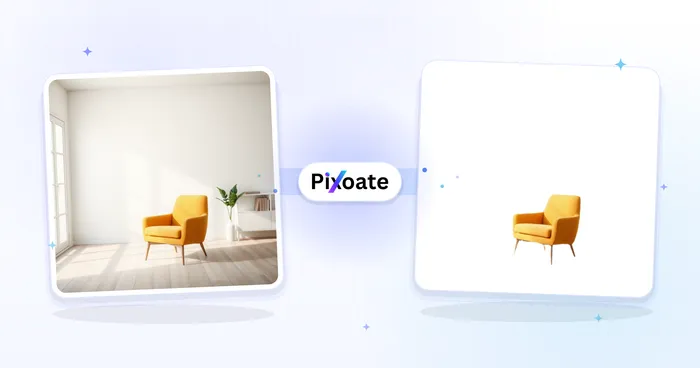
Background Studio
White Background Maker
Replace a photo background with white for product listings.
Try it now
Photo Editing & Utilities
Crop Image
Drag to crop an image. Choose a preset ratio or enter exact dimensions.
Try it nowHow Passport Resize helps you get it done
Real problems it solves every day — for businesses, creators, and everyday tasks. Find the use case that fits you and start.
US 2x2-Inch Photo Size Guide
Prepare a 2x2-inch (51x51mm) crop, then follow the current State Department instructions. US passport photos must not be digitally altered with editing software, apps, filters or AI.
UK 35x45mm Photo Size Guide
Start with a 35x45mm crop and check whether your application is paper or digital. HM Passport Office requires an unaltered photo and professionally printed copies for paper applications.
India 35x45mm Photo Size Guide
Start with the 35x45mm Passport Seva guide, then check the exact passport, visa, minor-photo, and application-channel instructions before using the result.
EU & Schengen 35x45mm Starting Size
Prepare a 35x45mm crop as a common starting point, then verify background, framing, permitted editing, file and printing rules with the issuing member state or consulate.
Custom ID & Badge Photo Crops
Enter custom dimensions for a school, employer or membership badge when the organization accepts an uploaded photo. Government license and state-ID processes vary and may capture the photo in person.
Job Application & LinkedIn Photos
Create professional headshots for job applications, LinkedIn profiles, and corporate ID badges with proper sizing and background
Review Likely Issues Before You Submit
Turn on Check photo guidance after picking a country starting preset to review face detection, resolution, head room, centring and background. Treat the score as preparation guidance, then check every current authority requirement.
Use an Allowed Plain Background
If the exact document rules permit digital alteration, Replace background can switch to White, Off-white or Light blue. When editing is prohibited, take a new unaltered photo against the required background instead.
Build a Multi-Copy Print Sheet When Allowed
Set Print sheet to 4×6, 5×7 or A4 to tile multiple configured copies. Use that file only when the authority accepts self-prepared printing; Canada and Australia require professional services for passport-photo prints.
Visa & Work Permit Photo Preparation
Start from a common country size for visa, study-abroad or work-permit paperwork, then confirm the exact embassy or immigration-portal rules for dimensions, background, editing, file format and delivery.
Newborn & Toddler Passport Photos Made Easy
Auto-crop to face repositions the head to the official ratio even when a squirming baby or toddler isn't perfectly centred in the original shot, saving repeat trips for a photo that keeps getting rejected.
Corporate ID Badge & Staff Photo Standardization
Use a generic size like 3.5x4.5cm plus Replace background set to a single neutral color to give every employee's staff photo the same plain backdrop and dimensions before printing ID badges or uploading to an HR directory — no studio photographer required.
Visa Application Photos
Prepare common visa-photo sizes with country starting presets, then compare the crop, background, editing, and file rules with the issuing embassy or consulate before submitting.
Watch each transformation land
Every photo crosses the slash untouched and comes out the other side finished.























