Count Restaurant Customers from CCTV Photos: A Practical Guide
Use café and restaurant photos to review occupancy and queues. Learn a checked headcount workflow and why snapshots cannot measure unique daily visitors.
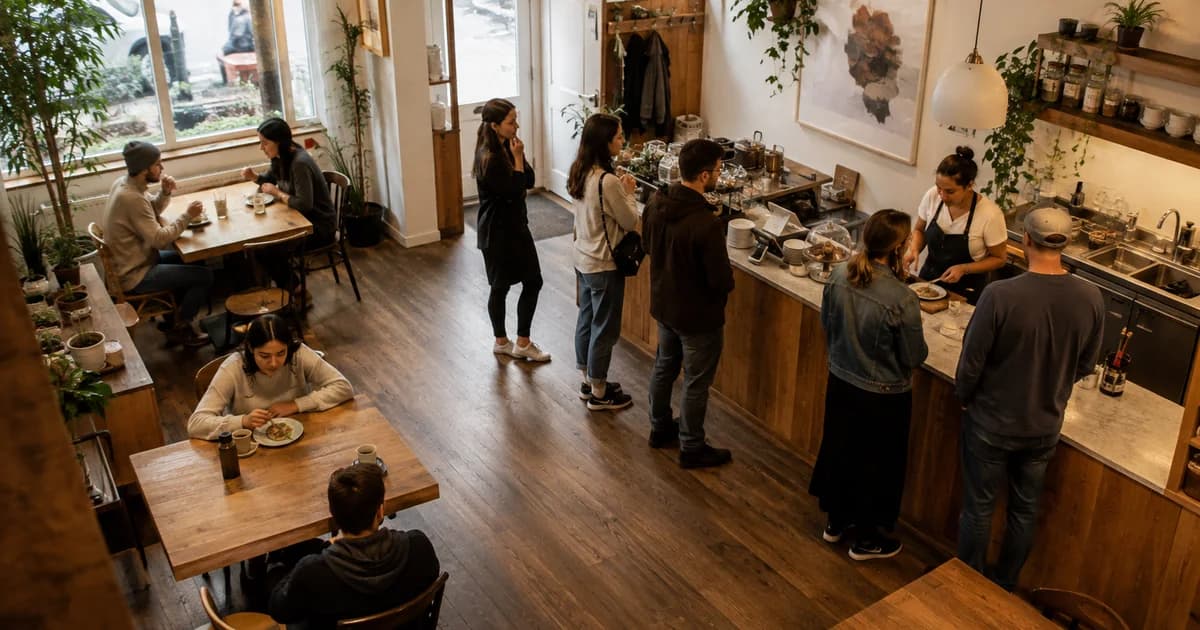
The lunch rush felt relentless, but the till report does not explain why. Were all the tables occupied? Was a queue building near the collection counter? Did the same thing happen last Friday? For a café, restaurant or small shop, a few consistent headcount snapshots can make those questions easier to investigate.
You can use Pixoate to count restaurant customers from a photo, including a still image exported from CCTV. The result is an estimate of the people visible at that moment. It is useful for reviewing a busy period, provided you keep it separate from daily visitor totals and transaction counts.
First decide what you want to measure
“How busy are we?” can mean several different things. A photo of the dining room measures visible occupancy. A photo of the collection area helps estimate queue length. Neither tells you how many different customers visited throughout the day.
Choose one area and one question before collecting images. For example, a US coffee shop could compare the collection queue before and after changing where mobile orders are placed. A UK café could compare visible dining-room occupancy at the same lunch intervals across several weekdays. These are suggested workflows, not measured Pixoate customer results.
How to count people in a CCTV still
- Export a clear still image using your camera system's own controls. The photo counter takes images; this workflow does not connect Pixoate to a live CCTV feed or analyse an entire video.
- Open Pixoate's AI people counter for café and shop photos and upload the image.
- Run the count and inspect the marked result. Small groups and dense crowds can use different counting methods, so treat a crowd estimate with appropriate care.
- If visible people are missed, review the available sensitivity controls and the option to include people facing away. Recheck the image after changing settings.
- Save the marked image and record the time, camera view and any manual correction in your own log.
Keep the view consistent. A different angle can reveal people who were previously hidden and create an apparent increase that has nothing to do with demand.
Turn snapshots into a useful staffing discussion
Start with a small log rather than a complicated dashboard:
| Time | Area photographed | Reviewed count | Observation |
|---|---|---|---|
| 12:00 | Collection queue | 4 | Two orders awaiting collection |
| 12:15 | Collection queue | 11 | Courier arrivals overlap with lunch orders |
| 12:30 | Collection queue | 5 | Queue has cleared |
These example figures show a temporary queue peak. They do not mean 20 different customers visited. The same person may appear in several snapshots.
Compare repeated observations with service times and your own sales records. A long queue with few transactions could warrant a closer look at order collection. Full tables with little queueing may raise a different staffing question. The photograph supplies context; the operational decision needs more than the AI total.
Watch for the details that distort a count
Mirrors, window reflections, promotional posters, staff behind counters and people partly hidden by furniture can confuse the result or your interpretation. Decide whether staff belong in your measurement, then apply that definition consistently. Do not assume the tool distinguishes employees from customers.
Use an original frame when possible. Sharpening or generating missing detail can introduce information that was not present in the source. A clearer camera view is a better counting input than a heavily enhanced picture.
For UK businesses, check the ICO's video-surveillance guidance before repurposing or sharing CCTV images. Confirm that you are authorised to upload the images, and review Pixoate's file-handling policy. US requirements vary by location and context; follow the rules that apply to your business.
Can this measure daily footfall automatically?
No. Adding photo counts together double-counts returning or lingering people. Unique visitors and entry/exit tracking need a suitable measurement system. Use the photo workflow for reviewed snapshots, not occupancy enforcement or emergency headcounts.
Start with one clear frame and one operational question. A reviewed customer headcount from a photograph can give your next staffing discussion something more useful than “it felt busy.”