
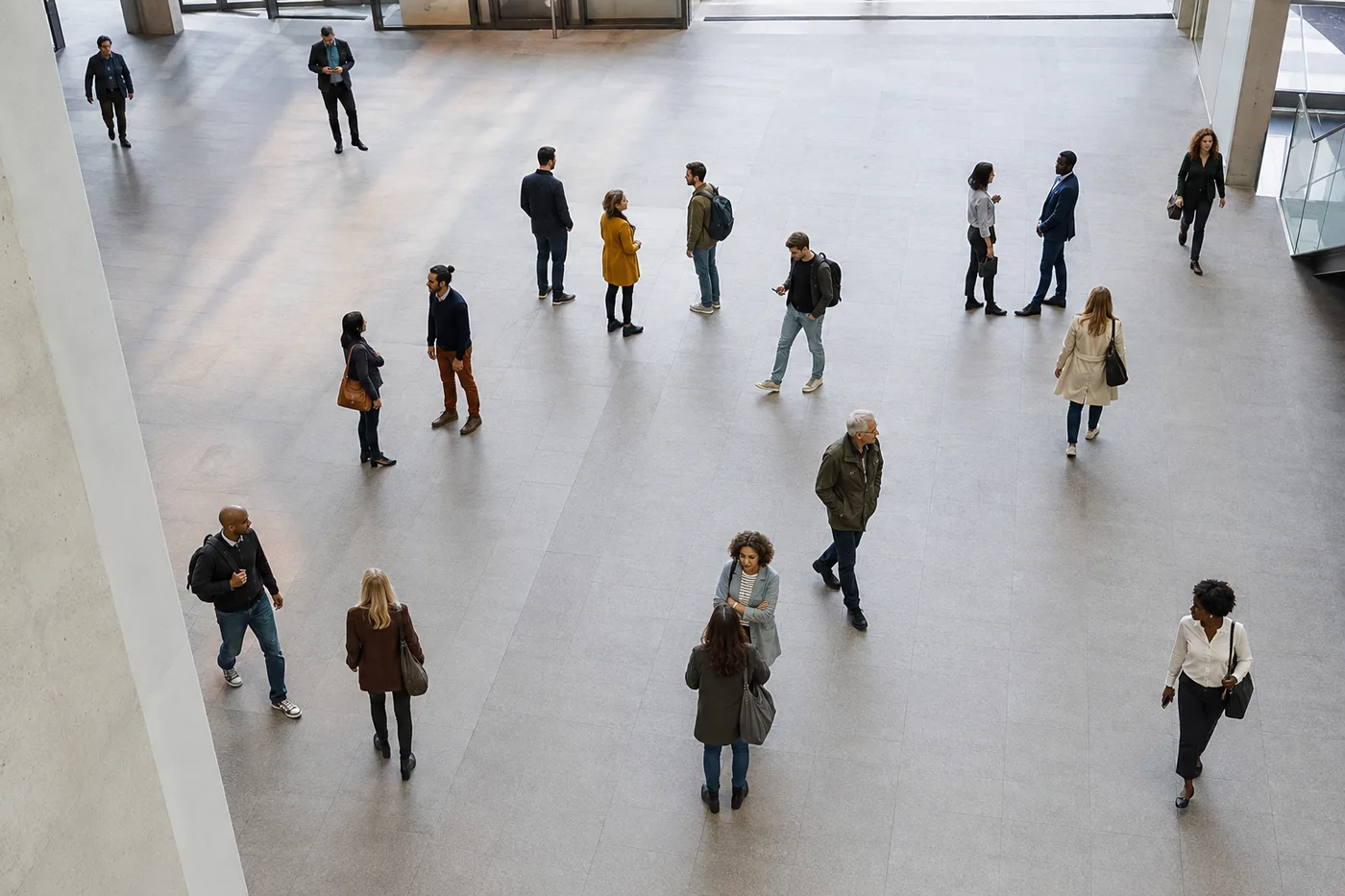
Count People in a Photo — AI Crowd Counter and Headcount
Works with JPG, PNG, WEBP
Counting heads row by row means losing your place and starting again. Upload a photo of your event, class or gathering and get a headcount with every person marked.
- Counts dense crowds as well as small groups
- Great for event attendance and classroom headcounts
- Stop recounting because someone moved halfway through
- Review every detected person directly on the marked result
Works with JPG, PNG, WEBP
Drop a crowd or group photo — get back a headcount with every person marked
Tips for an accurate count
• A higher-up, wider shot captures more people
• Raise sensitivity if some people are missed in small groups
• If people are turned away or in profile, turn on “Include people facing away” — it counts them too, not just visible faces; check the markers for any duplicates
About the People Counter
The people counter picks the right engine for your photo: small groups are detected person by person with verifiable numbered boxes, while dense crowds switch to an AI crowd-density engine built for gatherings where bodies overlap and detectors undercount. Estimate attendance at events, take classroom or meeting headcounts and check crowd density from a single picture — no manual tallying required.
How It Works
1. Upload a photo of the group or crowd
2. AI detects each person
3. Adjust sensitivity to catch more or fewer
4. Read the headcount and download the marked image
Perfect For
• Event and party attendance
• Classroom and meeting headcounts
• Crowd-density checks
• Queue and footfall estimates
How to count people in a photo and get a headcount you can check
This AI people counter estimates how many people appear in a photo and marks each one, so you can verify the headcount against the picture. Upload a group, class, event or crowd photo, choose Count people, and review the numbered boxes or the dots and heatmap. It works as a crowd counter for one wide shot and as a photo counter for a small group, on a phone or a computer. The estimate still needs your review.
Count people in image uploads, photos and pictures
To see how many people are in this photo, upload the widest, highest-angle frame you have, because a higher-up, wider shot captures more of the group than a close one. Small groups are detected person by person with numbered boxes you can check one at a time, while packed scenes switch to crowd-density counting with dots and a heatmap that shows where people are concentrated. The marked image carries the total, so you can count the people again yourself against the same picture.
- Upload a group or crowd photo, or select Take a photo on a phone.
- Leave the options at their defaults so the tool picks person-by-person or crowd-density counting.
- Choose Count people and wait for the markers.
- Check the total against the photo, then download the marked image.
Use the AI crowd counter for events and gatherings
As a crowd counter from image uploads, it needs one wide photo taken from a raised position, with as much of the gathering as possible in frame. Crowd counting from photo uploads, and crowd counting online from a single image, gives an estimate of attendance, not an official figure: overlap hides some people, so treat the number as a range and cross-check it with a second photo or another method. Max accuracy (slower) combines results from several engines when they are available. Herds and flocks have a livestock counter with tips for photographing from a higher vantage point.
Include people facing away or in profile
Face-first counting can miss people turned away from the camera. Turn on Include people facing away to search for people in profile, from behind or with a hidden face as well, which suits queues, audiences and group photos taken from the back of a room. Partial bodies and overlap can still cause misses or duplicate markers, so check the result before you trust it.
Tune the count and check every marker
Detection sensitivity runs from Strict to Lenient: raise it toward Lenient if people are missed in a small group, and lower it if a scene is over-counted. Included markers shows more or only the strongest detections, and Overlay style switches between dots, a heatmap, both or none. These display controls change only the preview, so reset them before you download. A second pair of eyes on the markers is the real accuracy check.
Count people in several photos and keep a record
Bulk audit, a Premium option, counts a queue of photos with the same settings and shows each photo count as a headcount, plus a grand total on screen, with a link to each marked image. People counting has no tally sheet, so download each marked image to keep a record, or sign in and save the reviewed count in the History tab, which can export saved counts as CSV. Blur faces with automatic face detection before you share a photo of a crowd. For anything that is not a person, count objects with your own examples.
Before you count a crowd
- Shoot from a raised spot so heads are not hidden behind the ones in front.
- Keep the whole group inside the frame, because people cut off at the edge are easy to miss.
- Use the sharpest copy you have, since tiny, blurred faces are easy to miss.
- Treat the total as an estimate and compare it with a second count when the number matters.
After the headcount
Before you share the marked photo, blur faces with automatic face detection, and for anything that is not a person, count objects with your own examples. Herds and flocks are counted on a livestock page meant for photos taken from higher up.
What you can do with People Counter
Review the main capabilities before you begin.
- Count people in a crowd without losing your place
- Estimate event attendance from a single image
- Tally heads in classrooms and gatherings
- See each counted person marked on the image
- Include people facing away from the camera
- Turn on max accuracy for dense crowds
- Fine-tune detection for small or distant faces
Settings reference
6 settings
Available controls for People Counter.
- Processing modePresets
- Process one input, or switch to Premium batch mode to process multiple inputs with shared settings. Available input types depend on the tool.Options: Single photoBulk audit
Count
- Included markersSliderRange: 0–1 · Default: 0.21
- Starts at 21%; slide toward Show more to include weaker people markers or Only strongest to hide them. The headcount updates instantly.
- Overlay stylePresets
- Sets how counted people appear on the preview — dots, a density heatmap, both, or a clean image — so you can verify the headcount visually.Options: BothDotsHeatNone
- Include people facing awayOn / Off
- Counts people turned away, in profile, or whose face is hidden — not just visible faces — while never counting one person twice and never counting legs alone as a person. For genuinely dense crowds it escalates to a density estimate.
- Max accuracy (slower)On / Off
- Runs every counting engine on the photo and cross-checks their results for the most dependable headcount, taking a little longer to process.
- Detection sensitivitySliderRange: 0–1 · Default: 0.5
- Controls how eagerly people are marked, from Strict to Lenient — raise it if people in small groups are missed, lower it if things that are not people get counted.
Popular presets
Related tools for People Counter
Tools for common next steps after People Counter.

Counting & Inventory
Object Counter
Estimate an object count from a photo. Review and correct the numbered markers before using the count.
Try it now
OCR & Data Extraction
Image to Text (OCR)
Extract editable text from a screenshot, photo or scan in 30+ supported languages.
Try it now
Photo Editing & Utilities
EXIF Viewer & Remover
Inspect supported EXIF, IPTC and XMP metadata, including location, device and timestamp fields, then export a copy with removable metadata cleared.
Try it nowFrequently Asked Questions
How People Counter helps you get it done
Real problems it solves every day — for businesses, creators, and everyday tasks. Find the use case that fits you and start.
Event & Conference Attendance Reconciliation
Photograph the room or venue for a preliminary attendance estimate, then review the result and use an approved manual or ticketing count for reconciliation.
Crowd-Size Estimates for Rallies & Protests
Generate a rough crowd-size estimate from an overhead or wide photo, review the uncertainty, and corroborate it with other evidence before publishing or making decisions.
Retail Footfall & Queue Snapshots
Count shoppers in a queue or at a storefront from one photo to spot-check footfall or queue length at a specific moment, with no camera system required.
Classroom & Meeting Attendance Registers
Use one room photo for a preliminary head-count estimate, then have an authorised person complete or reconcile the attendance register manually.
Preliminary Venue Occupancy Estimates
Use a photo estimate only as an early warning, then complete the approved physical or official occupancy check before opening. The AI result is not a fire-safety or capacity-compliance record.
Transit Platform & Waiting-Area Crowd Checks
Photograph a train platform, bus stop or waiting area for a preliminary density estimate, then corroborate it with approved operational checks before making safety or capacity decisions.
Guides for this tool
- A Busy Café Photo Tells One Part of the Demand StoryA busy cafe photo captures occupancy at one moment. Explore Pixoate people counts, their limits and how reviewed snapshots can inform demand discussions.
- Count Restaurant Customers from CCTV Photos: A Practical GuideUse café and restaurant photos to review occupancy and queues. Learn a checked headcount workflow and why snapshots cannot measure unique daily visitors.
Watch each transformation land
Every photo crosses the slash untouched and comes out the other side finished.























