How to Count People in an Event Photo and Report Attendance Honestly
Estimate a visible crowd from a photo, avoid double counting, describe uncertainty clearly and keep the evidence for volunteers and sponsors.
Written by the Pixoate team. We check how each tool behaves before we describe it, and we date any prices or portal rules we quote.
After a fair, a fundraiser, a match or a conference, someone always asks how many people came. Ticket scans cover the entrance, and a photograph shows the crowd at one moment. The two answer different questions, and a good event report says which one it is giving.
Counting heads by hand in a photo is slow and easy to lose track of. This guide shows how to estimate a crowd from a photo, how to report it honestly, and how to avoid the mistakes that inflate or shrink the number.
At a glance
- Decide what you are measuring: people visible at one moment in one area.
- Use the clearest photo, ideally from a higher position.
- Run the count and review the markers or density overlay.
- Record the result with the time, the area and any limitations.
- Do not add photos of the same crowd together.
Match the claim to the photo
A photo taken at two o'clock supports a statement about the visible crowd at two o'clock. It does not prove total attendance over a six-hour event, because people arrive, leave and stand outside the frame.
A defensible description is: "Estimated visible crowd in the main hall at 2 pm, reviewed from the event photograph." For a venue, name the section the photo actually covers. The review habit is the same as when you count stock from a photo.
Take a photo that supports a count
- Shoot from a higher position, such as a balcony, stage edge, stand or gantry, where you have permission to be.
- Include the whole area you want to describe, with edges in frame.
- Use even light, and avoid shooting into bright windows or lights.
- Take the photo when the crowd is at its fullest or at a time you want to document.
- Keep a record of the time and the location.
Count with Pixoate
Upload the photo to the People Counter. It supports person detection for smaller groups and a density-based estimate for crowded scenes. Then review what it shows:
- Check blocked areas, such as people hidden behind stalls, pillars or banners.
- Look at the edges of the frame, where partial bodies are common.
- Check reflections, posters and statues, which can look like people.
- Look at very dense areas, where overlap makes any count less certain.
For other items, such as chairs or tables in the same hall, the general object counter is available.
Avoid double counting
Two photos of the same crowd are usually alternative views, not separate groups. If a camera pans across a stand, parts of the crowd overlap. Photos taken minutes apart also show people who have moved.
Use the clearest single view when it covers the question. If you must use separate sections, define the boundaries first, check for shared walkways and edges, and add counts only when the groups are truly distinct and taken at the same time. Otherwise, report them separately.
A worked example: reporting a fair
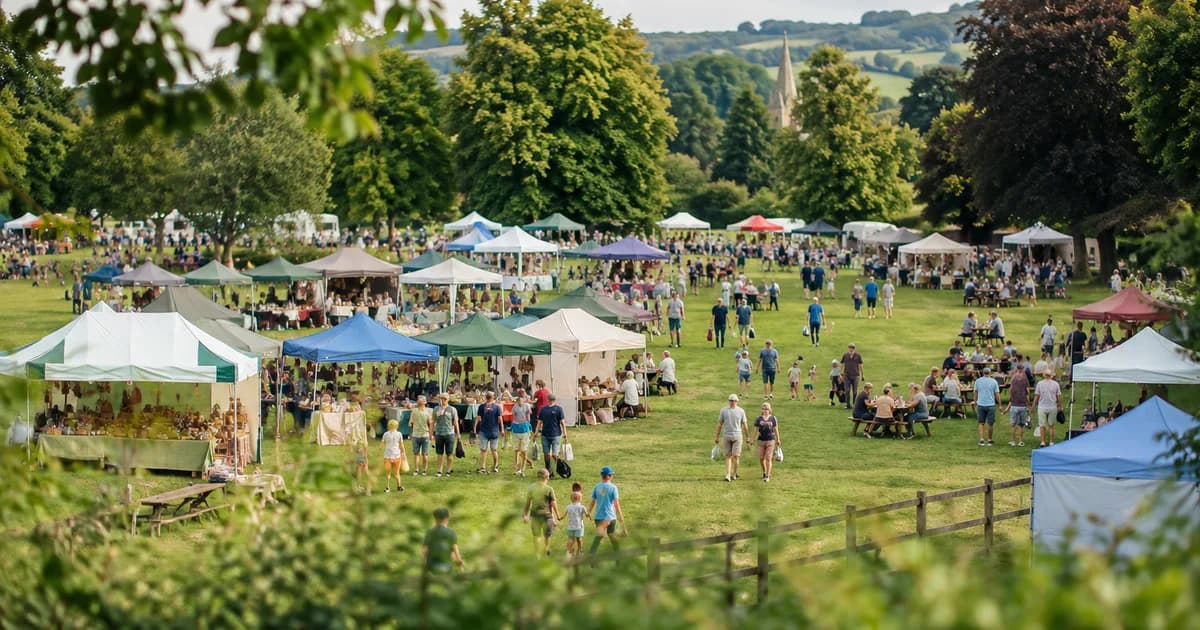
Here is an invented example. Suppose a community fair has a main field photographed from the roof of the village hall at the busiest moment of the afternoon. The reviewed count shows about 420 people visible. A separate photo of the courtyard, taken at the same moment from a different position, shows about 90.
The honest report says something like: "At 3 pm, about 420 people were visible in the main field and about 90 in the courtyard." It does not say "510 people attended," because the two views may overlap at the edge, people were also inside the hall and at the car park, and others had come and gone. If the committee asks for total attendance, the answer comes from tickets, registrations or gate counts, with the photo count as supporting evidence of how busy the peak was.
Putting the number in context like this makes the report more convincing, not less, because a careful reader can see what it does and does not claim.
Be clear about uncertainty
A precise-looking integer does not make an estimate exact. When people are partly hidden or the crowd is dense, describe the result as an estimate, and say what limits it. Keep the original photo and the marked image together, so anyone can see where the number came from.
Report it usefully
For volunteers, sponsors and committees, a short evidence note is enough:
- The photo, with date and time.
- The area covered.
- The estimated number of visible people.
- Any limitation, such as hidden areas.
- Whether the figure is tickets, registrations or visible people.
If these measures disagree, investigate the difference instead of picking the most flattering one.
Choosing where to take the photo
The position you choose shapes how reliable the count will be. A high, wide view reduces overlap, since people stand behind one another less when seen from above. A low, close view hides people behind others and makes distant people very small. If possible, pick a spot that shows the whole area you want to describe, with the edges of the crowd visible, and avoid positions where the sun is behind the crowd and turns people into dark shapes.
For queues, shoot along the line so that each person is visible, rather than straight on, where the first people hide those behind them. In indoor venues, light is often uneven, so check that people in the dim areas are visible. It is worth taking a few photos from slightly different positions and choosing the clearest. A few minutes spent finding a good vantage point saves guesswork later.
Permissions and privacy
Count only photos you are allowed to take and use. Be careful when children or identifiable attendees are visible, and follow your venue and organization policies on sharing images.
What the density view tells you
In crowded scenes, a count that marks every person is difficult because people overlap and are partly hidden. A density-based estimate treats the crowd as a field and estimates how many people occupy each area. It is naturally less precise for individuals but more robust for packed scenes.
For your report, check which areas are dense and which are sparse. Sparse areas, such as the edges of a field, will be closer to a true count, while the densest areas will carry more uncertainty. If one dense area contains a large share of the total, consider noting that the estimate there is rougher. Readers appreciate being told where the estimate is strong and where it is weak.
Using counts to plan the next event
A crowd count is more than a number for a report. Over several events, it tells you how many people were present at the busiest moment, which helps you plan staffing, toilets, seating, food and parking. If the peak is shorter than expected, you may be able to run fewer stalls at quieter times. If it regularly exceeds the capacity of an area, you know where to add space.
Keep your counts with notes about the weather, the time and the activities. A sunny afternoon with a popular act will not look like a wet morning, and records that include these details make comparisons fair. Over time you will build a picture of how your event behaves, and that makes your planning calmer, more confident and easier to explain to sponsors and volunteers.
Related guides
The same review habit applies to stock. See how to count inventory from a photo for the general workflow, and how to count livestock from a photo for another outdoor example. For the wider picture, see our overview of counting from photos.
Frequently asked questions
Can it count a packed stadium from one picture?
It can give a visible-crowd estimate, but distance, overlap, roof cover and missing sections limit what the image shows. It does not replace official attendance records.
Can I add the counts from several photos?
Only if they show clearly separate groups at the same time. If the photos overlap or show the same crowd at different moments, report them separately.
How should I describe the result?
As an estimate of visible people in a defined area at a specific time, with any limits noted.
Is a photo count the same as attendance?
No. Attendance usually comes from tickets, registrations or entrance counts. A photo shows one moment in one view.
A crowd photo supports a careful statement, not a headline number. When you want to estimate who was visible at the peak, the People Counter is the place to begin.