
Change Clothes Color with AI
Generative output can vary; review the full result before publishing
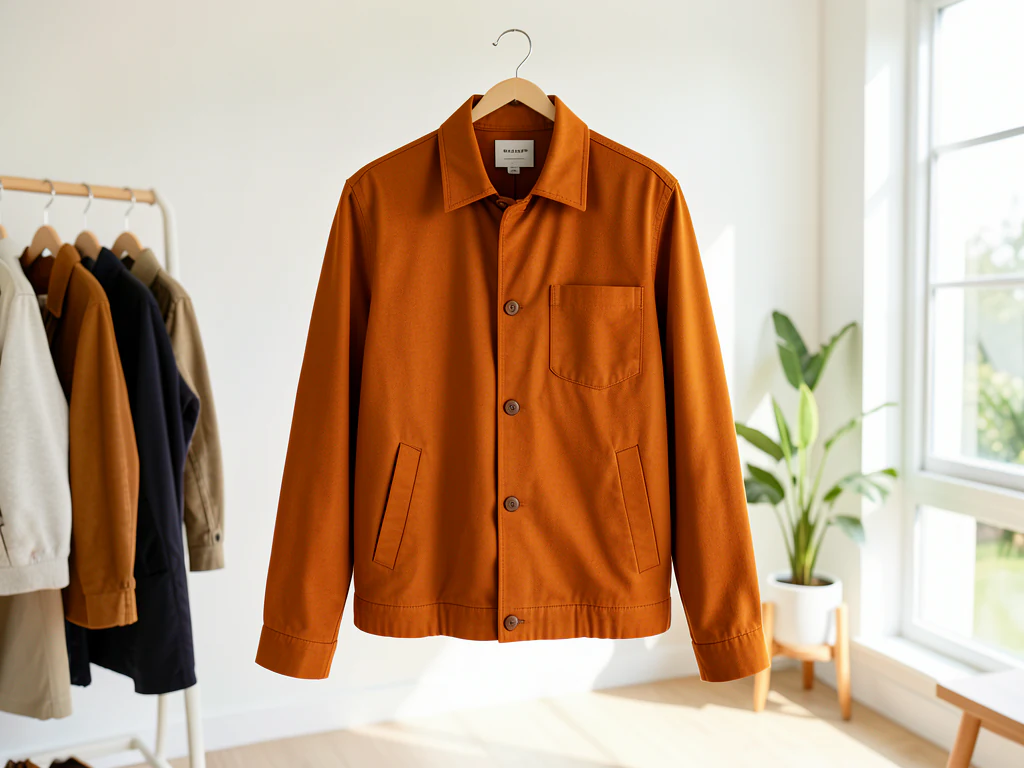
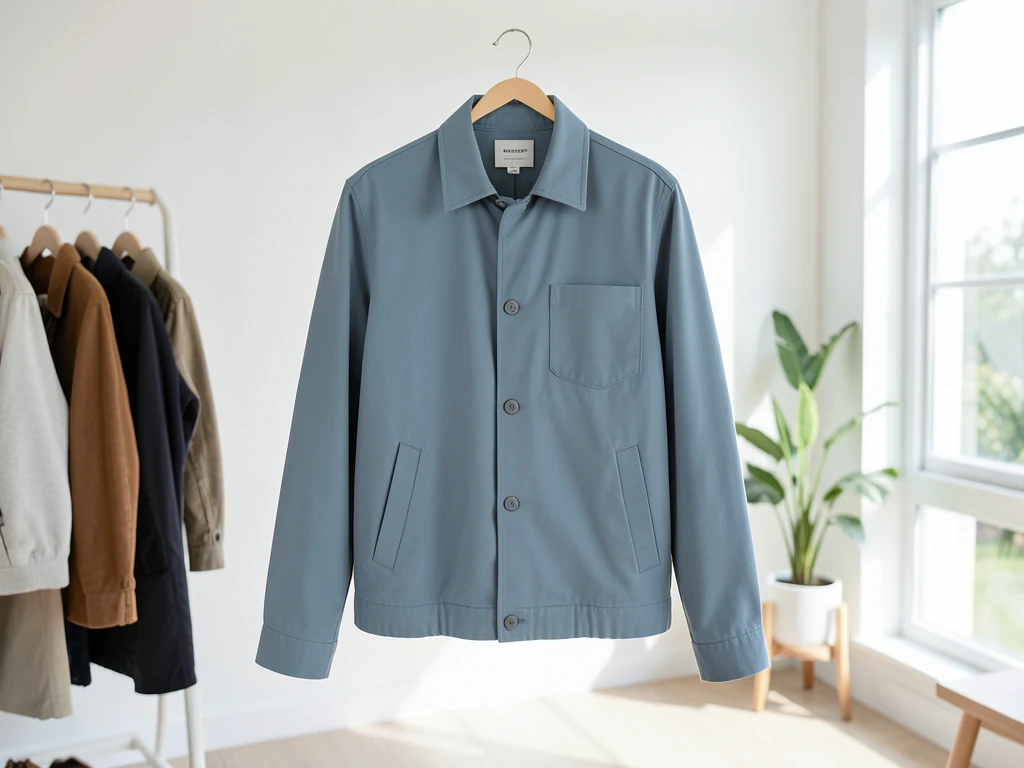
Recoloring clothing convincingly is a texture problem: the new color has to follow every fold, seam, and fabric sheen or the garment turns to plastic. This direction asks the AI to change only the described garment's color in your photo — keeping weave and shadow detail, skin tones and background as they are — for outfit tests, listings, and content. The whole frame is re-rendered, so check skin tones and background against the original.
- Prepared Clothes direction
- Editable prompt
- Source-detail review required
Choose a source image for Clothes
JPG, PNG, WebP, HEIC, and other supported formats. Free up to 20 MB; Premium and higher up to 50 MB for this tool.
Recoloring a garment without losing its shadows and stitching
The prepared instruction names the object but not the color, so open the custom instructions and add both the garment and the target: "the denim jacket, dark olive green" works better than "make it green." Layered outfits need precise words, because a cardigan over a shirt is two garments to the AI. If your words keep catching the wrong layer, use Refine area manually and paint over just that garment; only the painted pixels are replaced.
Patterned fabric needs one more decision. In a plaid or striped shirt, say which color in the pattern changes, or the AI may repaint the whole print. The biggest jumps, such as white to black or black to pastel, are the hardest to make convincing, so check that folds still look like folds and that the shadow under the collar did not turn flat.
To judge the change honestly, put the original and the recolor on one slider and drag across seams and cuffs. Skin next to necklines and sleeves should look exactly as it did. If you want to see a different garment on you rather than a new color, try the outfit on virtually instead.
Before you upload the outfit photo
- Stand in even daylight so the fabric shows its real folds
- Keep bags and arms from covering the garment you want to change
- Write the garment and the new color in the custom instructions
- Decide whether linings, buttons and trims should change too
Set up for Change Clothes Color with AI
Prepared settings
- Starting point
- Upload one source image
- The page opens on the correct edit workflow; upload is the only required setup step.
- Prepared workflow
- Prepared Clothes object
- Change Clothes Color with AI opens with the Clothes direction preselected, so there is no need to find the operation manually.
- Output shape
- Same as your upload
- The result keeps the shape of the image you upload.
- Review rule
- Preserve the source subject and verify factual details
- Generated imagery can vary; the final result stays under the user's approval before download.
Best-fit uses
- Previewing an outfit in another color before buying
- Seller listings showing one garment's colorways
- Fixing a clashing clothing color in an otherwise great shot
Frequently asked questions
- Will the fabric still look real after recoloring?
- That is the test of a good result: folds, seams, stitching, and sheen must survive the color change. The prompt asks the AI to keep the garment's light and shadow detail while changing the hue; if the result looks flat or waxy, regenerate with the garment described more precisely.
- Can I recolor one garment without touching the rest of the outfit?
- Yes — name it specifically: "the shirt," "the left sneaker," "the scarf." The instruction scopes the change to the described item, and your review should sweep the edges — collars and hairlines are where color bleed shows first.
- What should I review in a Clothes result?
- Check the subject, product geometry, colors, labels, logos, identity-relevant details, shadows, and edges against the source. Reject any output that changes a factual detail.
- What rights checks apply to a Clothes client project?
- Use only source material and references you have rights to, follow the destination platform rules, and obtain any required person or property permissions. Generated output still needs a human accuracy and rights review.
What you can do with Color Changer
Review the main capabilities before you begin.
- Change the color of clothes, objects or products
- Describe the target color in plain language
- Keep natural shading so it looks realistic
- Preview product variants in different colors
- Name the object so only that part changes
Settings reference
5 settings
Available controls for Color Changer.
Workflow
- Single image or Batch imagesPresets
- Process one image, or use Premium Batch images to apply the same automatic recipe to a set and download one ZIP.Options: Single imageBatch images
Styles
- One-tap presetsPresets
- Pick a ready-made direction with one tap; generation uses the selected preset automatically.Options: ClothesProductCarRoom surface
- Custom instructions (optional)Text input
- Describe the requested change, relevant materials, lighting, perspective, and details that must remain unchanged.
Selection
- Selection brush sizeSliderRange: 4–160px · Default: 32px
- Automatic selection is the default. Open Refine area manually and set this brush width only when the image needs a tighter edit boundary.
Output
- Ask AI to preserve subject identity and product detailsOn / Off
- Adds an explicit instruction to retain the main subject, shape, branding, labels, and readable text unless the request changes them.
Related tools for Change Clothes Color with AI
Tools for common next steps after Change Clothes Color with AI.

Creative & Design
Photo Filters & Effects
Preview cinematic, vintage, glitch and beauty effects on your photo, then download the look you choose.
Try it now
Photo Editing & Utilities
Online Photo Editor
Crop and resize photos. Add text, shapes, effects and templates, or use AI editing tools.
Try it now
Creative & Design
Image to Sticker
Remove the background, add an adjustable outline and download a sticker image.
Try it nowHow Color Changer helps you get it done
Real problems it solves every day — for businesses, creators, and everyday tasks. Find the use case that fits you and start.
Product Color Variants for Listings
Create red, blue and green product variants from one source photo, then review shading and edges before using them in a store, catalog or ad.
Try On Outfit & Décor Colors
See how a shirt, dress, sofa or wall would look in a different color before you buy or paint — pick the color in the photo and swap it for the shade or gradient you're considering.
Watch each transformation land
Every photo crosses the slash untouched and comes out the other side finished.























