

Phone Product Photo Generator
Generative output can vary; review the full result before publishing
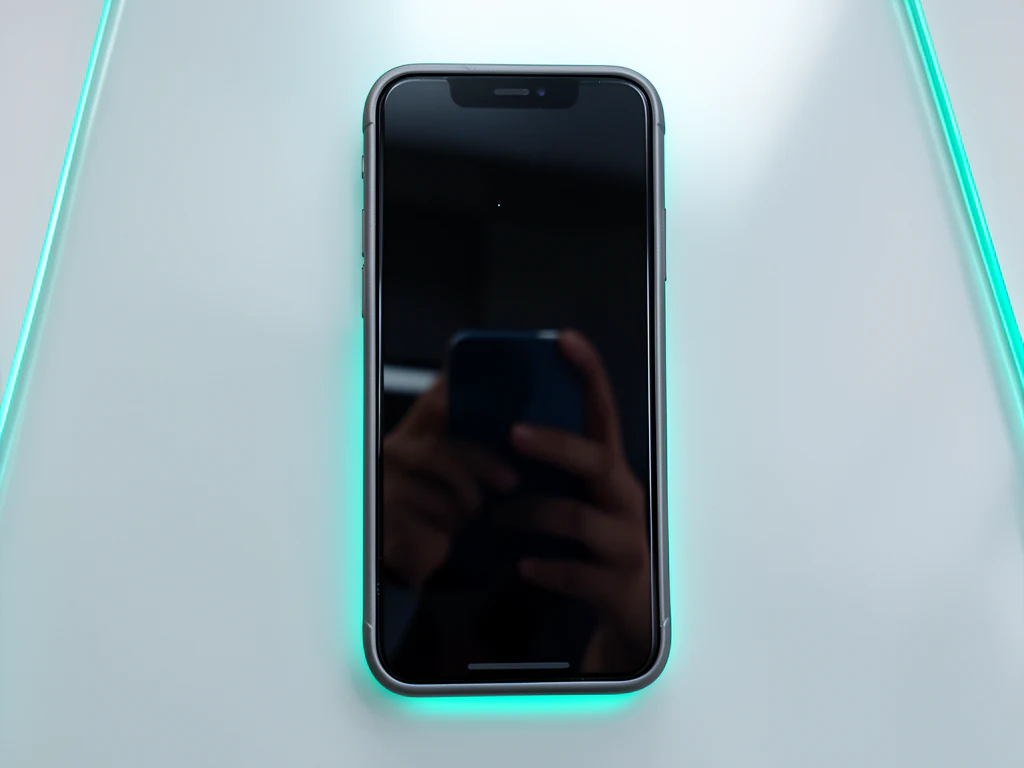
Phones are the hardest slab to photograph — a glass sandwich that reflects everything and shows every fingerprint. This direction stages your device in clean-gradient or café contexts, the AI asked to keep its reflections and screen as photographed rather than filling them with invented interfaces.
- Prepared Phone direction
- Editable prompt
- Source-detail review required
Choose a source image for Phone
JPG, PNG, WebP, HEIC, and other supported formats. Free up to 20 MB; Premium and higher up to 50 MB for this tool.
Phones and cases: glass backs, camera bumps and stands
A glass phone back is a mirror, and whatever it reflected during the shoot, often the photographer's own silhouette, is likely to stay in the result. Shoot from a slight angle under a plain ceiling, or hold a large white card where the reflection falls. Camera lenses and their rings pick up the same reflections in miniature, so zoom in on them before you publish.
Phones rarely stand on their own, and a stand or a ball of putty becomes part of the product if it touches it. Hide supports directly behind the phone, or lay the phone flat and describe a top-down scene in the prompt box, such as 'lying on a light oak desk seen from above with soft window light'. Case makers should fit the case on a real phone so the cutouts line up as buyers expect.
On used phones, cracks and scuffs should remain visible, which is exactly what a resale buyer needs to see. Before you list, check the image against eBay or Amazon rules, and for shared device styling across a range, see the electronics page.
Set up for Phone Product Photo Generator
Prepared settings
- Starting point
- Upload one source image
- The page opens on the correct edit workflow; upload is the only required setup step.
- Prepared workflow
- Prepared Phone scene direction
- Phone Product Photo Generator opens with the Phone direction preselected, so there is no need to find the operation manually.
- Output shape
- Same as your upload
- The result keeps the shape of the image you upload.
- Review rule
- Preserve the source subject and verify factual details
- Generated imagery can vary; the final result stays under the user's approval before download.
Best-fit uses
- Resale listings with launch-grade cleanliness
- Case and accessory shots on consistent devices
- Lifestyle contexts for phone-adjacent products
Frequently asked questions
- How do I photograph a phone without reflections ruining it?
- Shoot slightly off-angle with a plain ceiling or card above — the scene is then rebuilt around the clean device. Wipe it first; the AI is asked to keep the device as photographed, and that includes the fingerprints.
- Can the screen show my app or wallpaper?
- Keep your real screenshot on the screen in the source photo — the AI is asked to keep it, so check the result at zoom. Never let a scene invent screen content; on a listing, that is showing a product state that does not exist.
- What should I review in a Phone result?
- Check the subject, product geometry, colors, labels, logos, identity-relevant details, shadows, and edges against the source. Reject any output that changes a factual detail.
- What rights checks apply to a Phone client project?
- Use only source material and references you have rights to, follow the destination platform rules, and obtain any required person or property permissions. Generated output still needs a human accuracy and rights review.
What you can do with AI Product Background Generator
Review the main capabilities before you begin.
- Build a backdrop around your product from a single photo
- Generate studio sweeps, podiums, gradients, and natural scenes
- Ask the AI to keep the product and label as photographed
- Prepare product concepts for listings and campaigns
Settings reference
4 settings
Available controls for AI Product Background Generator.
Workflow
- Single image or Batch imagesPresets
- Process one image, or use Premium Batch images to apply the same automatic recipe to a set and download one ZIP.Options: Single imageBatch images
Backdrops
- One-tap presetsPresets
- Pick a ready-made direction with one tap; generation uses the selected preset automatically.Options: White studioWarm beigeColor gradientStone podiumBotanical
- Custom instructions (optional)Text input
- Describe the requested change, relevant materials, lighting, perspective, and details that must remain unchanged.
Selection
- Selection brush sizeSliderRange: 4–160px · Default: 32px
- The subject area is found automatically. This brush appears only if that automatic area could not be found; paint the area to edit, then generate again.
Related tools for Phone Product Photo Generator
Tools for common next steps after Phone Product Photo Generator.

Background Studio
Remove Background
Remove a photo background and download a transparent PNG. Review hair and edges before use.
Try it now
Background Studio
White Background Maker
Replace a photo background with white for product listings.
Try it now
Product Photography Studio
AI Product Photos
Generate a background scene around your product. Describe the setting and review the result.
Try it nowGuides for this tool
- The Seasonal Campaign That Never Launched: When Product Photography Slows MarketingSeasonal campaigns can stall when every image needs a new photoshoot. Explore how Pixoate helps adapt existing product photos into useful campaign assets.
- How to Create AI Lifestyle Product Photos Without a Studio PhotoshootCreate AI lifestyle product photos with Pixoate. Explore settings for small business campaigns and review product shape, colour and scale before use.
Watch each transformation land
Every photo crosses the slash untouched and comes out the other side finished.























