
AI Anime Generator — Turn a Photo Into Original Anime Art
Generative results vary; compare every important detail with the source
Create modern anime, manga, chibi, or cinematic artwork while keeping the prompt visible. Review identity, anatomy, hands, clothing, and scene details before publishing.
- Prepared visual directions with editable prompts
- Coherent full-frame generation from the source
- Explicit identity, product, and detail review
Choose a portrait or photo for anime styling
JPG, PNG, WebP, HEIC, and other supported formats. Free up to 20 MB; Premium and higher up to 50 MB for this tool.
Turn a photo into anime art with an AI anime generator
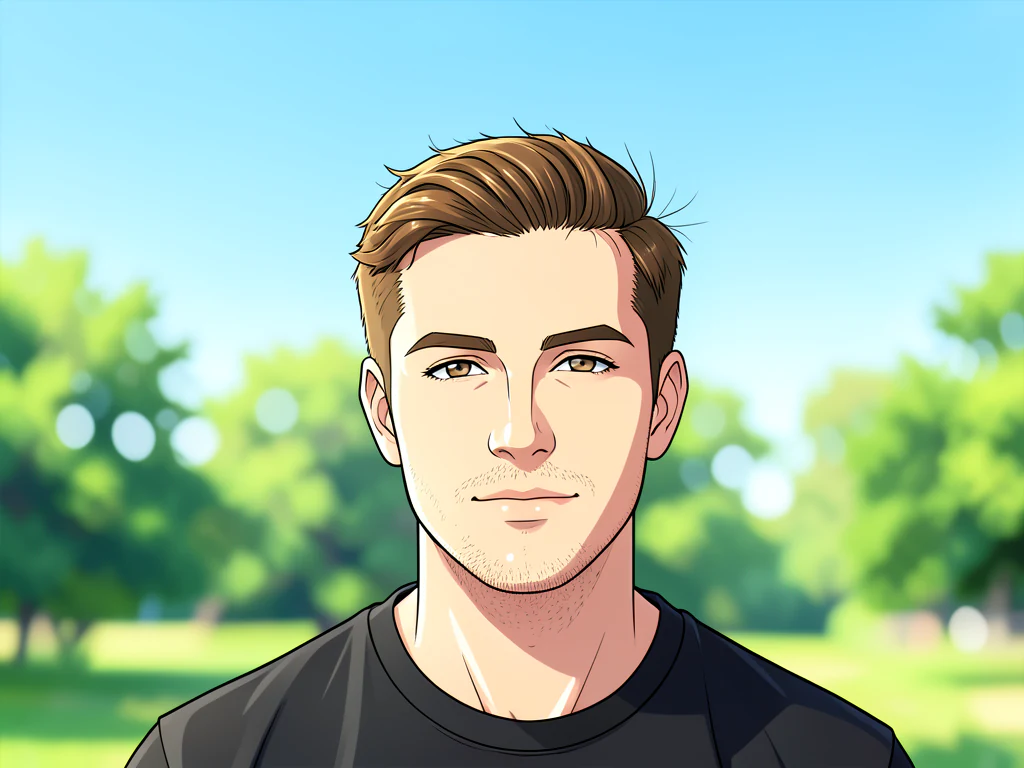
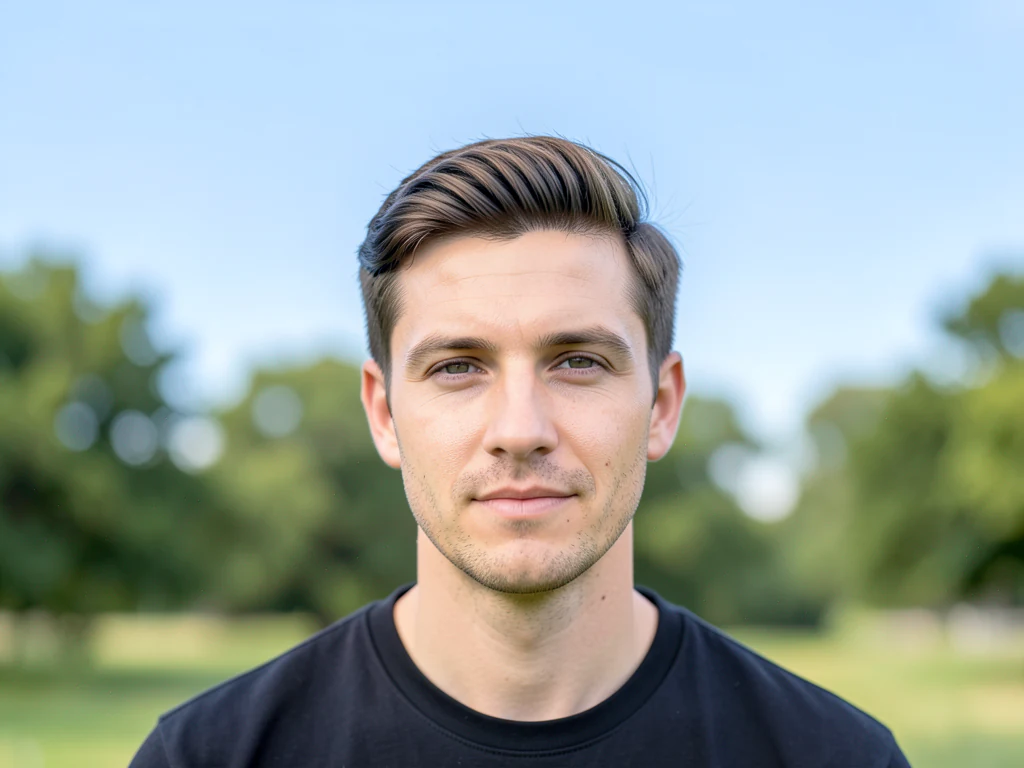
This anime generator redraws a photo as original anime artwork. Upload a selfie, a portrait or another picture, choose Modern anime, Manga ink, Chibi or Cinematic anime, and generate a new illustrated image of the same subject. It suits avatars, profile pictures and keepsake portraits, from a phone or a computer. The result is redrawn rather than filtered, so check faces, hands and clothing before you use it.
Turn a photo into anime in a few steps
This is a redraw: the tool creates new artwork from your photo instead of laying a filter over it, so AI results can vary. JPG, PNG, WebP and HEIC photos all work, and a sharp, well-lit portrait gives the clearest likeness. If you choose no style, a default anime direction with clean linework and cel shading is used, so you can generate right after the upload. To start from a description instead of a photo, generate an image from text.
- Upload a clear photo of a person, a pet or a scene.
- Choose a style under Styles, or keep the default direction.
- Optional: open Custom instructions and describe what to keep or change.
- Keep Ask AI to preserve subject identity and product details checked for real people.
- Select the Generate button and wait for the anime version.
- Compare it with your photo, then download the PNG.
Pick a style: modern anime, manga ink, chibi or cinematic
There are 4 style buttons. Modern anime asks for clean linework with controlled cel shading, and Manga ink aims for a monochrome ink drawing with screen tones. Chibi redraws the subject as a cute, compact character in bright, clean color, and Cinematic anime asks for an atmospheric illustrated frame with dramatic light. Each button fills in a full written instruction that you can read and change under Custom instructions. The result keeps the shape of your upload, so for a widescreen frame, crop the photo to a wide shape before you generate.
Turn yourself into an anime character from a selfie
For an avatar, the tool works well when your face is centered, lit from the front and not hidden by a hat, a hand or a heavy filter. Name the features that must stay, such as glasses, hair color or an outfit, in Custom instructions. For a profile picture, cut the finished image into a circle so it sits neatly in a round frame. For caricature, pet or couple looks, choose from 24 cartoon styles instead.
Fix anime results that change your face, hands or clothes
A redraw can shift face shape, hair, hands or clothing details. Try another style, name the detail to keep in Custom instructions, or generate again, because each generation is its own piece of artwork. A photo with fewer people and a plain background gives the AI less to get wrong. To keep one part as photographed, open Refine area manually and paint only the parts you want redrawn, because everything outside the painted area stays as your original photo.
Before you use the anime picture
- Use photos you own or have permission to edit, and follow the rules of the site where you post the result.
- Compare faces, hands, clothing and background details with the original before you download.
- Upload an opaque photo, because images with transparency are rejected.
- Without Premium the PNG is web size, and Premium returns the larger version and adds Batch images, which returns one ZIP.
- Keep requests original: the styles ask for original artwork, so avoid naming characters, studios or franchises in your own instructions.
More ways to draw yourself after the anime version
For caricature, pet, couple, or storybook looks, pick from 24 cartoon presets for the same photo; a sculpted or 3D character comes from the claymation and 3D cartoon directions.
No photo to start from? Describe a scene and generate it from text, then trim a square result into a circle avatar.
What you can do with Anime Generator
Review the main capabilities before you begin.
- Turn selfies into anime characters
- Create manga-style portraits from photos
- Make anime avatars for profiles and chats
- Convert whole folders in one batch
- Control how strong the anime style is
Settings reference
5 settings
Available controls for Anime Generator.
Workflow
- Single image or Batch imagesPresets
- Process one image, or use Premium Batch images to apply the same automatic recipe to a set and download one ZIP.Options: Single imageBatch images
Styles
- One-tap presetsPresets
- Pick a ready-made direction with one tap; generation uses the selected preset automatically.Options: Modern animeManga inkChibiCinematic anime
- Custom instructions (optional)Text input
- Describe the requested change, relevant materials, lighting, perspective, and details that must remain unchanged.
Selection
- Selection brush sizeSliderRange: 4–160px · Default: 32px
- Automatic selection is the default. Open Refine area manually and set this brush width only when the image needs a tighter edit boundary.
Output
- Ask AI to preserve subject identity and product detailsOn / Off
- Adds an explicit instruction to retain the main subject, shape, branding, labels, and readable text unless the request changes them.
Related tools for Anime Generator
Tools for common next steps after Anime Generator.
Creative & Design
Cartoon Generator
Turn a photo into original 3D, vector, comic, clay, or custom cartoon artwork with editable AI directions.
Try it now
Creative & Design
Photo to Cartoon
Turn a photo into classic, storybook, sticker, watercolor, or custom cartoon artwork with editable AI directions.
Try it now
Creative & Design
Pencil Sketch
Convert a photo into a pencil-sketch style image and adjust the shadow depth before download.
Try it nowFrequently Asked Questions
How Anime Generator helps you get it done
Real problems it solves every day — for businesses, creators, and everyday tasks. Find the use case that fits you and start.
Anime Profile Pictures & Avatars
Get a Discord, Instagram, TikTok or gaming avatar without putting your real face on it
Anime Fan Art & Cosplay Concepts
Convert photos into anime characters for fan art, cosplay reference, and manga-style illustrations
Streamer & Content Creator Branding
Create anime-style avatars and overlays for Twitch, YouTube, and stream branding to build a recognizable identity
Personalized Anime Gifts
Make anime portraits of friends, family, or pets for birthday gifts, prints, and custom merch
Bulk Anime Conversion for Print-on-Demand Shops
Queue dozens of customer photos in Batch mode (Premium) to convert them all to anime style at once and download a single ZIP, ready to drop into mug, poster and phone-case mockups for a print-on-demand storefront.
Anime Character Sheets for Webtoons & Light Novels
Turn cast reference photos into consistent anime-style portraits for character sheets, book covers and webtoon panels, giving self-published authors and indie creators cohesive character art without hiring an illustrator.
Anime-Style Wedding Invitations & Save-the-Dates
Convert an engagement photo into a soft anime illustration at low-to-mid intensity for a whimsical save-the-date card or wedding invitation that stands out from typical photo invites.
Anime Yearbook Throwback for Grad Slideshows
Batch-convert a class's yearbook or graduation photos into anime style for a fun graduation slideshow, group-chat throwback, or senior-year keepsake video.
Watch each transformation land
Every photo crosses the slash untouched and comes out the other side finished.























