
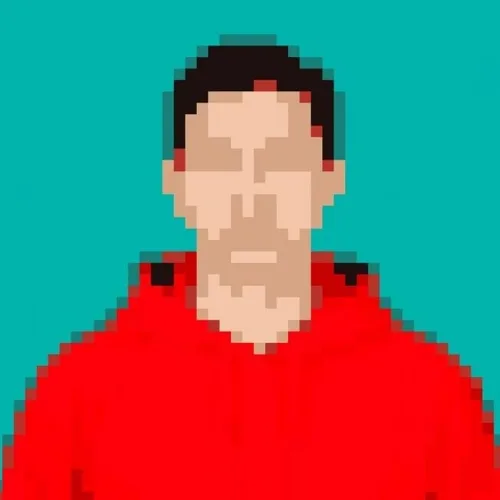
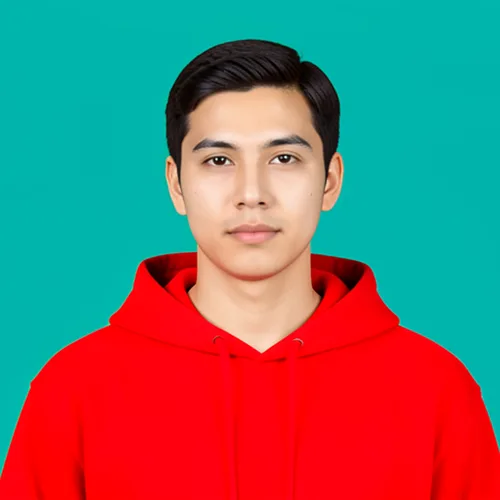
Pixel Art Generator — Turn a Photo Into 8-Bit Pixel Art
Convert a photo into adjustable 8-bit-style pixel art for sprites, avatars or profile images.
Drop a photo — get back retro 8-bit pixel art.
What you can do with the Pixel Art Generator effect
Review the available effect capabilities before you begin.
- Apply the Pixel Art Generator effect to any photo
- Fine-tune the effect strength to taste
- Preview your photo live as you edit
- Download your edited photo in high quality
- Apply Pixel Art Generator to many photos at once
Photo to Pixel Art Generator
Photo to Pixel Art Generator
Apply the selected style and review the preview before download.
How to Use
Upload your photo, adjust the pixel size, and download your pixel art.
Tool capabilities
Retro Pixel Art
Create stylized output with the available settings.
Direct controls
Adjust the settings and review the preview before download.
Security and retention
Server-processed files are handled under our Security policy.
How to turn a photo into 8-bit pixel art
This pixel art generator rebuilds a photo from chunky square blocks and a limited set of colors, so it reads as retro 8-bit art. Set Pixel Size between Fine and Chunky, choose Auto, Game Boy, PICO-8, NES, Perler beads or DMC floss colors, and decide whether to use Dithering. It suits avatars, profile pictures, game-style artwork and bead or cross-stitch projects, and you download a PNG.
Turn a photo into pixel art in a few steps
Nothing redraws while you drag a control. Moving Pixel Size, Palette or Dithering clears the old result, so apply it again to see the new setting. The download is a PNG because hard-edged, limited-palette art has to keep its exact colors.
- Upload a clear photo, ideally a close-up with a simple background.
- Drag Pixel Size toward Fine for detail or Chunky for big blocks.
- Choose a Palette and check Dithering if you want smoother shading.
- Select Apply Pixel Art Generator and wait for the result.
- Select See result, then download the PNG.
Set Pixel Size for chunky 8-bit blocks or finer detail
Pixel Size starts at 70%. Toward Fine, the blocks get smaller and the picture keeps more of the photo, which helps faces and small objects stay readable. Toward Chunky, the blocks get larger and the look becomes bolder and more abstract. Blocks are sized in pixels of your picture, so a small photo looks chunkier than a large one at the same setting. Check eyes and thin details, because they can shrink into single blocks.
Pick a retro or craft palette: Game Boy, PICO-8, NES, Perler or DMC
Auto builds a limited palette from the colors in your own photo. Game Boy uses 4 greens, PICO-8 a 16-color set and NES a console-style set, while Perler beads and DMC floss snap to craft colors for bead and cross-stitch work. Dithering mixes neighboring palette colors in a speckled pattern so gradients look smoother with few colors; leave it off for solid blocks, which look cleaner and are easier to follow in a craft pattern.
Make a pixel avatar, game-style art or a bead pattern
For an avatar, start from a close-up portrait and cut the result into a circle for a round profile picture. If a character faces the wrong way, mirror the image, and to animate a few frames, loop them as a GIF.
For crafts, the result screen shows a Bead / cross-stitch pattern card where you pick Perler beads or DMC floss and download a Pattern PDF with a color-keyed grid and a color list. That export is a Premium feature, and the pattern is sized to at most 48 squares on the longest side.
Pixel art or pixelate: pick the right tool
Pixel art rebuilds the whole picture from blocks and a palette. To hide a face, a number plate or an address behind a mosaic, pixelate only the areas you choose instead. For the same picture built from studded toy-style bricks rather than flat squares, make a brick mosaic.
Before you download the pixel art
- Start from a clear, high-contrast photo, because busy backgrounds turn into noise.
- Check eyes, text and thin lines, which can shrink into single blocks.
- Turn Dithering off when you plan a bead or cross-stitch pattern.
- Apply again after any change, because moving a control clears the result.
- Batch (ZIP) is a Premium feature that applies one set of options to many photos.
Using pixel art in games, profiles, and loops
A sprite facing the wrong way is fixed when you mirror the image horizontally, and several pixel frames can loop as an animated GIF.
For the same picture built from toy bricks instead of flat squares, make a brick mosaic portrait.
What you can do with Pixel Art Generator
Review the main capabilities before you begin.
- Convert photos into retro 8-bit pixel art
- Make pixelated avatars and profile pictures
- Create game sprites from your own images
- Choose the pixel block size for chunky or fine art
- Pick a color palette for an authentic retro look
- Smooth gradients with dithering on limited colors
- Pixelate many images at once in a batch
Settings reference
4 settings
Available controls for Pixel Art Generator.
Mode
- Single / Batch (ZIP)Presets
- Choose Single to pixelate one photo, or Batch (ZIP) to convert many photos with the same pixel settings and download them together as a ZIP; Batch requires a Premium plan.Options: SingleBatch (ZIP)
Effect
- Pixel SizeSliderRange: 10–100% · Default: 70%
- Sets how large each pixel block is — Fine keeps more photo detail with smaller blocks, Chunky gives a bolder retro 8-bit look with big visible pixels.
- PaletteDropdown
- Picks the color set for your pixel art: Auto samples colors from the photo, while the retro and craft options snap every pixel to a fixed palette — Perler and DMC match real bead and cross-stitch colors.Options: Auto (from photo)Game Boy (4 greens)PICO-8 (16)NESPerler beadsDMC floss (cross-stitch)
- Dithering (smoother gradients in few colors)On / Off
- When on, mixes neighboring palette colors in a fine speckled pattern so gradients look smoother with few colors; leave it off for solid blocks that are easier to follow in craft patterns.
Popular presets
Related tools for Pixel Art Generator
Tools for common next steps after Pixel Art Generator.
Creative & Design
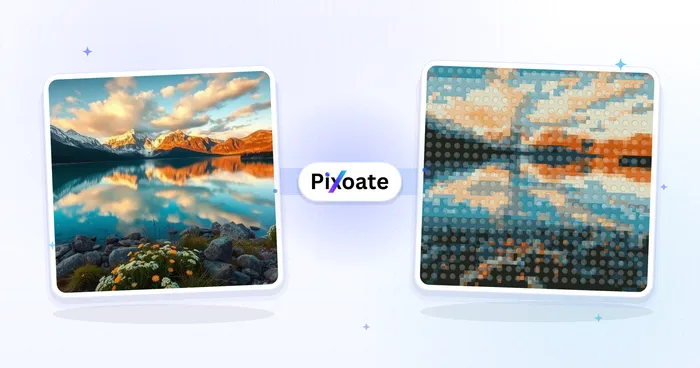
LEGO Art Generator
Convert a photo into a studded brick-style portrait or poster image.
Try it now
Creative & Design
Cartoon Generator
Turn a photo into original 3D, vector, comic, clay, or custom cartoon artwork with editable AI directions.
Try it now
Creative & Design
Anime Generator
Turn a photo into original modern anime, manga, chibi, or cinematic artwork with editable AI directions.
Try it nowFrequently Asked Questions
How Pixel Art Generator helps you get it done
Real problems it solves every day — for businesses, creators, and everyday tasks. Find the use case that fits you and start.
Pixel Avatars & Game Sprites
Convert selfies into 8-bit pixel avatars and sprites for games, Discord, Twitch, and forums
Retro Gaming Content
Create pixel art thumbnails, banners, and overlays for retro gaming channels and streams
Pixel Art Profile Pictures
Make nostalgic pixelated profile pictures for social media and gaming community platforms
Pixel Prints & Stickers
Turn photos into pixel art for stickers, posters, and retro-themed merch and gifts
Perler Bead Patterns From Any Photo
Choose the Perler beads palette, turn dithering off, then use the craft export on the result screen to get a numbered bead pattern chart and shopping list for a physical melty-bead board.
Cross-Stitch Charts From Photos
Pick the DMC floss palette to snap your image's colors to real embroidery-thread codes, then export a printable cross-stitch chart with a per-color stitch count — no separate charting app needed.
Retro Game Asset Prototyping
Generate NES, Game Boy or PICO-8-palette sprites from reference photos or concept art to quickly mock up character and prop art for an indie game before commissioning final pixel art.
Matching Avatar Packs for Communities
Batch-convert a folder of headshots with one pixel size and palette to produce a consistent set of retro avatars for an entire Discord server or team, downloaded together as a ZIP.
Personal Retro Avatar for Social & Gaming Profiles
Turn a single selfie into an 8-bit-style profile picture for X, Discord, Twitch or forum profiles using the Auto or NES palette with dithering off for crisp, easily recognizable blocky pixels — no batch mode or account needed for a quick one-off avatar.
Minecraft Build Blueprints
Turn any image into a blocky grid to plan Minecraft pixel art: each pixel becomes one block, and a limited palette keeps the build to a handful of block colors. Useful for banners, map art and wall murals.
Watch each transformation land
Every photo crosses the slash untouched and comes out the other side finished.























