
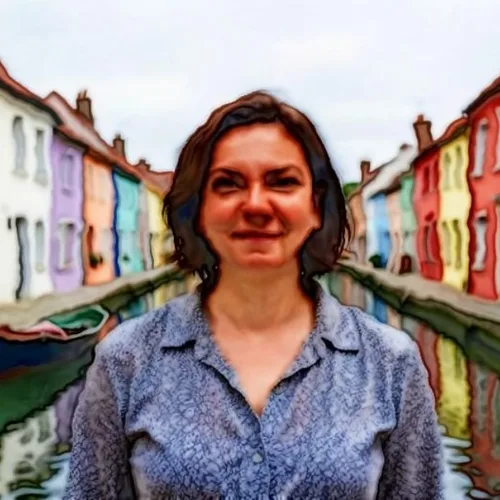
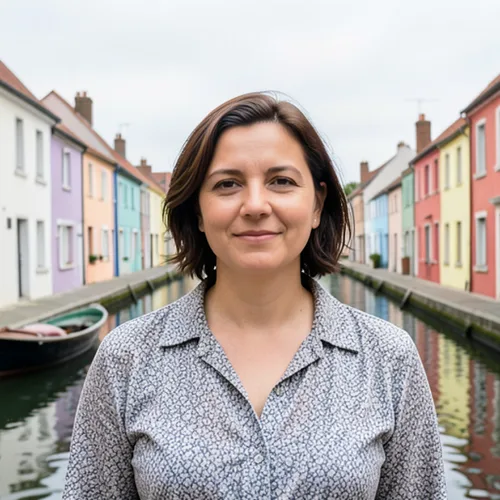
Watercolor Generator — Turn a Photo Into a Watercolor Painting
Transform a photo into a soft watercolor style for wall art, cards or gifts.
Drop a photo — get back a soft watercolor painting
What you can do with the Watercolor Generator effect
Review the available effect capabilities before you begin.
- Apply the Watercolor Generator effect to any photo
- Fine-tune the effect strength to taste
- Preview your photo live as you edit
- Download your edited photo in high quality
- Apply Watercolor Generator to many photos at once
Photo to Watercolor Generator
Photo to Watercolor Generator
Apply the selected style and review the preview before download.
How to Use
Upload your photo, set the watercolor intensity, apply the effect and download your watercolor painting.
Tool capabilities
Watercolor Art
Create stylized output with the available settings.
Direct controls
Adjust the settings and review the preview before download.
Security and retention
Server-processed files are handled under our Security policy.
How to turn a photo into a watercolor painting online
This photo to watercolor converter paints your picture with soft washes of color, darker edges where colors meet and a paper-like grain. Upload a photo, set Watercolor Intensity between Subtle and Strong, and apply the effect. You get a digital watercolor painting as a JPG, made from your own photo, which suits portraits, pets, flowers and landscapes for cards, gifts and wall art. A free preview at web size shows what you will get.
Turn a photo into a watercolor painting in 4 steps
Upload a photo with clear subjects and good color; sharp, high-resolution files keep the most texture. The result keeps your composition, because the effect covers the whole picture, and JPG, PNG and WebP files all work. Nothing is painted until you select Apply Watercolor Generator, and moving the slider afterward clears the old result so you can apply it again.
- Upload a sharp photo with clear colors.
- Drag Watercolor Intensity between Subtle and Strong.
- Select Apply Watercolor Generator and wait for the result.
- Select See result, then download the JPG.
Choose a soft wash or a bolder look
Watercolor Intensity runs from 10 to 100 percent and starts at 70. Lower values leave more of the photo's detail, which helps faces and small objects stay readable. Higher values merge detail into larger washes, darken the edges where colors meet, make the paper grain more visible and push colors a little more vivid, which suits skies, flowers and water. Try 2 or 3 levels on the same photo and compare them, because every change needs another Apply.
Print a watercolor for a card, poster or canvas
Without Premium, results are web size, which suits screens and small prints. Premium unlocks the original-resolution file, and you can enlarge the painting for a bigger canvas or poster. For watercolor canvas art, start from the largest, sharpest photo you have, because a small file gives a soft, muddy painting. For printing at home, put the painting on a PDF page first.
Try a different painted or drawn look
Watercolor is the only painting style in this tool. For brushed paint strokes, look for the Oil Paint effect in Photo Effects. For a graphite or charcoal drawing, use Pencil Sketch. For illustrated looks such as hand-drawn, comic or storybook art, choose a style in Photo to Cartoon. Try the same photo in 2 or 3 of them and compare.
Before you apply the effect
- Choose a sharp, well-lit photo; blurry or very dark photos give muddy washes.
- Check faces and small details after you apply the effect, because high intensity merges fine detail.
- Use the largest original you have if you plan to print the painting.
- Batch mode applies one intensity to many photos and returns a ZIP; it is a Premium feature.
Turning a watercolor into a card or print
Write a greeting or a name across the painting by adding text in your own font and color, then put a clean or rounded border around it before printing.
If the painting should look drawn rather than washed, switch to comic ink or marker strokes.
What you can do with Watercolor Generator
Review the main capabilities before you begin.
- Turn photos into soft watercolor paintings
- Create watercolor portraits from your pictures
- Make artistic wall art and prints from a photo
- Dial in how strong the watercolor effect looks
- Convert a whole folder of photos in one batch
- Design painterly gifts and personalized keepsakes
Settings reference
2 settings
Available controls for Watercolor Generator.
Mode
- Single / Batch (ZIP)Presets
- Choose Single to paint one photo, or Batch (ZIP) to apply the same watercolor settings to many photos at once and download them together as a ZIP; Batch requires a Premium plan.Options: SingleBatch (ZIP)
Effect
- Watercolor IntensitySliderRange: 10–100% · Default: 70%
- Controls how strong the color bleed and painterly softening are — low values (Subtle) leave a light wash over photo detail, high values (Strong) turn the image into bold painted strokes.
Popular presets
Related tools for Watercolor Generator
Tools for common next steps after Watercolor Generator.
Creative & Design
Cartoon Generator
Turn a photo into original 3D, vector, comic, clay, or custom cartoon artwork with editable AI directions.
Try it now
Creative & Design
Anime Generator
Turn a photo into original modern anime, manga, chibi, or cinematic artwork with editable AI directions.
Try it now
Creative & Design
Pencil Sketch
Convert a photo into a pencil-sketch style image and adjust the shadow depth before download.
Try it nowFrequently Asked Questions
How Watercolor Generator helps you get it done
Real problems it solves every day — for businesses, creators, and everyday tasks. Find the use case that fits you and start.
Watercolor Wall Art & Prints
Transform portraits and landscapes into watercolor paintings for framed prints and home decor
Wedding & Anniversary Gifts
Create soft watercolor portraits from wedding and couple photos for romantic personalized gifts
Invitations & Stationery Design
Design watercolor-style invitations, save-the-dates, and stationery from your own photos
Artistic Social Media Posts
Turn everyday photos into painterly watercolor content for Instagram, Pinterest, and blogs
Batch Watercolor for Client Photo Galleries
Photographers and artists switch to Batch mode to run an entire shoot through the same intensity setting at once, delivering a themed watercolor gallery as a single ZIP instead of converting photos one by one.
Pet Memorial & Loss Keepsake Portraits
Turn a favorite photo of a pet into a soft watercolor portrait at 40-60% intensity for a gentle memorial keepsake, framed print, or memory candle gift.
Self-Published Book Covers & Blog Headers
Apply a high-intensity watercolor wash (75-90%) to a stock or personal photo for an indie book cover, poetry chapbook, or blog hero image with a hand-painted feel — no illustrator required.
Real Estate Closing Gift & Listing Illustrations
Convert a listing's exterior or interior photo into a soft watercolor illustration for a memorable closing-day client gift, or use a lighter wash as a distinctive listing-card graphic that stands out from standard photography.
Beginner Watercolor References
Practicing watercolor painting for beginners is easier with a reference: convert your own photo into a watercolor to see the color bleeds, values and soft edges you are aiming for before painting it by hand.
Watch each transformation land
Every photo crosses the slash untouched and comes out the other side finished.























