
Image Converter — Convert Image Format Online Free
JPG, PNG, WEBP, AVIF and GIF
The file will not open, will not upload, or will not display. Convert the image to a format that works everywhere — PNG, JPG, WebP, GIF or AVIF.
- Fix images an app or upload form refuses to accept
- Convert between PNG, JPG, WebP, GIF and AVIF
- Convert one image or a full batch in one run
JPG, PNG, WEBP, AVIF and GIF
Drop an image here — pick a format and download the converted file
When a dedicated converter does the job better
Icons and documents are not on this page's output list, so pack an image into a multi-size .ico file or combine several images into one multi-page PDF. Vector art gets scale control when you render an SVG as a JPG at up to 8x, and scanner TIFFs and Windows BMPs have their own pages for making scans email-friendly and shrinking bulky bitmaps.
What you can do with Image Format Converter
Review the main capabilities before you begin.
- Convert between PNG, JPG, WebP, GIF and SVG
- Switch formats and download in one click
- Turn photos into lighter WebP for faster sites
- Export transparent PNGs from other formats
- Adjust output quality to control file size
- Batch-convert many images at once
Settings reference
3 settings
Available controls for Image Format Converter.
Mode
- Single image / BatchPresets
- Switches between converting one image at a time and queueing many images to convert with the same settings and download together as a single ZIP.Options: Single imageBatch
Format
- Convert to FormatDropdown
- Picks the output format: JPEG for photos with small files, PNG for lossless transparency, WebP or AVIF for the smallest modern files, GIF for simple graphics.Options: JPEGPNGWebPAVIFGIF
- QualitySliderRange: 10–100% · Default: 92%
- Balances file size against image detail for JPEG, WebP and AVIF output — lower for smaller files, higher for better quality; it does not apply to PNG or GIF.
Related tools for Image Format Converter
Tools for common next steps after Image Format Converter.

Photo Editing & Utilities
Compress Image to KB
Compress JPG, PNG or WebP files toward a chosen size such as 20KB, 50KB or 100KB, then review the result.
Try it now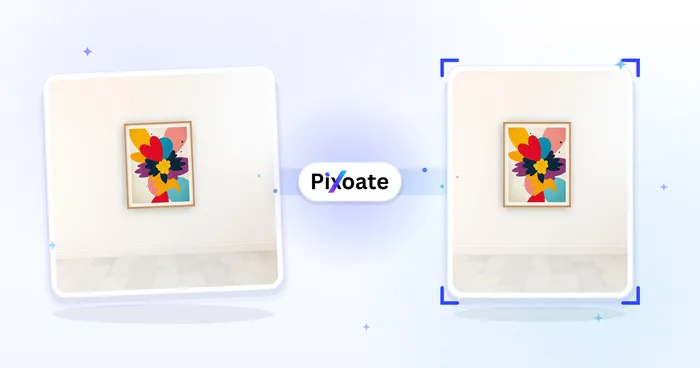
Photo Editing & Utilities
Resize Image
Resize an image to exact dimensions or by percentage. Preview and download the result.
Try it now
Image Conversion
JPG to WebP
Convert JPG images to WebP and adjust quality to balance detail and file size.
Try it nowFrequently Asked Questions
How Image Format Converter helps you get it done
Real problems it solves every day — for businesses, creators, and everyday tasks. Find the use case that fits you and start.
iPhone HEIC to JPG Conversion
Convert iPhone HEIC photos to JPG for sharing on Windows, Android, and social media platforms that don't support HEIC format
PNG to JPG for Web & Social Media
Convert PNG images to JPG for faster website loading, smaller file sizes, and better compatibility with social media uploads
Print Preparation
Convert images to print-ready formats like TIFF or high-quality JPEG for professional printing for businesses. Useful for marketing materials, brochures, banners, and commercial printing projects. Ensures color accuracy and resolution requirements for crisp, professional results.
E-commerce Integration
Convert images to formats optimized for e-commerce platforms and marketplaces for businesses. Useful for Shopify, WooCommerce, Amazon, and eBay product listings. Supports transparency, compression, and platform-specific requirements for maximum visual impact and sales conversion.
Archive Preservation
Convert images to archival formats for long-term storage and preservation for businesses. Protects valuable digital assets with future-proof formats that maintain quality over time.
Social Media Optimization
Prepare images for supported social platforms with format, transparency, animation and dimension controls. Verify current platform requirements before publishing.
Speed Up Page Load with AVIF & WebP
Convert hero images and product photos to AVIF or WebP at 80-90% quality for the smallest file size at full visual sharpness, trimming page weight for better Core Web Vitals scores.
Shrink Photos to Fit Email & Upload Limits
Drop the Quality slider to 60-70% on a JPEG or WebP export to squeeze a photo under a strict email attachment or form-upload size cap without changing the format.
Decode RAW & HEIC Camera Files Anywhere
Convert CR2, NEF, ARW and iPhone HEIC/HEIF files to JPG or PNG online, no desktop RAW codec or Apple device required, so any teammate can open a shoot.
Build Transparent Logos & App Icons
Convert flat artwork to PNG or WebP while keeping the alpha channel intact, ready to drop into a website, app icon set or design tool without a white box behind the graphic.
Convert Photoshop, EPS & GIMP Design Files Without the Software
Upload a PSD, EPS or XCF file straight from a design handoff and convert it to JPG, PNG or WebP for a client preview or web use, without needing Photoshop, Illustrator or GIMP installed to open it first — the server decodes these exotic formats for you.
Guides for this tool
- PNG vs JPG vs WebP vs AVIF: Which Image Format Should You Use?Compare PNG, JPG, WebP and AVIF for photos, logos and website images. Choose a format by quality, transparency and compatibility, then convert with Pixoate.
- WebP vs AVIF for Ecommerce Images: File Size, Quality and CompatibilityCompare WebP and AVIF for ecommerce images. Review quality, file size and upload compatibility before converting product photos with Pixoate.
Watch each transformation land
Every photo crosses the slash untouched and comes out the other side finished.























