PNG vs JPG vs WebP vs AVIF: Which Image Format Should You Use?
Compare PNG, JPG, WebP and AVIF for photos, logos and website images. Choose a format by quality, transparency and compatibility, then convert with Pixoate.
The same picture can be saved in several formats, but the right choice depends on what must survive: fine detail, transparency, compatibility or a small web file. Choosing a format before considering the destination often creates another conversion later.
Pixoate Image Format Converter provides a place to create supported outputs and compare the result. Keep the original while deciding which version suits the job.
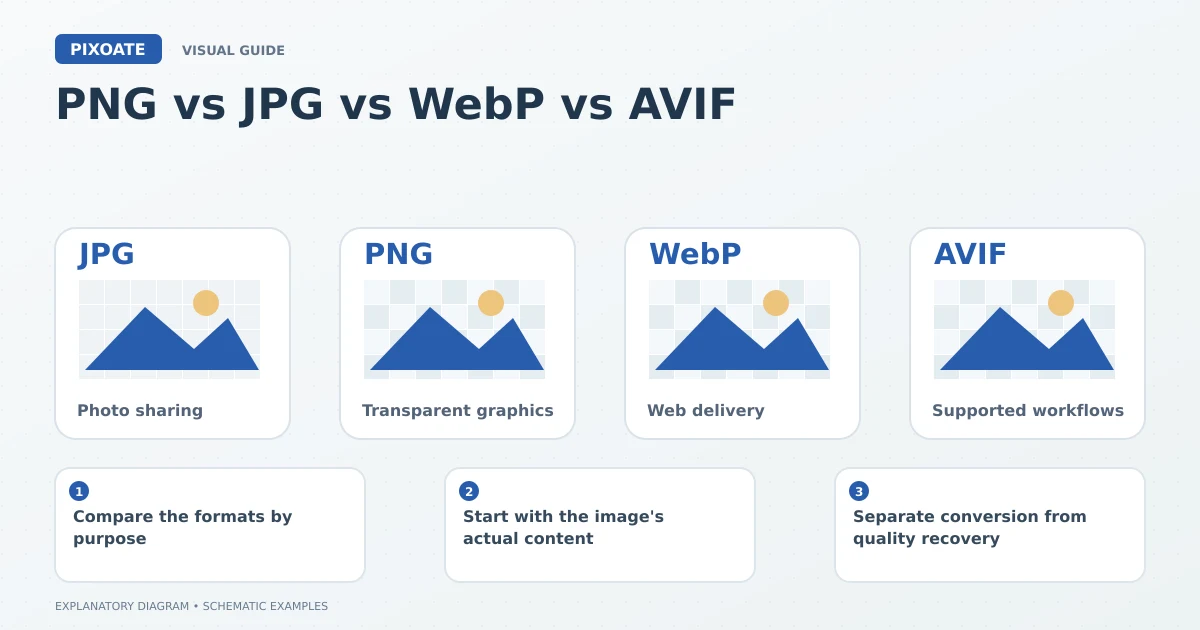
Original explanatory graphic. The scenes and sample records are schematic illustrations, not screenshots or measured tool results.
Compare the formats by purpose
| Format | Useful starting point | Important trade-off |
|---|---|---|
| JPG/JPEG | Photographs and broadly compatible image sharing | Typical lossy encoding discards detail; no alpha transparency. |
| PNG | Transparent graphics, diagrams and text-heavy raster images | Photographic files can be comparatively large. |
| WebP | Supported web-image workflows | Check the receiving application's support and chosen encoding settings. |
| AVIF | Supported modern image-delivery workflows | Compatibility and processing requirements still matter. |
Google's image-format guidance [1] distinguishes raster and vector use cases and explains the trade-off between image detail and compressed file size. No one format wins for every image and destination.
Start with the image's actual content
A photograph of a jacket and a transparent company logo have different needs. The jacket may tolerate a suitable lossy export, while a logo can require clean edges and transparent surroundings.
Use PNG to JPG when a photographic PNG needs a broadly compatible JPEG output and transparency is unnecessary. Choose the background intentionally if the original contains transparent areas.
Use JPG to WebP for a compatible web workflow, then compare fine detail and the actual file size. Conversion does not guarantee that every individual result will be smaller at every quality setting.
Separate conversion from quality recovery
Saving a compressed JPEG as PNG does not restore detail already discarded. Similarly, giving a small image a larger format or different extension does not establish missing pixels.
Work from the best available source and avoid repeated lossy saves. Keep an editable or high-quality original for later exports.
Check the destination
A website upload form, office application and print supplier may accept different formats. Use the stated requirement rather than assuming that a modern browser's support applies to every receiving system.
Is JPG different from JPEG?
The familiar .jpg and .jpeg extensions refer to the same common image format. The extension spelling is not a quality setting.
Does a transparent format remove the background automatically?
No. Format support and actual transparent pixels are separate. Use a background-removal workflow when the image itself needs a cutout.
Choose Pixoate Image Format Converter after identifying the content and destination. Review the downloaded file instead of judging a format by its name alone.
Sources
- image-format guidance:
https://web.dev/articles/choose-the-right-image-format