

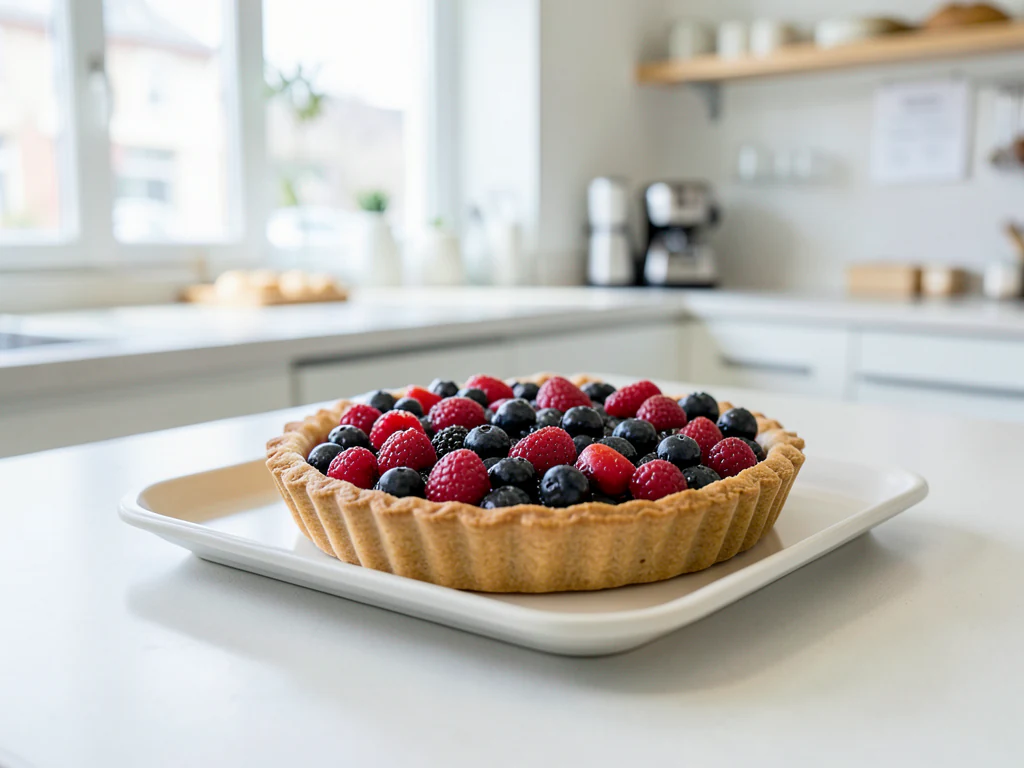
Facebook Ad Generator
Generated results vary; verify rights, claims, and visual details before use
Facebook ads compete in a feed against posts from people's families, which is a harder fight than most creative is designed for. This direction generates visuals with a single unmistakable subject that survives being scrolled past at speed, and leaves the headline, offer and branding to be set afterwards where they stay accurate.
- Prepared Facebook Ad Generator prompt
- Square, landscape, portrait, and wide formats
- Visible editable instructions and a full result review
For precise wording, write: Include the exact text "Your headline" and "Your message". Up to 3 short phrases appear in caption panels above and below the picture.
Tips for Facebook Ad Generator
• Describe the subject, setting, composition, lighting, and intended channel
• Add verified text and brand marks after generation rather than asking the model to invent them
• Inspect people, hands, geometry, small details, and implied claims before publishing
About Facebook Ad Generator
Facebook ads compete in a feed against posts from people's families, which is a harder fight than most creative is designed for. This direction generates visuals with a single unmistakable subject that survives being scrolled past at speed, and leaves the headline, offer and branding to be set afterwards where they stay accurate.
How it works
1. Review and refine the prepared prompt
2. Choose the output aspect ratio
3. Generate and inspect the complete result
4. Download only a result that passes your accuracy and rights review
Useful for
• Creative variations for split-testing one offer
• Refreshing a campaign that has hit audience fatigue
• Local business ads without a photographer
• Brief exploration before final production
Building a Facebook creative pair: a square feed image and a taller cut
A Facebook campaign usually starts life in the feed, where your image sits between a cousin's holiday album and a neighborhood group post. Start on the default Square 1:1, describe one subject a stranger would recognize in a glance, and say plainly in the prompt which half of the frame should stay quiet. Run the same idea again on Portrait 2:3 for the taller placements; the second render is a fresh picture, so pick the pair that tells the same story instead of assuming they will match.
If you need a full-screen version for stories, extend the chosen image to a 9:16 story shape so the subject keeps its margins. Feed images that came out a few pixels off can be fitted to Facebook post dimensions without stretching.
Look at every result at phone size before choosing. Generated faces and hands are where viewers spot artificial images first, and a scene that shows the product doing something it cannot do is a claim even without a single word on it. Premium can return 2 or 4 variations per click, which is useful when you want several distinct routes for one ad set.
Facebook ad generator: draw a feed image, then crop it to size
This Facebook ad generator draws an ad image from a written description, so you start with words rather than a photo. It returns one picture in a square, landscape, portrait or wide shape, and none of those matches a Facebook placement exactly. The guide shows which shape needs the smallest crop for the post and story sizes the Facebook Resize tool lists, and what stays your job.
Pick the shape that needs the smallest crop
The Post Image and Story Image presets list 1200 × 630 and 1080 × 1920. Wide 16:9 sits closest to the first: trimming it to 1200 × 630 removes only about 7% of the height. Landscape 3:2 would lose about 21% of the height, and Portrait 2:3 loses about 16% of the width when cropped to the story ratio. Square 1:1 needs no trim for a square post. The upload screen of your ad account has the last word on accepted ratios.
- Decide the placement first: link image, square post or story.
- Select Wide 16:9, Square 1:1 or Portrait 2:3 under Aspect ratio to match.
- Generate, then open the matching preset in Facebook Resize.
- Check that the subject still sits inside the cropped frame.
Brief an image that holds up in a fast scroll
The box labeled Describe your Facebook Ad Generator result opens with a brief that asks for a clear focal point and no generated text. Keep to one subject against a calm backdrop, place it a little off center when you plan to add words, and keep it away from the outer edge, because interface elements sit around and sometimes over an ad image. Check the result at thumbnail size: if the subject stops reading, simplify the scene rather than adding detail.
Keep the headline and offer out of the picture
Words in the text fields of the ad itself stay editable; words burned into the picture do not. Leave the picture without lettering and enter the copy in the ad. When the image must carry a short line, write Include the exact text and a quoted phrase of up to 80 characters: it is set in a panel above the picture and the picture shrinks to make room. Placing the words yourself gives control over font, color and position.
Make versions without losing the thread
Images per run gives 2 or 4 variations of one brief (Premium), and Batch prompts takes one brief per line and returns a ZIP. Change one thing between versions, the subject, the color or the setting, so that a result tells you something. Keep the brief for each image beside the file so a winner can be repeated, and note that a photo of the real product is the better start when the item itself has to be recognizable.
What stays with the advertiser
- The claims, prices and offer terms in the ad copy.
- The rights to anything you add to the picture, such as logos or fonts.
- Compliance with the current advertising rules for your category and country.
- Checking the picture for hands, faces and objects that look wrong.
Set up for Facebook Ad Generator
Prepared settings
- Starting point
- No source image required
- A route-specific brief is already loaded and remains visible for review or adjustment.
- Prepared workflow
- Generate from a prepared brief
- Facebook Ad Generator opens with the Facebook Ad Generator direction preselected, so there is no need to find the operation manually.
- Output shape
- 1:1
- The recommended composition is selected automatically and can be changed before processing.
- Review rule
- Review the complete generated result before use
- Generated imagery can vary; the final result stays under the user's approval before download.
Best-fit uses
- Creative variations for split-testing one offer
- Refreshing a campaign that has hit audience fatigue
- Local business ads without a photographer
Frequently asked questions
- What size should a Facebook ad image be?
- Square works across the most placements, and taller frames suit stories and reels. This generator offers square 1:1 and portrait 2:3, so generate both and crop the portrait version to the exact placement size yourself, rather than trusting an automatic crop to keep your subject in frame.
- Is there still a text limit on Facebook ad images?
- The old hard 20% rule was retired, though keeping on-image text light is still common advice. Treat minimal on-image text as a design choice rather than a rule, and put the detail in the ad copy fields where it is easy to read and update.
- How many creative variations should I test?
- Enough for the algorithm to find a winner without splitting your budget too thin — commonly three to five distinct visual directions per ad set. Make them genuinely different rather than minor recolors; near-identical variants teach you very little.
- Can I put a price or discount in the image?
- You can set it in a design tool afterwards, but consider whether you should. Prices change and expire, and an image outlives the offer inside it. Putting the offer in the ad copy means you can update it without re-uploading and re-entering the learning phase.
- Can I upload a product photo to the Facebook ad generator?
- Not on this page, which works from text only. To build an ad scene around a photo of your own product, use Product Ad Generator, or AI Product Photos for a cleaner listing-style background. Use this page when the picture can be invented from a description.
- Can the Facebook ad generator make a carousel or a video ad?
- It makes one still picture per generation, so there is no carousel layout and no video. For a carousel, generate one image per card from the same brief and change only the subject. Batch prompts, a Premium option, returns the set as one ZIP.
- Will Facebook accept an AI-generated image in my ad?
- The page cannot predict ad review, which the platform carries out under its own rules. Review depends mostly on what the ad claims and which category it is in, so read the current advertising rules before you spend budget, and keep the claims in the ad something you can support.
- How do I keep a set of Facebook ad images consistent?
- Write one brief with fixed parts, the backdrop color, the lighting and the shape, and change only the subject line from one image to the next. Use the same shape for the whole set, since a new shape is a new draw. Review the set side by side, then re-run any outlier with the brief unchanged.
- Can I add my logo to the generated Facebook ad image?
- Not inside the generator, because a generated logo is an approximation. Download the picture, then place your real logo using the Watermark Image tool, which sets position and opacity, or in Photo Editor if you need a layout. Keep the logo away from the outer edge of the picture.
- Why is the downloaded image smaller than the size Facebook lists?
- Every plan draws the picture at a modest working size and the download is prepared from it: web size to start and Full HD with Premium. The page does not output 1200 × 630 or 1080 × 1920 itself. Set the final pixel size in Facebook Resize, and expect an enlarged picture to be softer than a native one.
What you can do with AI Image Generator
Review the main capabilities before you begin.
- Turn any text prompt into an original image
- Generate square, landscape, portrait or wide formats
- Create multiple image options in a single run
- Generate an image from a written prompt
- Make unique visuals for social posts and blogs
- Download your generated images as PNG
Settings reference
5 settings
Available controls for AI Image Generator.
- Processing modePresets
- Process one input, or switch to Premium batch mode to process multiple inputs with shared settings. Available input types depend on the tool.Options: Single promptBatch prompts
Prompt
- Describe your imageText input
- Type what you want the AI to draw — subject, setting, lighting and style, up to 1000 characters; specific prompts produce noticeably better images than one-word ones.
- Prompts · one per lineText input
- In Batch prompts mode, enter one image description per line. The selected aspect ratio and images-per-run setting apply to each prompt.
Size
- Aspect ratioPresets
- Pick the shape of the generated image so it fits where you'll use it — square for avatars, landscape or wide for headers and thumbnails, portrait for stories.Options: Square 1:1Landscape 3:2Portrait 2:3Wide 16:9
- Images per runPresets
- Choose how many variations one Generate click produces so you can pick the best take; generating 2 or 4 images per run is a Premium feature.Options: 124
Related tools for Facebook Ad Generator
Tools for common next steps after Facebook Ad Generator.

Creative & Design
Add Text to Image
Add styled text with custom fonts, colors and outlines to supported image formats, then download the edited image.
Try it now
Photo Editing & Utilities
Online Photo Editor
Crop and resize photos. Add text, shapes, effects and templates, or use AI editing tools.
Try it now
Photo Editing & Utilities
Resize Image
Resize an image to exact dimensions or by percentage. Preview and download the result.
Try it nowHow AI Image Generator helps you get it done
Real problems it solves every day — for businesses, creators, and everyday tasks. Find the use case that fits you and start.
Blog headers and social posts
Generate an on-topic hero image for a blog post, newsletter or social update instead of hunting stock sites — pick wide 16:9 for headers and square 1:1 for feeds.
Concept art and moodboards
Explore visual directions fast: describe a scene, character or interior, generate variations, and pin the keepers to a moodboard before committing design or illustration budget.
Marketing and product visuals
Mock up campaign imagery, backgrounds and lifestyle scenes for landing pages and ads. Premium high-resolution output holds up in print and full-width hero sections.
Wallpapers, avatars and personal projects
Create custom phone and desktop wallpapers, profile art or artwork for invitations and gifts — portrait 2:3 fits phone screens, square 1:1 fits profile pictures.
Watch each transformation land
Every photo crosses the slash untouched and comes out the other side finished.























