
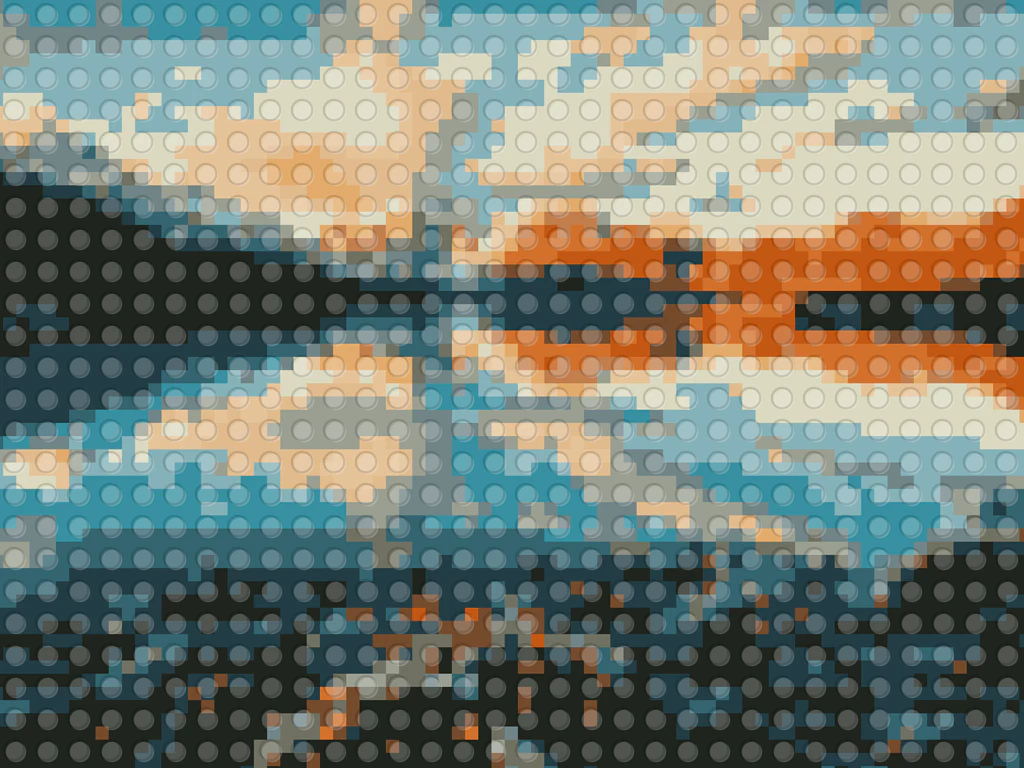

Portrait Mosaic Brick mosaic Generator
Generative output can vary; review the full result before publishing
A face rebuilt in round studs is a small engineering marvel — likeness surviving a coarse grid and a palette of a few dozen brick colors. This direction converts your portrait into that mosaic charm, palette-reduced and stud-rendered with generic toy bricks, with the prompt asking for no brand logos.
- Prepared Portrait Mosaic direction
- Editable prompt
- Full-result review required
Choose a source image for Portrait Mosaic
JPG, PNG, WebP, HEIC, and other supported formats. Free up to 20 MB; Premium and higher up to 50 MB for this tool.
Framing a face so it still reads as a brick mosaic
A mosaic has very few cells to spend on a face, so give it as much face as possible: crop tight to the head and shoulders, with the eyes roughly a third from the top. Square crops suit mosaic baseplates and frames, and the result keeps the shape of the photo you upload, so crop the portrait to a square first. Strong, even light from the front helps more than any filter.
Turn on the option that asks the AI to preserve subject identity; it is off by default on art style pages, and a mosaic without it can drift toward a generic face. Glasses, beards and fringes are where likeness tends to fall apart at this scale, so compare those areas with the original. The art uses generic toy bricks with no brand logos.
If you plan to build the portrait in real bricks, treat the image as a color and layout reference, not a parts list; it does not count studs or name purchasable colors. As a gift print, a simple border around the mosaic makes it look finished, and the original resolution, with Premium or one credit, keeps each stud crisp.
Set up for Portrait Mosaic Brick mosaic Generator
Prepared settings
- Starting point
- Upload one source image
- The page opens on the correct edit workflow; upload is the only required setup step.
- Prepared workflow
- Prepared Portrait Mosaic style
- Portrait Mosaic Brick mosaic Generator opens with the Portrait Mosaic direction preselected, so there is no need to find the operation manually.
- Output shape
- Same as your upload
- The result keeps the shape of the image you upload.
- Review rule
- Review the complete generated result before use
- Generated imagery can vary; the final result stays under the user's approval before download.
Best-fit uses
- Brick-mosaic portraits as playroom wall art
- Gift portraits for builders and brick fans
- Reference art for a real brick-build project
Frequently asked questions
- Will the portrait still look like the person in bricks?
- At viewing distance, yes — mosaic likeness works by value contrast, and the direction spends its limited palette where the face needs it: eyes, hair line, jaw shadow. Step back from the print the way you would from a real stud wall.
- Could I actually build the result from real bricks?
- It is artwork first, but it makes a strong visual reference for a build — the grid and palette read clearly. For a buildable plan with exact plate counts, treat the art as the target and map colors to purchasable bricks yourself.
- What should I review in a Portrait Mosaic result?
- Inspect faces, hands, object geometry, small details, perspective, readable marks, and any claim implied by the scene. Regenerate or reduce the requested change when something is inaccurate.
- What rights checks apply to a Portrait Mosaic client project?
- Use only source material and references you have rights to, follow the destination platform rules, and obtain any required person or property permissions. Generated output still needs a human accuracy and rights review.
What you can do with LEGO Art Generator
Review the main capabilities before you begin.
- Turn photos into LEGO-style brick mosaics
- Create studded brick portraits from any picture
- Make brick-art posters for your wall
- Set the brick size for coarse or detailed mosaics
- Convert several photos to brick art in one batch
Settings reference
2 settings
Available controls for LEGO Art Generator.
Mode
- Single / Batch (ZIP)Presets
- Choose Single to convert one photo, or Batch (ZIP) to apply the same brick settings to many photos at once and download them together as a ZIP; Batch requires a Premium plan.Options: SingleBatch (ZIP)
Effect
- Brick SizeSliderRange: 10–100% · Default: 70%
- Sets the size of each studded brick in the mosaic — small bricks preserve more photo detail, big bricks give a chunkier, more toy-like mosaic look.
Related tools for Portrait Mosaic Brick mosaic Generator
Tools for common next steps after Portrait Mosaic Brick mosaic Generator.

Creative & Design
Photo Filters & Effects
Preview cinematic, vintage, glitch and beauty effects on your photo, then download the look you choose.
Try it now
Photo Editing & Utilities
Online Photo Editor
Crop and resize photos. Add text, shapes, effects and templates, or use AI editing tools.
Try it now
Creative & Design
Image to Sticker
Remove the background, add an adjustable outline and download a sticker image.
Try it nowHow LEGO Art Generator helps you get it done
Real problems it solves every day — for businesses, creators, and everyday tasks. Find the use case that fits you and start.
Brick Mosaic Wall Art
Turn portraits and logos into LEGO-style brick mosaics for posters and statement wall art
Build Reference & Inspiration
Use the studded brick grid as inspiration or a rough reference for real brick builds and mosaics
Fun Gifts & Greeting Cards
Create brick-style portraits of friends, family, or pets for playful gifts, cards, and prints
Playful Brand & Event Graphics
Make brick-mosaic versions of logos and product shots for playful marketing and event displays
Order Real Bricks to Build It
Export the BrickLink parts list (.xml) for your converted photo and import it straight into BrickLink's wanted list to price and order the exact bricks your mosaic needs.
AFOL Convention & Meetup Displays
Use the printable Pattern PDF as a color-keyed build guide to assemble large mosaic displays of photos or logos for LEGO fan conventions and meetups.
Classroom STEM Building Projects
Turn a class photo or diagram into a brick mosaic with a printable build guide so students can physically assemble it as a hands-on STEM or engineering project.
Custom LEGO Portrait Side Hustle
Take customer photos, generate the brick pattern plus its parts list, and sell built physical LEGO portraits as an Etsy or craft-fair side business.
Novelty LEGO-Style Profile Picture or Social Post
Convert a selfie or portrait into playful brick-mosaic art and share it directly as a profile picture, birthday post or fun caption — no Premium exports or physical bricks needed, just the free brick-size slider and a download.
Watch each transformation land
Every photo crosses the slash untouched and comes out the other side finished.























