

Colored Pencil Pencil artwork Generator
Generative output can vary; review the full result before publishing
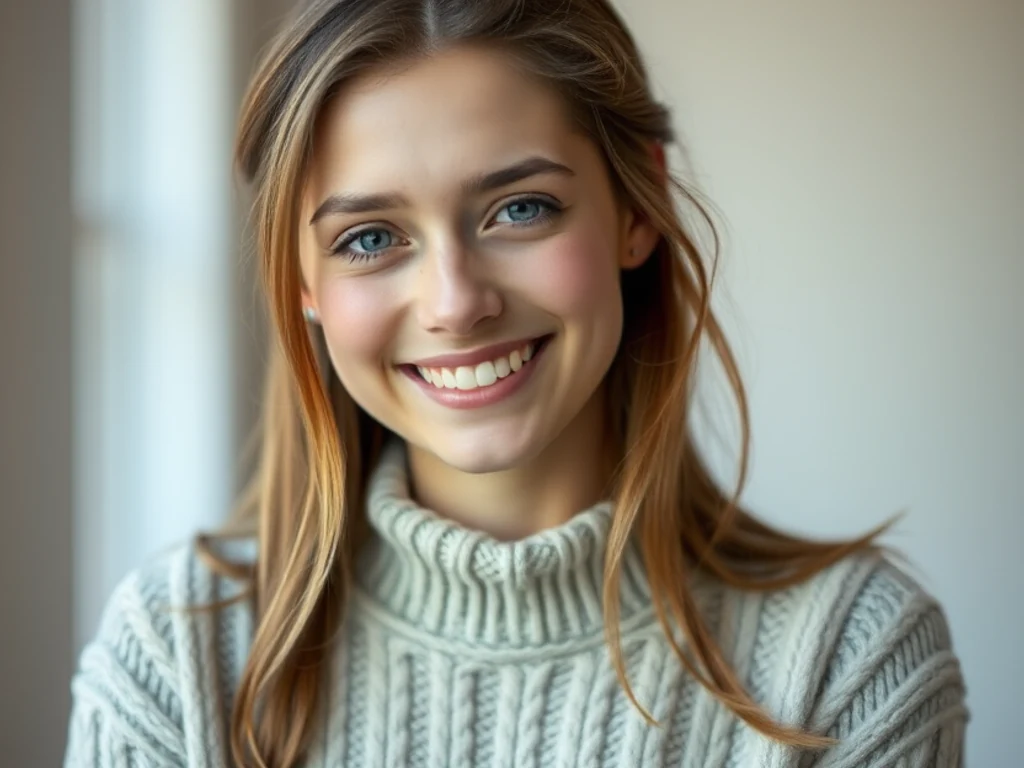
Colored pencil builds color the slow way — strokes layered until hues blend waxily on the paper, white grain sparkling through. This direction redraws your photo in that patient warmth: illustrated color with visible pencil texture, halfway between a drawing and a painting and cozier than both.
- Prepared Colored Pencil direction
- Editable prompt
- Full-result review required
Choose a source image for Colored Pencil
JPG, PNG, WebP, HEIC, and other supported formats. Free up to 20 MB; Premium and higher up to 50 MB for this tool.
Drawing pets and kids in colored pencil from everyday photos
Fur, freckles and knitted sweaters suit colored pencil, so pick photos with texture and warm light. Get down to the eye level of a pet or a child, focus on the eyes, and fill most of the frame with the subject. Turn on identity preservation, which is off by default on style pages, so markings on a pet's coat or a child's face stay accurate.
Check that the colors stayed true to the subject. A tabby's stripes, a dog's patch over one eye, and eye color are what owners notice first; if any changed, regenerate and describe them in the instruction, for example "white patch over the left eye." Watch the background too, which can become busier than the subject in this style.
Colored pencil portraits make good framed gifts and birthday cards. Add a thin border to finish the digital file, and unlock the original resolution with Premium or one credit for printing. If you want a playful, less realistic take on the same pet, the pet cartoon generator gives a looser illustrated look.
Set up for Colored Pencil Pencil artwork Generator
Prepared settings
- Starting point
- Upload one source image
- The page opens on the correct edit workflow; upload is the only required setup step.
- Prepared workflow
- Prepared Colored Pencil style
- Colored Pencil Pencil artwork Generator opens with the Colored Pencil direction preselected, so there is no need to find the operation manually.
- Output shape
- Same as your upload
- The result keeps the shape of the image you upload.
- Review rule
- Review the complete generated result before use
- Generated imagery can vary; the final result stays under the user's approval before download.
Best-fit uses
- Warm illustrated portraits of kids and pets
- Cozy drawn versions of home and garden photos
- Colorful hand-made-feel gift prints
Frequently asked questions
- What gives colored pencil its distinctive warmth?
- Optical mixing — layered strokes of different hues blending in the eye, plus paper grain catching white through the wax. The direction layers rather than fills, which is why the color feels breathed onto the page instead of printed.
- Which subjects suit colored pencil best?
- Textured, warm-hearted ones — pets, kids, gardens, food. The stroke texture flatters fur and foliage especially; the style makes everything look patiently loved, which is exactly the register of a good gift.
- What should I review in a Colored Pencil result?
- Inspect faces, hands, object geometry, small details, perspective, readable marks, and any claim implied by the scene. Regenerate or reduce the requested change when something is inaccurate.
- What rights checks apply to a Colored Pencil client project?
- Use only source material and references you have rights to, follow the destination platform rules, and obtain any required person or property permissions. Generated output still needs a human accuracy and rights review.
What you can do with Pencil Sketch
Review the main capabilities before you begin.
- Turn photos into hand-drawn pencil sketches
- Create realistic graphite portrait art
- Bring out shadow depth and fine detail
- Make sketch-style prints and gifts
- Give images an artistic drawn finish
Settings reference
4 settings
Available controls for Pencil Sketch.
- Processing modePresets
- Process one input, or switch to Premium batch mode to process multiple inputs with shared settings. Available input types depend on the tool.Options: Single imageBatch
Effect
- Pencil SketchPresets
- Picks the drawing style: Graphite for the classic grey pencil-on-paper look, Charcoal for darker, more dramatic strokes, or Colored to keep hints of the photo's original colors in the shading.Options: GraphiteCharcoalColored
- DetailSliderRange: 0–100% · Default: 50%
- Sets how fine the pencil strokes are, from Soft to Fine: lower values give loose, sketchy lines while higher values add tighter cross-hatching and crisper edges, ideal for hair and texture.
- Shadow IntensitySliderRange: 20–100% · Default: 70%
- Controls how dark the shading gets, from Light to Dark: slide lower for a subtle, airy sketch or higher for deep shadows, stronger cross-hatching and more depth.
Related tools for Colored Pencil Pencil artwork Generator
Tools for common next steps after Colored Pencil Pencil artwork Generator.

Creative & Design
Photo Filters & Effects
Preview cinematic, vintage, glitch and beauty effects on your photo, then download the look you choose.
Try it now
Photo Editing & Utilities
Online Photo Editor
Crop and resize photos. Add text, shapes, effects and templates, or use AI editing tools.
Try it now
Creative & Design
Image to Sticker
Remove the background, add an adjustable outline and download a sticker image.
Try it nowHow Pencil Sketch helps you get it done
Real problems it solves every day — for businesses, creators, and everyday tasks. Find the use case that fits you and start.
Instagram & TikTok Aesthetic Profile Pictures
Convert photos to pencil sketch style for unique Instagram profile pictures, TikTok avatars, and aesthetic social media posts
Wedding & Anniversary Gift Art
Create romantic pencil sketch portraits from wedding photos for anniversary gifts, wall art, and personalized wedding albums
YouTube Thumbnail & Channel Art
Give YouTube thumbnails and channel banners a hand-drawn sketch look without hiring an illustrator
Baby & Family Portrait Sketches
Transform baby photos and family portraits into beautiful pencil sketches for nursery wall art and keepsake albums
Artist Portfolio & Gallery Submissions
Create pencil sketch effects for digital art portfolios, gallery submissions, and professional artist showcases
Book Covers & Illustration Design
Design book covers, novel illustrations, and creative writing projects with pencil sketch artistic effects
Pet Portrait Memorial Keepsakes
Pet owners convert a favorite photo of their dog or cat into a Charcoal pencil sketch for memorial keepsakes, custom mugs or phone cases after a pet passes away.
Tattoo Design Reference Outlines
Tattoo artists and clients push the Detail slider high on a reference photo to generate clean pencil-line outlines that are easier to trace and adapt into a tattoo stencil during consultations.
Charcoal Renderings for Listing Marketing
Real estate marketers convert exterior property photos into Charcoal sketch renderings for a premium, hand-drawn look on listing brochures and for-sale signage.
Personalized Coloring Book Pages
Parents and teachers convert kids' photos into Graphite line-art sketches with low Shadow Intensity, then print them as custom coloring book pages for birthdays or classroom activities.
Etsy & Print-on-Demand Portrait Shops
Small shop owners use the Colored pencil style to turn customer photos into signature sketch-style artwork for canvas prints, mugs and greeting cards sold on Etsy or Shopify.
Drawing Practice & Sketch References
Turn any photo into a pencil sketch drawing to use as a reference for hand-drawing practice. Trace the generated lines to study proportions, shading and cross-hatching from pictures you actually like.
Watch each transformation land
Every photo crosses the slash untouched and comes out the other side finished.























