How it works
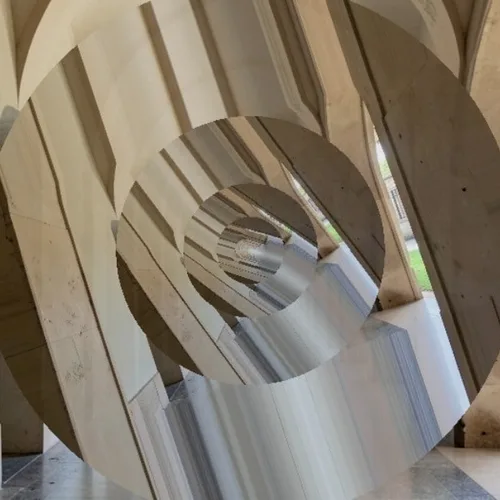
The image is recursively nested inside itself with a logarithmic spiral transformation, so each copy shrinks and rotates into the next without a visible seam.


Repeat the photograph inside itself through an endless visual loop. Control the strength, compare the result, and download a finished image from your browser.
Review the available effect capabilities before you begin.
The image is recursively nested inside itself with a logarithmic spiral transformation, so each copy shrinks and rotates into the next without a visible seam.
Upload a photo, adjust the Droste Recursion intensity, compare its processed preview with the source, and download the finished result.
Use the intensity control to balance the Droste Recursion treatment with the detail and character of your original photo.
A reduced Droste Recursion preview keeps adjustments responsive. Free downloads are clean and web-size; Premium or a credit unlocks the original resolution.
Droste Recursion uploads are processed on secure servers and automatically removed under the normal Pixoate retention policy.
The image is recursively nested inside itself with a logarithmic spiral transformation, so each copy shrinks and rotates into the next without a visible seam.
Droste Recursion runs as a classic image effect and does not use an AI action.
album artwork, experimental posters, mathematical and conceptual graphics, and hypnotic social content.
Less suited to: portraits and documentary images, where the infinite nesting destroys the subject.
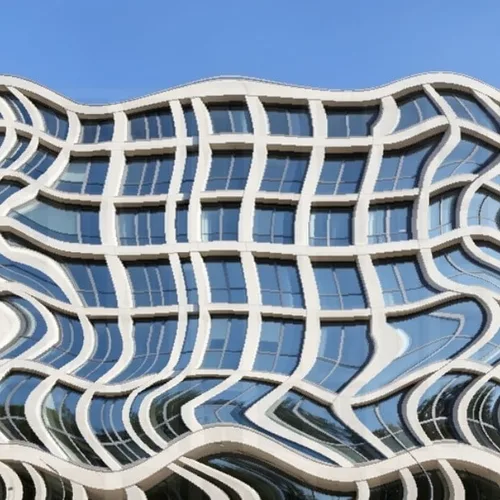
Bend the scene dramatically while protecting faces, text, and logos
Wrap the panorama into a circular miniature spherical world
Pull the image through a recursive rotating perspective portal
Melt selected parts of reality into flowing elastic trails
Stretch the image into a controlled row-based scan-time distortion
Drag the subject across a virtual scanner with colored sensor lag
Break the photograph into reflecting, displaced shards of glass
Interlace the photograph into dimensional over-under image ribbons
Bend the image around a shaded one-sided Möbius ribbon
Pull different image slices toward competing centers of gravity
Lift pieces of the subject into a dimensional cloud of fragments
Tools for common next steps after Photo Effects.
Creative & Design
Turn a photo into classic, storybook, sticker, watercolor, or custom cartoon artwork with editable AI directions.
Try it nowCreative & Design
Convert a photo into a pencil-sketch style image and adjust the shadow depth before download.
Try it nowPhoto Editing & Utilities
Convert an image to black and white. Adjust the intensity and preview the result.
Try it nowThe strongest effect picks lead this belt before the rest of the catalog.