
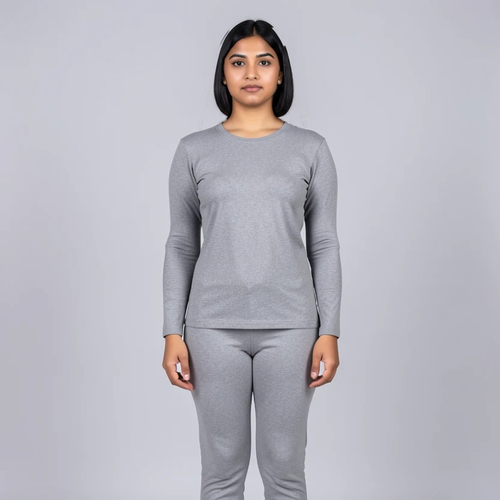
The same source image before and after applying Hairstyle Preview.
Hairstyle Preview applied to the same source image
Original source image before Hairstyle Preview

Hairstyle Preview — Change Hair Without Regenerating the Face

Preview one of six hairstyles inside a verified automatic hair area while restoring the face and every pixel outside that area from the source photo.

Upload a photo for the Hairstyle Preview effect

What you can do with the Hairstyle Preview effect

Review the available effect capabilities before you begin.

  • Apply the Hairstyle Preview effect to any photo
  • Fine-tune the effect strength to taste
  • Preview your photo live as you edit
  • Download your edited photo in high quality
  • Apply Hairstyle Preview to many photos at once

How it works

Hairstyle Preview confines the change to an automatically verified area around visible, uncovered hair. The chosen style may use nearby background and, for longer styles, a narrow area beside the shoulders where hair must overlap clothing. Face and body skin, accessories, and the central torso are excluded. After the new hair is created, every pixel outside the approved hairstyle area is restored from the uploaded photo and the result is returned as a lossless PNG. If the tool cannot isolate a safe area, it stops instead of guessing.


Processing

Hairstyle Preview uses an AI action. Any separate allowance is shown before this effect starts processing.

Best for

sharp opaque portraits with a clear face, visible uncovered hair, and some space around the top and sides of the head.

Less suited to: transparent images, hats or turbans, cropped or hidden hair, strong profiles, tiny faces, motion blur, crowded head areas, and styles that require changing protected forehead or face skin.

Ways to use Hairstyle Preview

  • Compare a sleek bob, soft waves, defined curls, pixie cut, long layers, or a high bun before visiting a stylist.
  • Generate a new hair shape while keeping visible facial pixels and the scene outside the automatic hairstyle area source-exact.
  • Apply one selected preset consistently to every person whose face and uncovered hair can be isolated safely.

Hairstyle Preview questions

Will Hairstyle Preview change my face or the whole photo?
No full-frame result is accepted. The generator can replace pixels only inside the automatic hairstyle mask; the final compositor copies the source photo back everywhere else. Visible face and skin are excluded, while a long style may cover a small verified area beside the shoulders.
Why can the hair vary or the tool refuse my photo?
A new haircut requires generating plausible roots, strands, edges, and occlusion inside the permitted hair area, so those hair pixels can vary between runs while pixels outside the mask do not. The route refuses transparency or a photo where a clear face, uncovered hair, and a safely bounded edit area cannot all be verified.

More Portrait & Beauty effects

See the featured effects in motion

The strongest effect picks lead this belt before the rest of the catalog.


















