
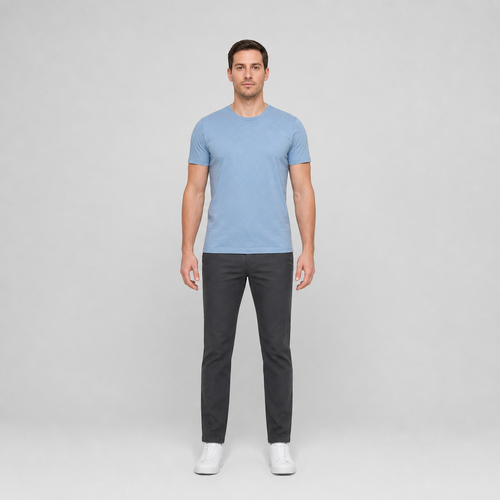
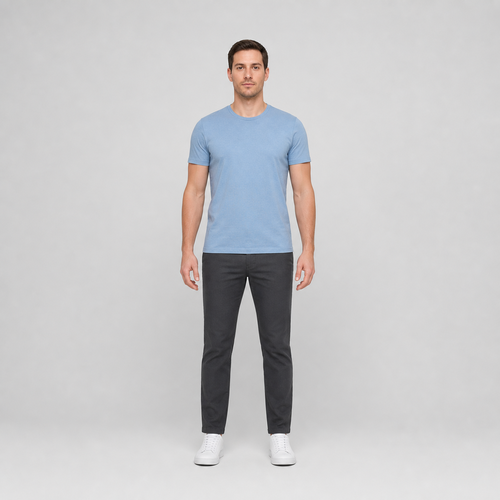
The same source image before and after applying Leg Length.
Leg Length applied to the same source image
Original source image before Leg Length

Leg Length — Lengthen Verified Legs Without Regenerating the Portrait

Lengthen only two verified, separated leg bands with existing source pixels while keeping the face, upper body, and every pixel outside both bounded envelopes unchanged.

Upload a photo for the Leg Length effect

What you can do with the Leg Length effect

Review the available effect capabilities before you begin.

  • Apply the Leg Length effect to any photo
  • Fine-tune the effect strength to taste
  • Preview your photo live as you edit
  • Download your edited photo in high quality
  • Apply Leg Length to many photos at once

How it works

Leg Length does not send the portrait through a full-frame generator. It requires one clear head-to-toe person and cross-checks mirrored MoveNet Thunder shoulder, hip, knee, and ankle landmarks against separate face detection. Six-class portrait segmentation must then trace two continuous, separated silhouettes from mid-thigh through both shoes, with verified background beside each leg and enough clean floor below each sole. Two independent vertical source-pixel meshes begin about 40% down each hip-to-ankle chain and lengthen those bands by up to a restrained 7% at maximum intensity. Each shoe is translated downward without being intentionally scaled, while nearby source background is compressed only inside the measured side-and-floor envelope and displacement fades to zero at every boundary. The face, hair, arms, torso, hips, upper thighs, distant background, and every pixel outside both envelopes are copied unchanged into a lossless PNG. Cropped, bent, touching, occluded, transparent, or ambiguous legs are refused instead of guessed.

Processing

Leg Length uses an AI action. Any separate allowance is shown before this effect starts processing.

Best for

sharp opaque front-facing head-to-toe photos of one person with a clear face, shoulders, hips, knees, ankles, and complete shoes visible, straight legs held apart, and clean background beside and below both feet.

Less suited to: cropped portraits, group photos, side poses, bent or crossed legs, feet together, skirts or very wide trousers that merge the silhouettes, hidden shoes, busy floor areas, transparent cutouts, motion blur, and feet touching the frame edge.

Ways to use Leg Length

  • Apply a restrained leg-length adjustment without regenerating facial identity, clothing texture, shoes, or the whole portrait.
  • Keep the face, torso, hips, arms, upper thighs, and distant background source-exact while extending two isolated leg envelopes.
  • Use intensity to choose a subtle or more defined leg-length preview within a fixed safety limit.

Leg Length questions

Will Leg Length stretch my shoes or upper body?
The vertical stretch ends at each verified ankle, then the existing shoe pixels are translated downward as a unit inside the local envelope. The upper body and pixels outside both leg envelopes remain exact; a few antialiased edge pixels may be resampled as the shoe moves.
Why does Leg Length need floor space and separated legs?
Moving both shoes downward needs verified source background to redistribute beside and below them. If the legs touch, a shoe is cropped, or another object occupies that space, the tool cannot isolate two safe envelopes and stops rather than bending the wrong pixels.

More Portrait & Beauty effects

See the featured effects in motion

The strongest effect picks lead this belt before the rest of the catalog.




















