
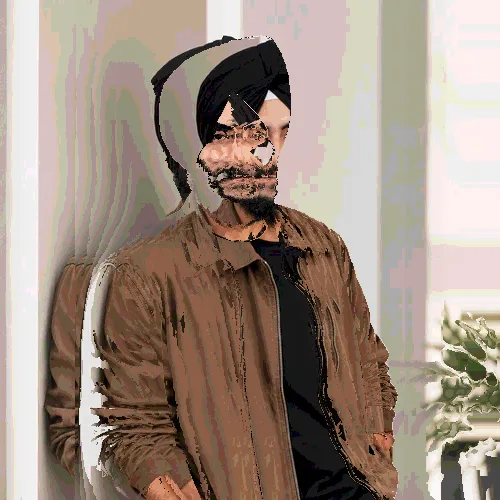
The same source image before and after applying Posterize.
Posterize applied to the same source image
Original source image before Posterize

Posterize Glitch Effect Online

Posterize creates an intentional signal, pixel, or geometry disruption while enough of the source remains recognizable; tune the strength before exporting the finished image.

Upload a photo for the Posterize effect

What you can do with the Posterize effect

Review the available effect capabilities before you begin.

  • Apply the Posterize effect to any photo
  • Fine-tune the effect strength to taste
  • Preview your photo live as you edit
  • Download your edited photo in high quality
  • Apply Posterize to many photos at once

How it works

Posterize offsets channels, pixel runs, or image coordinates through a bounded transformation and blends the displacement with the source. Its intensity control blends the processed output with the uploaded pixels, so the edit can remain restrained or become the dominant look.


Processing

Posterize runs as a classic image effect and does not use an AI action.

Best for

Posterize works best for music artwork and event posters, experimental portraits, and editorial layouts with digital tension, especially when the source is sharp and well exposed.

Less suited to: Posterize is less reliable on legal documents, small typography, group portraits, or images whose important details already sit close to the frame edge.

Ways to use Posterize

  • Build music artwork and event posters with the Posterize effect.
  • Use Posterize to prepare experimental portraits.
  • Try a lower-strength Posterize treatment for editorial layouts with digital tension.

Posterize questions

What does the Posterize effect change?
Posterize groups local pixels into a stylized surface treatment, simplifying tone or texture while retaining enough edge information for the subject to remain recognizable. The strength control determines how much of that treatment replaces the unedited appearance.
Which photos work best with Posterize?
Choose Posterize for music artwork and event posters, experimental portraits, or editorial layouts with digital tension when the source has clear detail and balanced exposure. Start with a lighter setting if it contains legal documents, small typography, group portraits, or images whose important details already sit close to the frame edge.

More Distortion & Glitch effects

See the featured effects in motion

The strongest effect picks lead this belt before the rest of the catalog.


















