How it works
The subject is redrawn as a bold cartoon with a thick white die-cut border and a small drop shadow, in the format of a printed vinyl sticker.


Turn the main subject into a bold die-cut cartoon sticker. Control the strength, compare the result, and download a finished image from your browser.
Review the available effect capabilities before you begin.
The subject is redrawn as a bold cartoon with a thick white die-cut border and a small drop shadow, in the format of a printed vinyl sticker.
Upload a photo, adjust the Sticker Toon AI intensity, compare its processed preview with the source, and download the finished result.
Use the intensity control to balance the Sticker Toon AI treatment with the detail and character of your original photo.
A reduced Sticker Toon AI preview keeps adjustments responsive. Free downloads are clean and web-size; Premium or a credit unlocks the original resolution.
Sticker Toon AI uploads are processed on secure servers and automatically removed under the normal Pixoate retention policy.
The subject is redrawn as a bold cartoon with a thick white die-cut border and a small drop shadow, in the format of a printed vinyl sticker.
Sticker Toon AI uses an AI action. Any separate allowance is shown before this effect starts processing.
messaging stickers, merchandise concepts, laptop and bottle decals, and playful social graphics.
Less suited to: detailed scenes, since a sticker needs one clear subject and a simple silhouette.
Reduce the photograph to expressive ink, tonal washes, and negative space
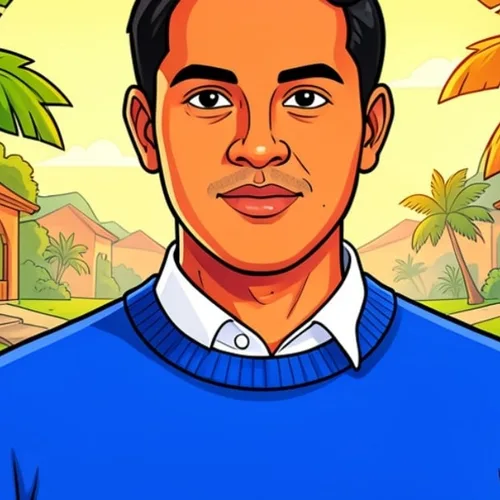
Create original Indian visual storytelling with lively shapes, color, and character
Sculpt the subject as a handcrafted stop-motion clay character
Create a cute big-headed character while keeping signature features recognizable
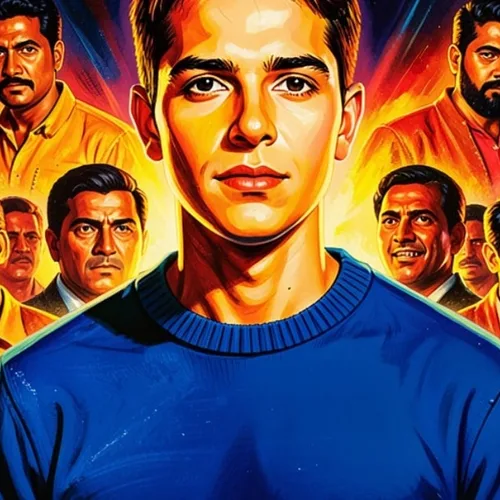
Create an original dramatic Indian cinema-poster composition with no invented titles
Rebuild the scene as interlocking toy-brick art without brand marks
Paint the photograph with expressive transparent washes and paper texture
Create an original illustration informed by Rajasthani miniature color and ornament
Rebuild the subject as deliberate sprite-like pixel artwork
Create a polished 3D animated-film look without copying protected characters or studio assets
Reimagine a photo as clean original anime artwork while preserving recognizable features
Render the source with deliberate ink contours, halftones, and panel-ready color
Create a good-natured recognizable caricature without demeaning features
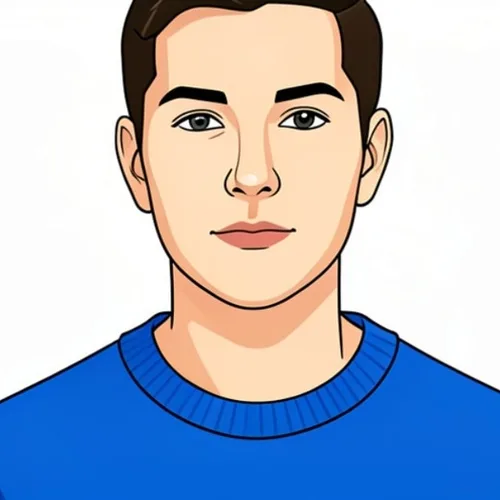
Simplify the subject into clean scalable-looking shapes and controlled outlines
Create an original illustration informed by Madhubani composition and pattern
Draw the photograph with intentional graphite line, shading, and paper grain
Layer the subject from dimensional cut-paper shapes and soft shadows
Turn the source into warm original storybook illustration
Create a recognizable original avatar with retro game art direction
Tools for common next steps after Photo Effects.
Creative & Design
Turn a photo into classic, storybook, sticker, watercolor, or custom cartoon artwork with editable AI directions.
Try it nowCreative & Design
Convert a photo into a pencil-sketch style image and adjust the shadow depth before download.
Try it nowPhoto Editing & Utilities
Convert an image to black and white. Adjust the intensity and preview the result.
Try it nowThe strongest effect picks lead this belt before the rest of the catalog.