
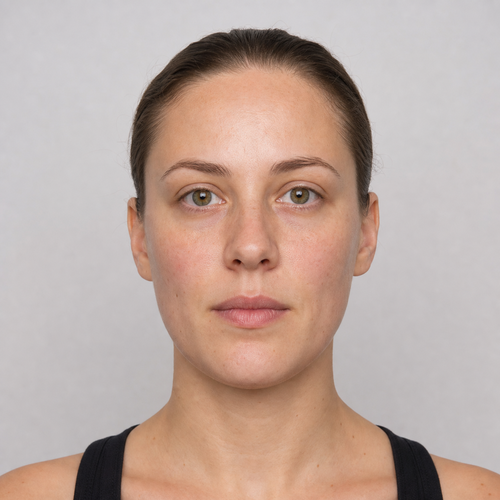
The same source image before and after applying Video Face Retouch.
Video Face Retouch applied to the same source image
Original source image before Video Face Retouch

Video Face Retouch — Polish One Still Frame Without Regenerating It

Preview a conservative face-retouch treatment on one uploaded still image—without regenerating the frame or implying temporal video tracking.

Upload a photo for the Video Face Retouch effect

What you can do with the Video Face Retouch effect

Review the available effect capabilities before you begin.

  • Apply the Video Face Retouch effect to any photo
  • Fine-tune the effect strength to taste
  • Preview your photo live as you edit
  • Download your edited photo in high quality
  • Apply Video Face Retouch to many photos at once

How it works

Video Face Retouch applies a gentle, conservative polish to a still frame you have pulled out of a video. To be clear about what this is: it works on one uploaded image. It does not open video files and it does not follow a face from frame to frame. Each face is checked on its own, skin is separated from hair, beard, clothing and background, and the eyes, brows, nose and lips are protected before anything changes. Only three bounded areas on the forehead and both cheeks are touched, at a deliberately reduced strength, so a frame still cuts together with the ones around it. Pores, fine detail and age are kept, and everything else is copied straight into a lossless PNG. In a group shot every face is handled separately.


Processing

Video Face Retouch uses an AI action. Any separate allowance is shown before this effect starts processing.

Best for

sharp, evenly lit still frames with a complete near-front face and an uncovered forehead, eyebrows, eyes, cheeks, nose, lips, jaw and chin — one person or a whole group.

Less suited to: video files, which are not accepted, plus side profiles, tilted or cropped faces, glasses, hair or hands covering features, very small faces in a wide shot, motion-blurred frames, and skin that is already even.

Ways to use Video Face Retouch

  • Preview a conservative video-inspired retouch look on one representative still frame before choosing settings elsewhere.
  • Balance small forehead and cheek variations without changing identity, expression, age cues, hair, clothing, or surroundings.
  • Export a lossless retouched still while every non-skin feature and every pixel outside the three verified zones remains exact.

Video Face Retouch questions

Does Video Face Retouch process an uploaded video?
No. This photo-effects route accepts one still image and provides no decoding, face tracking, or temporal smoothing across frames. It previews a restrained retouch treatment honestly instead of pretending separate generated frames would stay consistent.
Why not apply Video Face Retouch the same way virtual staging edits a room?
Virtual staging intentionally synthesizes large replaceable room regions. A face carries identity at pixel scale, and independent generation would also flicker between frames. This still-image effect therefore verifies three local skin zones, caps corrections, preserves the rest exactly, and refuses uncertain inputs instead of regenerating the person.

More Portrait & Beauty effects

See the featured effects in motion

The strongest effect picks lead this belt before the rest of the catalog.


















