
Repair Scratches, Tears, and Stains in Photos
Missing details are estimated. For damage across a face, compare the likeness carefully.
Mark a damaged area and repair it while keeping the surrounding photograph protected.
- Repair individual damaged areas
- Keep the surrounding photo
- Review reconstructed details
Choose an image
JPG, PNG, WebP, HEIC, and other supported formats. Free up to 20 MB; Premium and higher up to 50 MB for this tool.
How to repair scratches, tears and stains in an old photo
This photo repair tool fixes marked damage rather than the whole picture. Paint over a scratch, crease, stain or small torn area, and the tool rebuilds those pixels from the surrounding photograph while the rest of the print stays as it was. It is meant for specific defects on a scan or a photo of a print, and the repair is an estimate, so compare the repaired area, and any face it crosses, with your original.
Repair scratches and cracks in a photo
Choose the Scratches preset and paint each crack, hair-thin scratch or crease with a narrow brush, including its pale edges. Nearby photo texture fills the marked lines, so a thin line repairs better than a broad blot. Use the selection zoom for fine work, Erase to take back a stroke and Undo to step back. Paint every line you want gone before you generate, because only the painted pixels are repaired.
- Scan the print flat at the highest quality you can.
- Upload the image and choose the Scratches preset.
- Paint over each crack and its pale edges with a narrow brush.
- Select Generate and wait for the repair.
- Check the repaired lines against your original, then download the PNG.
Fill a torn or missing area
Choose Torn area for a small missing section, such as a corner or a tear through the background. The edit type switches to generative fill and asks the tool to reconstruct the selected area from adjacent photographic detail with matching texture and grain, without adding new objects. Paint the whole gap with a little margin. Larger missing sections, and anything that crosses a face, are estimated rather than recovered, so keep expectations modest and compare the likeness.
Remove a stain without recoloring the photo
The Stain preset repairs a painted stain and restores the local color and texture to match the surrounding photograph, keeping the original grain. Paint just the stain, not the region around it, so the colors elsewhere stay as they are. For a print that has faded or yellowed as a whole, spot repair is the wrong tool; restore and colorize the full photo instead.
Prepare the scan and finish the job
Better input gives a better repair: scan flat at a high resolution, avoid glare and trim the border first. After the damage is gone, clean and sharpen the whole picture, make a small scan larger or add color to a black-and-white print. Skin marks on a portrait belong to the blemish remover instead.
Before you download the repaired photo
- Paint the damage and its pale edges, not the picture around it.
- Compare faces and lettering in the repaired area with your original, because reconstructed detail is an estimate.
- Flatten a transparent scan onto a solid color first, since transparent images are rejected.
When the damage covers more than one spot
If the whole print has faded rather than cracked in one place, restore and colorize the full photo; an undamaged black-and-white original only needs you to add color to the scan.
A printed date in the corner of your own snapshot can be cleared automatically without painting.
What you can do with Repair Photo Damage
Review the main capabilities before you begin.
- Repair selected scratches and stains
- Reconstruct small torn areas
- Preserve prepared source pixels outside the repair area
Settings reference
5 settings
Available controls for Repair Photo Damage.
Repair
- Edit typeDropdown
- Choose the edit to perform; prompts, selection tools and output controls follow the selected edit type.Options: Scratch repairGenerative fill
- One-tap presetsPresets
- Pick a ready-made direction with one tap; generation uses the selected preset automatically.Options: ScratchesTorn areaStain
- Custom instructions (optional)Text input
- Describe the requested change, relevant materials, lighting, perspective, and details that must remain unchanged.
Selection
- Selection brush sizeSliderRange: 4–160px · Default: 32px
- Set the brush width used to mark the exact add, fill, or replacement area required before generation.
Output
- Ask AI to preserve subject identity and product detailsOn / Off
- Adds an explicit instruction to retain the main subject, shape, branding, labels, and readable text unless the request changes them.
Related tools for Repair Photo Damage
Tools for common next steps after Repair Photo Damage.
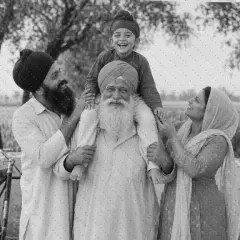
Photo Enhancement
Restore Old Photo
Reduce damage and sharpen an old photo. Add color to black-and-white photos or adjust existing colors.
Try it now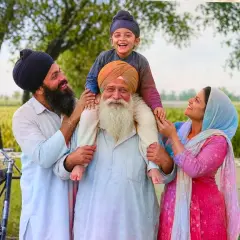
Photo Enhancement
Colorize Photo
Add AI-generated color to black-and-white photos. Colors are estimates of the original scene.
Try it now
Photo Enhancement
AI Photo Enhancer
Adjust noise, sharpness, color and scale in one enhancement workflow, then compare the result with the original.
Try it nowFrequently Asked Questions
Watch each transformation land
Every photo crosses the slash untouched and comes out the other side finished.























