
Loose Wash Watercolor artwork Generator
Generative output can vary; review the full result before publishing
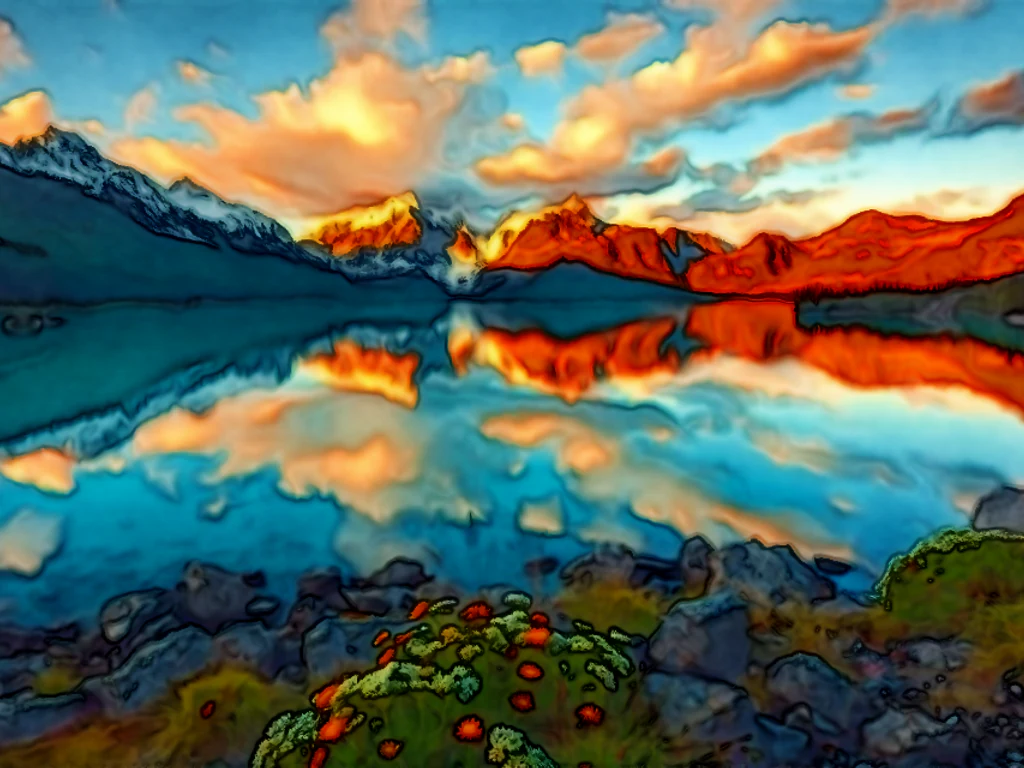
Loose wash is watercolor at its bravest — wet-on-wet pigment blooming past the lines, detail surrendered to suggestion, the subject emerging from color rather than drawn into it. This direction paints your photo in that expressive freedom: less a copy of the image than a feeling of it.
- Prepared Loose Wash direction
- Editable prompt
- Full-result review required
Choose a source image for Loose Wash
JPG, PNG, WebP, HEIC, and other supported formats. Free up to 20 MB; Premium and higher up to 50 MB for this tool.
Picking travel and street photos that paint well in a loose wash
Loose wash suits photos whose appeal is the light, not the details: a harbor at dusk, a wet street with reflections, a field under a big sky. Before uploading, crop away anything at the edges that you would not want painted, such as a stranger's elbow or a parked van, since the style simplifies everything into shapes and color.
Expect detail to dissolve. Faces become a few strokes, signs become smudges, and small people become dabs of color, which is the point of the style. If a building or boat must stay recognizable, mention it in the instruction, for example "keep the lighthouse shape clear," or use a tighter watercolor style. Identity preservation is off by default here, which suits loose landscapes.
Loose paintings look best printed on textured, matte paper. For a home print, the original resolution, unlocked with Premium or one credit, keeps the edges of each wash soft rather than blocky. Frame the painting with a plain border before sharing it, or try the same photo as a graphite pencil sketch for a contrasting pair.
Set up for Loose Wash Watercolor artwork Generator
Prepared settings
- Starting point
- Upload one source image
- The page opens on the correct edit workflow; upload is the only required setup step.
- Prepared workflow
- Prepared Loose Wash style
- Loose Wash Watercolor artwork Generator opens with the Loose Wash direction preselected, so there is no need to find the operation manually.
- Output shape
- Same as your upload
- The result keeps the shape of the image you upload.
- Review rule
- Review the complete generated result before use
- Generated imagery can vary; the final result stays under the user's approval before download.
Best-fit uses
- Expressive art prints from landscapes and cities
- Loose portrait paintings with emotional color
- Gallery-feel gifts from ordinary photos
Frequently asked questions
- How much of my photo survives the loose treatment?
- The essence — big shapes, light direction, one or two anchoring details — while edges dissolve into bloom. If you want the scene recognizable stone by stone, use the botanical style; loose wash trades fidelity for feeling on purpose.
- What photos paint best loosely?
- Atmosphere-rich ones: rainy streets, harbors, big skies, backlit figures. The style amplifies mood and dissolves inventory — a photo whose appeal is its feeling becomes a painting whose appeal is more of it.
- What should I review in a Loose Wash result?
- Inspect faces, hands, object geometry, small details, perspective, readable marks, and any claim implied by the scene. Regenerate or reduce the requested change when something is inaccurate.
- What rights checks apply to a Loose Wash client project?
- Use only source material and references you have rights to, follow the destination platform rules, and obtain any required person or property permissions. Generated output still needs a human accuracy and rights review.
What you can do with Watercolor Generator
Review the main capabilities before you begin.
- Turn photos into soft watercolor paintings
- Create watercolor portraits from your pictures
- Make artistic wall art and prints from a photo
- Dial in how strong the watercolor effect looks
- Convert a whole folder of photos in one batch
- Design painterly gifts and personalized keepsakes
Settings reference
2 settings
Available controls for Watercolor Generator.
Mode
- Single / Batch (ZIP)Presets
- Choose Single to paint one photo, or Batch (ZIP) to apply the same watercolor settings to many photos at once and download them together as a ZIP; Batch requires a Premium plan.Options: SingleBatch (ZIP)
Effect
- Watercolor IntensitySliderRange: 10–100% · Default: 70%
- Controls how strong the color bleed and painterly softening are — low values (Subtle) leave a light wash over photo detail, high values (Strong) turn the image into bold painted strokes.
Related tools for Loose Wash Watercolor artwork Generator
Tools for common next steps after Loose Wash Watercolor artwork Generator.

Creative & Design
Photo Filters & Effects
Preview cinematic, vintage, glitch and beauty effects on your photo, then download the look you choose.
Try it now
Photo Editing & Utilities
Online Photo Editor
Crop and resize photos. Add text, shapes, effects and templates, or use AI editing tools.
Try it now
Creative & Design
Image to Sticker
Remove the background, add an adjustable outline and download a sticker image.
Try it nowHow Watercolor Generator helps you get it done
Real problems it solves every day — for businesses, creators, and everyday tasks. Find the use case that fits you and start.
Watercolor Wall Art & Prints
Transform portraits and landscapes into watercolor paintings for framed prints and home decor
Wedding & Anniversary Gifts
Create soft watercolor portraits from wedding and couple photos for romantic personalized gifts
Invitations & Stationery Design
Design watercolor-style invitations, save-the-dates, and stationery from your own photos
Artistic Social Media Posts
Turn everyday photos into painterly watercolor content for Instagram, Pinterest, and blogs
Batch Watercolor for Client Photo Galleries
Photographers and artists switch to Batch mode to run an entire shoot through the same intensity setting at once, delivering a themed watercolor gallery as a single ZIP instead of converting photos one by one.
Pet Memorial & Loss Keepsake Portraits
Turn a favorite photo of a pet into a soft watercolor portrait at 40-60% intensity for a gentle memorial keepsake, framed print, or memory candle gift.
Self-Published Book Covers & Blog Headers
Apply a high-intensity watercolor wash (75-90%) to a stock or personal photo for an indie book cover, poetry chapbook, or blog hero image with a hand-painted feel — no illustrator required.
Real Estate Closing Gift & Listing Illustrations
Convert a listing's exterior or interior photo into a soft watercolor illustration for a memorable closing-day client gift, or use a lighter wash as a distinctive listing-card graphic that stands out from standard photography.
Beginner Watercolor References
Practicing watercolor painting for beginners is easier with a reference: convert your own photo into a watercolor to see the color bleeds, values and soft edges you are aiming for before painting it by hand.
Watch each transformation land
Every photo crosses the slash untouched and comes out the other side finished.























