

AI Sky Replacement — Blue Sky, Sunset, Twilight, or Night
Review reflections, windows, water, and foreground lighting after replacement
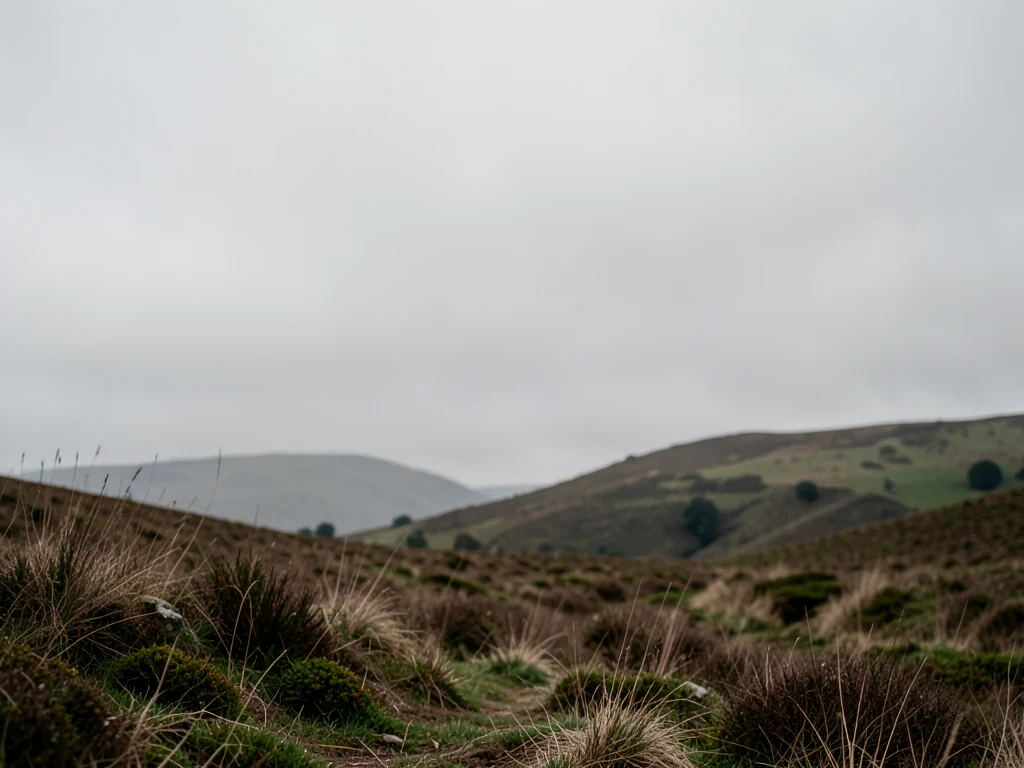
Replace a dull, overcast, or blown-out sky with a described atmosphere while copying the detected foreground from the prepared source.
- Blue sky, sunset, twilight, clouds, and night presets
- Exact foreground compositing by default
- Natural horizon color and atmosphere
Choose an outdoor or property photo
JPG, PNG, WebP, HEIC, and other supported formats. Free up to 20 MB; Premium and higher up to 50 MB for this tool.
How to replace the sky in a photo with AI
AI sky replacement swaps a dull, overcast or washed-out sky for a clear blue day, a golden sunset, blue hour, dramatic clouds or a night sky. The tool finds the visible sky, generates the new one and restores the foreground from your upload, so buildings, trees and people are not redrawn. It suits landscape, travel and property exterior photos, and the horizon and any reflections deserve a close look afterward.
Change the sky in a photo step by step
Choose a sky in the Skies tab: Clear blue, Golden sunset, Blue hour, Dramatic clouds or Night sky. Generate stays disabled until you pick one or write your own description under Custom instructions. The sky is found automatically, so there is nothing to paint. Each preset asks the tool to replace the sky and keep the foreground unchanged.
- Upload an outdoor or property photo with a visible sky.
- Pick a sky preset, or write your own under Custom instructions.
- Select Generate Sky replacement and wait for the edit.
- Check the horizon, tree edges and windows against your original.
- Download the PNG when the edges look clean.
Describe your own sky
Custom instructions takes a short description, for example a pale morning sky with thin high cloud, or a stormy sky with a bright gap at the horizon. Name the time of day and the amount of cloud, and mention warmth near the horizon if you want it. One idea per run is easier to judge than a mix of moods, and you can generate again with a different sentence.
Fix the edge when the sky is not found cleanly
If the tool cannot find a safe automatic edit area, it says so and opens Refine area manually. Brush over the sky, including the gaps between branches and wires, then generate again. Use Undo or Erase to correct the selection, and check the horizon line, tree edges, windows, water and wet surfaces afterward, because reflections can still show the old sky.
Match the light on the ground to the new sky
Sky replacement changes the sky, not the light falling on the scene. A golden sunset over a flat gray foreground looks inconsistent, so relight the scene to match the new sky or choose a quieter sky such as Clear blue. For people or products, where the subject rather than the sky is the issue, change the whole background, and for a listing, clean up and stage the other photos.
Before you download the new sky
- Zoom in on the horizon and on thin branches, wires and railings in front of the sky.
- Check reflections in windows, water and wet roads, which can still show the old sky.
- Compare the foreground with your original to confirm that nothing below the sky changed.
After the new sky is in
If the foreground still looks lit for a gray day, warm it with golden-hour relighting; a wider view of the property can be extended past the frame edge.
For interiors in the same listing, declutter and stage the indoor shots.
What you can do with AI Sky Replacement
Review the main capabilities before you begin.
- Replace overcast skies with clear blue conditions
- Create sunset, blue-hour, dramatic, or night skies
- Copy detected foreground pixels from the prepared source
- Improve outdoor, travel, and property photos
Settings reference
5 settings
Available controls for AI Sky Replacement.
Workflow
- Single image or Batch imagesPresets
- Process one image, or use Premium Batch images to apply the same automatic recipe to a set and download one ZIP.Options: Single imageBatch images
Skies
- One-tap presetsPresets
- Pick a ready-made direction with one tap; generation uses the selected preset automatically.Options: Clear blueGolden sunsetBlue hourDramatic cloudsNight sky
- Custom instructions (optional)Text input
- Describe the requested change, relevant materials, lighting, perspective, and details that must remain unchanged.
Selection
- Selection brush sizeSliderRange: 4–160px · Default: 32px
- Automatic selection is the default. Open Refine area manually and set this brush width only when the image needs a tighter edit boundary.
Output
- Ask AI to preserve subject identity and product detailsOn / Off
- Adds an explicit instruction to retain the main subject, shape, branding, labels, and readable text unless the request changes them.
Related tools for AI Sky Replacement
Tools for common next steps after AI Sky Replacement.

Virtual Staging & Property
AI Real Estate Photo Editor
Edit real-estate photos with AI: add furniture or a TV, paint walls, remove clutter, replace skies, improve landscaping, and create twilight exteriors.
Try it now
Background Studio
AI Background Changer
Change a photo background automatically with AI. Put a person or product in a studio, beach, office, city, or a described scene.
Try it now
AI Image Studio
AI Image Editor
Expand images, fill selected areas, remove or replace objects, change backgrounds, stage rooms, and create product scenes from written instructions.
Try it nowFrequently Asked Questions
Watch each transformation land
Every photo crosses the slash untouched and comes out the other side finished.























