
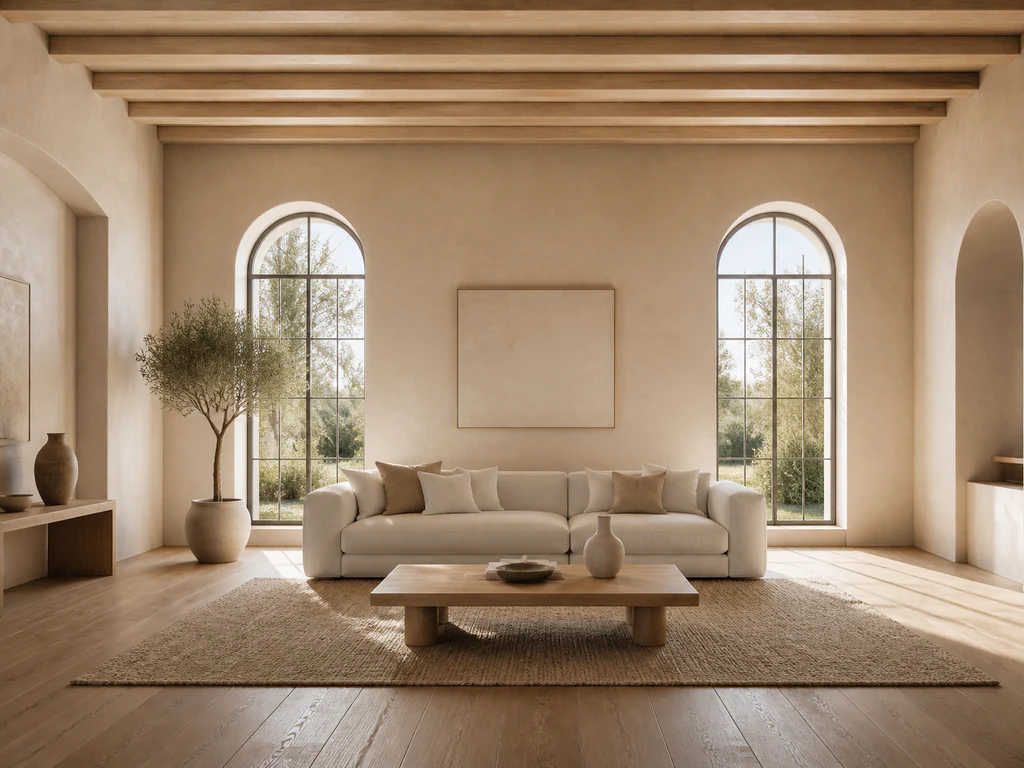

AI Image Extender — Expand Photos Beyond Every Edge
Generated edges can vary; review repeating patterns, faces, text, and architecture
Extend a photo left, right, up, or down without stretching or cropping it. New pixels follow the original scene while the prepared source frame is copied exactly into the larger canvas.
- Square, portrait, story, and widescreen output
- Prepared source frame copied exactly after generation
- Optional direction for scenery, lighting, and composition
Choose the photo you want to expand
JPG, PNG, WebP, HEIC, and other supported formats. Free up to 20 MB; Premium and higher up to 50 MB for this tool.
AI expand image: extend a photo to a new shape without cropping it
This AI image extender adds new scenery around a photo, so a tight shot can become a square, a wide banner, a vertical story or a 4:5 post without cropping or stretching it. Use it to expand an image with AI: pick a layout, add a direction if you want one, and generate. Your photo is placed in the larger canvas as it is, and only the new area is created, so look closely at the new edges before you use the result.
Extend image to a square, wide or vertical shape
Open the Layouts tab for 4 one-tap presets: Square expansion, Wide banner, Vertical story and Portrait post. Each preset picks a ratio and writes a direction that you can edit under Custom instructions. To set the shape yourself, use Expanded aspect ratio: Square 1:1, Portrait 4:5, Story 9:16, Wide 16:9, Portrait 3:4 or Landscape 4:3. Keep Ask AI to preserve subject identity and product details checked unless you have a reason to turn it off.
- Upload a JPG, PNG, WebP or HEIC photo with no transparency.
- Choose a layout preset, or pick an Expanded aspect ratio.
- Add a direction in Custom instructions, such as more sky above or a longer wall to the left.
- Select Generate AI expand and wait for the result.
- Compare it with your original, then download the PNG.
Expand image background: continue sky, water and walls
Treat the background as a continuation job. The new area is built outward from what touches each edge of your picture, so open areas such as sky, water, grass, plain walls and blurred backdrops extend most naturally. When an edge cuts through a face, a hand, a sign or a building line, the new area has to invent the rest, which is where repeats and odd joins appear. Name what you expect to see, for example more lawn beyond the path, in Custom instructions.
AI photo extender for a post, story or banner
Choose the ratio by where the picture will be used: Portrait 4:5 for tall feed posts, Story 9:16 for vertical stories and short videos, Wide 16:9 for banners, slides and video thumbnails, and Square 1:1 for avatars and grids. The result is built at the scale of your photo rather than at a fixed pixel size, so a network that needs exact dimensions is a job for a step afterward, such as setting exact Instagram dimensions. To make the finished picture larger, upscale the extended image.
Pick the right tool: extend, expand, uncrop or reframe
Several pages overlap here, so match the job to the page. This one suits a photo you want in a new shape, with layout presets and optional written direction. When you want one click, no prompt and a shaded preview of the final canvas, preview the expanded frame before generating. For a picture that was cropped too tightly, uncrop it to reveal more of the scene. To choose between a plain crop and an expand with position sliders, reframe the photo. If you would rather fill the extra space with a blur or a solid color than with generated scenery, fill the space with a background instead.
Before you download the extended image
- Check the outer edges for repeated patterns, bent lines, warped faces and broken text.
- Transparent images are rejected, so flatten a transparent PNG onto a solid color first.
- With Premium, uploads above 2048 px on the longest side are prepared at 2048 px. New detail is generated at up to 1024 px.
- Without Premium the PNG is a web-size copy, and Premium or a credit unlocks the original-resolution result.
Finishing an extended photo
Once the canvas is wide enough, turn it into a 1280×720 thumbnail with a bold headline; if a crop would do instead, reframe with sliders for position.
Anything odd that appears in the new edges can be erased by describing it.
What you can do with AI Image Extender
Review the main capabilities before you begin.
- Extend photos beyond their original borders
- Convert full images to new aspect ratios without cropping
- Generate matching scenery around the source frame
- Create portrait, story, square, and widescreen layouts
Settings reference
5 settings
Available controls for AI Image Extender.
Workflow
- Single image or Batch imagesPresets
- Process one image, or use Premium Batch images to apply the same automatic recipe to a set and download one ZIP.Options: Single imageBatch images
Layouts
- One-tap presetsPresets
- Pick a ready-made direction with one tap; generation uses the selected preset automatically.Options: Square expansionWide bannerVertical storyPortrait post
- Custom instructions (optional)Text input
- Describe the requested change, relevant materials, lighting, perspective, and details that must remain unchanged.
Output
- Expanded aspect ratioPresets
- Choose the larger output canvas that generated pixels will fill around the complete original image.Options: Square 1:1Portrait 4:5Story 9:16Wide 16:9Portrait 3:4Landscape 4:3
- Ask AI to preserve subject identity and product detailsOn / Off
- Adds an explicit instruction to retain the main subject, shape, branding, labels, and readable text unless the request changes them.
Related tools for AI Image Extender
Tools for common next steps after AI Image Extender.
AI Image Studio
AI Uncrop Image
Uncrop an image with AI by reconstructing plausible space around the original photo. Create square, portrait, story, or landscape compositions.
Try it now
Photo Editing & Utilities
Landscape & Portrait Converter
Convert landscape to portrait or portrait to landscape with fast background fills or AI-generated scenery, without cropping the original photo.
Try it now
AI Image Studio
AI Generative Fill
Paint part of an image and fill it with new AI-generated content. Repair gaps, add details, or replace selected areas while protecting nearby pixels.
Try it nowFrequently Asked Questions
Watch each transformation land
Every photo crosses the slash untouched and comes out the other side finished.























