

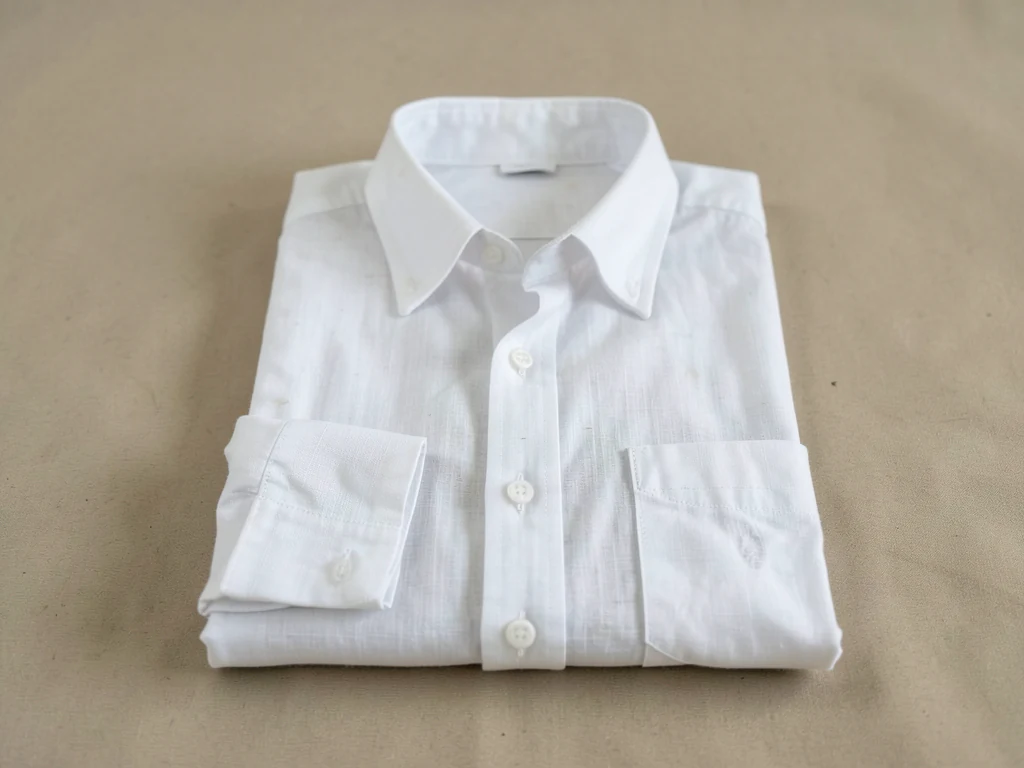
Clothing Product Scene Generator
Generative output can vary; review the full result before publishing
Clothing brands need every drop photographed in one recognizable voice — the collection world that makes a grid a brand. This direction builds those campaign worlds around your garments: season contexts, fabric-friendly settings, the coherent voice that survives from lookbook to feed.
- Prepared Clothing direction
- Editable prompt
- Source-detail review required
Choose a source image for Clothing
JPG, PNG, WebP, HEIC, and other supported formats. Free up to 20 MB; Premium and higher up to 50 MB for this tool.
Clothing scenes for a collection: one season's set across every piece
Garments photographed on a hanger, a flat-lay table or a mannequin all work as sources, as long as the piece is pressed and the whole garment is in frame with space around it. The AI is asked to keep the garment as shot, so wrinkles, lint and a wrong-side fold are likely to stay in the result; steam before you shoot rather than hoping the scene hides them.
For a drop, decide one set and repeat it: a limewashed wall and a single bentwood chair, or a concrete floor with hard afternoon light. Batch images on Premium runs that same prompt over a whole collection and returns the results as a ZIP. Afterwards check fabric color under the new light, printed graphics and the neck label, and watch for a hanger hook or clip that the AI turned into something else.
To show the clothes worn by a person, create an on-model clothing photoshoot. For a plain grid, cut garments out on white.
Set up for Clothing Product Scene Generator
Prepared settings
- Starting point
- Upload one source image
- The page opens on the correct edit workflow; upload is the only required setup step.
- Prepared workflow
- Prepared Clothing scene direction
- Clothing Product Scene Generator opens with the Clothing direction preselected, so there is no need to find the operation manually.
- Output shape
- Same as your upload
- The result keeps the shape of the image you upload.
- Review rule
- Preserve the source subject and verify factual details
- Generated imagery can vary; the final result stays under the user's approval before download.
Best-fit uses
- Season campaign worlds per collection
- Brand-voice consistency across drops
- Lookbook-to-feed imagery systems
Frequently asked questions
- What makes a clothing brand's imagery recognizable?
- The constants beneath the seasons — light philosophy, framing margins, palette bias held while collections rotate. Followers should clock the brand mid-scroll before any logo loads.
- How do garment scenes stay fabric-honest?
- The AI is asked to keep the garment as photographed — drape and weave as shot — while the world stages around it, but the frame is re-rendered; check the edges and thin parts like straps. The scene's job is context, never correction.
- What should I review in a Clothing result?
- Check the subject, product geometry, colors, labels, logos, identity-relevant details, shadows, and edges against the source. Reject any output that changes a factual detail.
- What rights checks apply to a Clothing client project?
- Use only source material and references you have rights to, follow the destination platform rules, and obtain any required person or property permissions. Generated output still needs a human accuracy and rights review.
What you can do with AI Product Scene Generator
Review the main capabilities before you begin.
- Build a scene around your product from a single photo
- Create editorial, ecommerce, and social campaign concepts
- Generate coherent props, surfaces, lighting, and shadows
- Ask the AI to keep the product as photographed
Settings reference
4 settings
Available controls for AI Product Scene Generator.
Workflow
- Single image or Batch imagesPresets
- Process one image, or use Premium Batch images to apply the same automatic recipe to a set and download one ZIP.Options: Single imageBatch images
Scenes
- One-tap presetsPresets
- Pick a ready-made direction with one tap; generation uses the selected preset automatically.Options: Bathroom counterKitchen lifestyleOutdoor lifestyleEditorial podiumSocial ad
- Custom instructions (optional)Text input
- Describe the requested change, relevant materials, lighting, perspective, and details that must remain unchanged.
Selection
- Selection brush sizeSliderRange: 4–160px · Default: 32px
- The subject area is found automatically. This brush appears only if that automatic area could not be found; paint the area to edit, then generate again.
Related tools for Clothing Product Scene Generator
Tools for common next steps after Clothing Product Scene Generator.

Background Studio
Remove Background
Remove a photo background and download a transparent PNG. Review hair and edges before use.
Try it now
Background Studio
White Background Maker
Replace a photo background with white for product listings.
Try it now
Product Photography Studio
AI Product Photos
Generate a background scene around your product. Describe the setting and review the result.
Try it nowWatch each transformation land
Every photo crosses the slash untouched and comes out the other side finished.























