
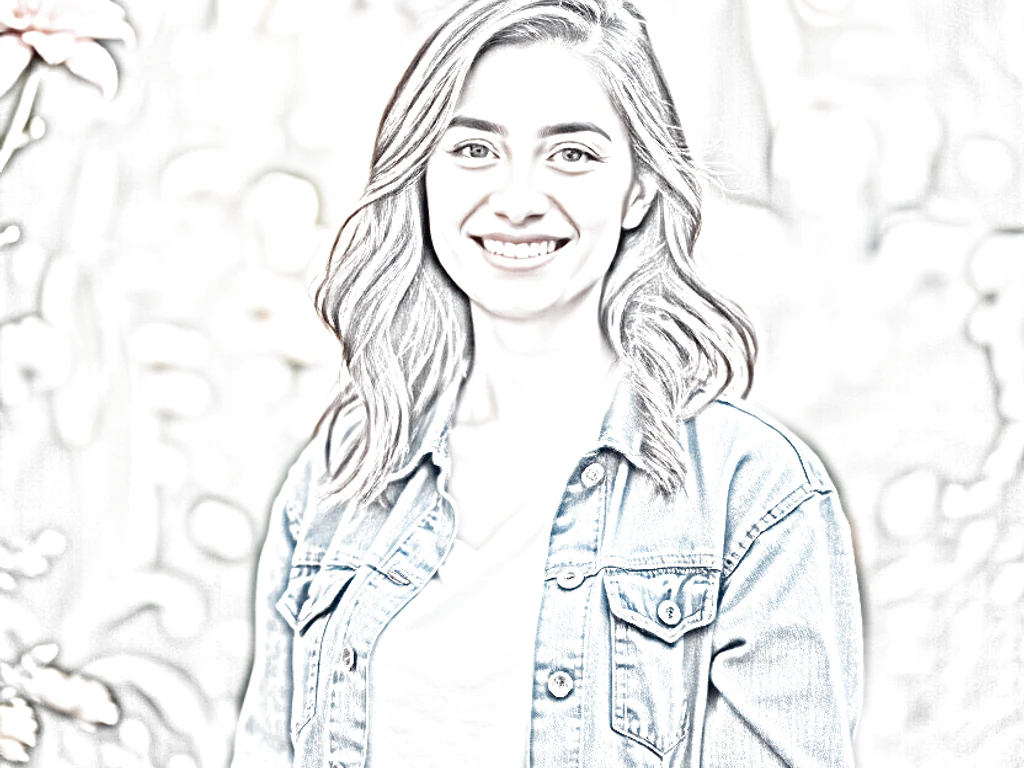

Photo to Colorful Sketch — Color Pencil Sketch from a Photo
Works with JPG, PNG, WEBP
Most sketch filters strip your photo to grey. Keep every real color in colored-pencil, watercolor, comic-ink, or marker style and download your sketch.
- Four colorful styles: colored pencil, watercolor, comic, marker
- Keeps your photo's real colors, unlike a grey pencil sketch
- Keep a sketch that still looks like the photo you loved
Drop a photo — get back a full-color sketch in your chosen style
Tips for the best result
• Colored pencil suits portraits; watercolor flatters landscapes and flowers
• Lower the strength to keep more photo detail; raise it for a bolder, drawn look
• Try comic ink for pets and posters, marker pop-art for vivid profile pictures
About the Colorful Sketch tool
Most “photo to sketch” tools give you a grey pencil drawing. This one keeps your photo's real colors and re-renders them as a hand-drawn artwork. Choose colored-pencil strokes, a soft watercolour wash, inked comic lines over flat color, or bold marker pop-art — then use the strength slider to blend smoothly from a lightly stylised photo to a fully drawn illustration. Great for gifts, prints, posters, stickers and colorful profile pictures.
How It Works
1. Upload any color photo
2. Pick a colorful sketch style
3. Adjust the hand-drawn strength
4. Download your colorful sketch
Perfect For
• Personalised gifts, prints and wall art
• Colorful profile pictures and avatars
• Posters, stickers and greeting cards
• Pet portraits and family keepsakes
How to turn a photo into a colored pencil or watercolor sketch
This photo to colorful sketch tool redraws a picture in a hand-drawn style and keeps color, where most sketch tools give a gray drawing. Choose colored pencil, watercolor, comic ink or marker pop-art, set Hand-drawn strength between Subtle and Artistic, and convert. It works on JPG, PNG and WebP photos and suits portraits, pets, flowers and landscapes. You can preview and download a web-size sketch free, without an account.
Turn a photo into a color pencil sketch online
Nothing is processed until you select Convert, and changing the style or the strength clears the old result, so convert again to see the new version. The sketch is built from your own photo, so the subject, pose and composition stay as they are, and the result is a JPG, or a PNG if your photo has transparent areas.
- Upload a color photo in JPG, PNG or WebP format.
- Open the Style tab and choose Colored pencil, Watercolor, Comic ink or Marker pop-art.
- Open the Adjust tab and set Hand-drawn strength.
- Select Convert and wait for the sketch.
- Select See result, then download the JPG.
Choose colored pencil, watercolor, comic ink or marker
Colored pencil draws shaded strokes in your photo's own colors and leaves flat, light areas as white paper, which suits portraits. Watercolor flattens detail into soft washes with darker edges where colors meet and a paper-like grain, which flatters landscapes and flowers. Comic ink reduces the photo to bold, flat areas of color, and Marker pop-art pushes contrast and color hard for a poster look, which suits pets and vivid profile pictures.
Set Hand-drawn strength for a light or bold drawing
Hand-drawn strength runs from Subtle to Artistic and starts closer to Artistic. Lower values keep more photo detail, which helps faces and small objects stay readable. Higher values look more drawn and give bolder strokes, flatter color or harder contrast, depending on the style. Try 2 or 3 levels on the same photo and compare them, because every change needs another Convert.
Colorful sketch, pencil sketch or coloring page: which one fits
Choose this tool when you want a drawing that stays in color. For a gray graphite or charcoal drawing with shading controls, draw the photo as a pencil sketch. For black outlines on white paper that you or a child color in by hand, make a printable coloring page. For a page built only around watercolor, with its own Watercolor Intensity slider, paint the photo as a watercolor.
Use the sketch for a gift, a print or a profile picture
Without Premium the sketch downloads at web size, which suits screens and small prints. Premium unlocks the original-resolution result, and you can enlarge it further for a bigger print. For a keepsake, cut the sketch into a heart or star shape, or crop it into a circle for a round avatar.
Before you convert the photo
- Start from a sharp color photo with good light, because blurry or dark photos give muddy results.
- Try colored pencil for portraits and watercolor for landscapes and flowers.
- Check faces and small details after converting, because a high strength simplifies them.
- Batch mode applies one style and strength to many photos and returns a ZIP; it is a Premium feature.
Other hand-drawn finishes for the same photo
For a soft painted wash rather than strokes, paint the photo as a watercolor for cards or wall art, or go the other way and draw it in gray graphite with adjustable shadow depth.
A finished sketch also makes a keepsake when you cut it into a heart or star shape.
What you can do with Photo to Colorful Sketch
Review the main capabilities before you begin.
- Turn photos into colorful hand-drawn sketches
- Choose colored pencil, watercolor or comic ink
- Keep real colors instead of gray graphite
- Create marker pop-art style artwork
- Adjust how hand-drawn the result looks
Settings reference
3 settings
Available controls for Photo to Colorful Sketch.
- Processing modePresets
- Process one input, or switch to Premium batch mode to process multiple inputs with shared settings. Available input types depend on the tool.Options: Single imageBatch
Adjust
- Hand-drawn strengthSliderRange: 0–1 · Default: 0.7
- Controls how strong the artistic effect is, from Subtle to Artistic — lower keeps more photo detail, higher looks more hand-drawn.
Style
- Sketch stylePresets
- Picks the colorful art style applied to your photo: hand-drawn colored strokes, a soft painted wash, inked comic lines with flat color, or bold marker pop-art.Options: Colored pencilWatercolorComic inkMarker pop-art
Popular presets
Related tools for Photo to Colorful Sketch
Tools for common next steps after Photo to Colorful Sketch.

Creative & Design
Pencil Sketch
Convert a photo into a pencil-sketch style image and adjust the shadow depth before download.
Try it now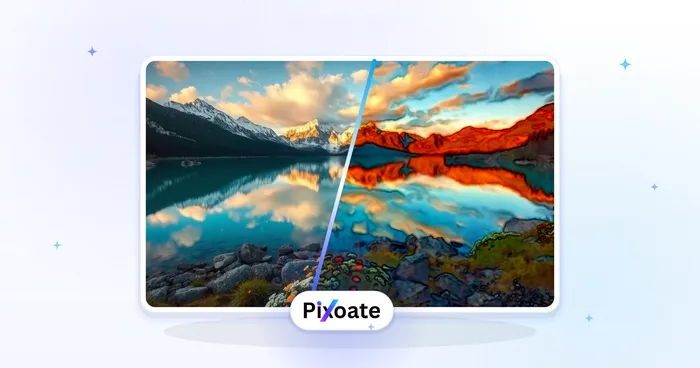
Creative & Design
Watercolor Generator
Convert a photo into a watercolor-style image.
Try it now
Creative & Design
Photo to Cartoon
Turn a photo into classic, storybook, sticker, watercolor, or custom cartoon artwork with editable AI directions.
Try it nowFrequently Asked Questions
Watch each transformation land
Every photo crosses the slash untouched and comes out the other side finished.























