
Coloring Page Generator — Turn a Photo Into a Printable Coloring Page
Convert a photo into black-and-white line art with adjustable detail for printing or digital use.
Drop a photo — get back a print-ready coloring page
How to make a printable coloring page from a photo
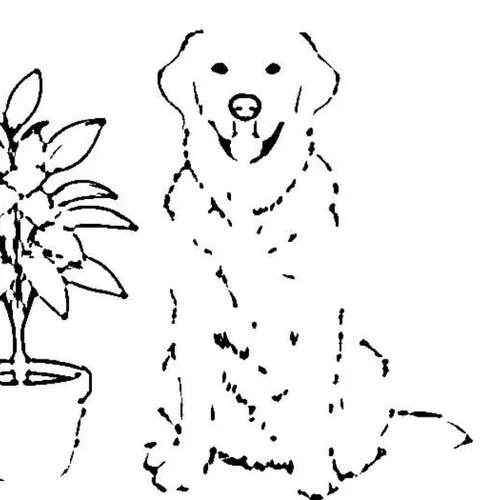
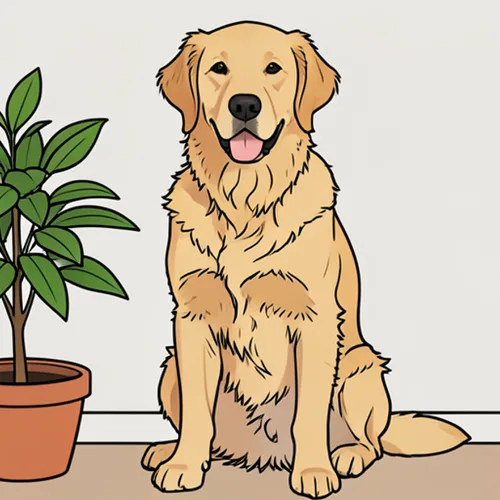
This coloring page generator traces a photo into clean black outlines on a white background, so a child or an adult can color it in by hand. Pick Kids, Standard or Detailed for the number of lines, create the page and download a PNG. Teachers and parents can add a print-ready A4 or US Letter PDF, or a class-set booklet, with Premium. The tool starts from a photo you upload, not from a typed subject.
Turn a photo into a coloring page in a few steps
The page is black outline art on white, built from the edges in your photo, so a clear subject with good contrast gives the cleanest lines. The preview does not redraw while you drag the slider, because creating a page is a deliberate step: after any change to Line Detail, select Create coloring page again.
- Upload a sharp photo with one clear subject.
- Under Line style, choose Kids, Standard or Detailed.
- Select Create coloring page and wait for the outlines.
- Select See result to open the finished page.
- Download the PNG, or print it from your device.
Make a simple page for a toddler or a detailed page for adults
Kids uses thick, simple outlines that small children can color inside. Standard keeps a balanced amount of detail, and Detailed keeps fine lines for intricate adult pages. Line Detail fine-tunes any of them, from Fewer lines to More lines. For a toddler, choose a photo with one large subject and a plain background; for adults, start from a large, sharp photo and move toward More lines.
Print a coloring page on A4 or US Letter paper
You can preview free, and the PNG downloads at web size without an account. Premium adds a print-ready PDF: choose A4 or US Letter under Paper size (for PDF), and the page is fitted with safe margins and turned to match a wide or tall picture. To print several saved PNG pages together, join them into one PDF.
Make a class set or a personal coloring book from photos
Premium adds a class-set booklet for teachers, parents and party hosts. Select Teacher? Make a printable class-set booklet, add the photos, choose one line style for all of them and select the Create button, which shows the page count. Each photo becomes one page, and Download booklet combines the finished pages into a single A4 or US Letter PDF. A failed page can be retried without redoing the rest.
Get cleaner lines from a busy photo
Stray lines usually come from a busy background. Put the subject on a plain white background first, then run the page again, and avoid photos where the subject blends into its surroundings. If you want shading instead of open outlines, draw a graphite pencil sketch, and if you want finished color, turn the photo into a colored sketch.
Before you print or share the page
- Use a sharp, well-lit photo with a clear subject and good contrast.
- Choose Kids for young children and Detailed for adult pages, then fine-tune with Line Detail.
- Select Create coloring page again after any change, because the old page is cleared.
- Pick A4 or US Letter to match your printer before you build a PDF.
- Check the lines around faces and small objects before you print many copies.
Getting a cleaner coloring page
A busy backdrop can add stray lines to the page, so put the subject on plain white first and run it again.
To show the subject with shading instead of open outlines, draw a graphite pencil sketch; separate pages you saved as images can be joined into one PDF for printing.
What you can do with Coloring Page Generator
Review the main capabilities before you begin.
- Turn a supported photo into a printable coloring page
- Convert pictures to black-and-white line art
- Make coloring sheets for kids and adults
- Adjust line detail from simple to intricate
- Export ready-to-print pages sized for your paper
- Build a class-set booklet for the classroom
Settings reference
4 settings
Available controls for Coloring Page Generator.
Style
- Line stylePresets
- One-click presets for how much detail becomes lines: Kids gives thick simple outlines for young children, Standard is balanced, and Detailed keeps fine intricate lines for adult coloring.Options: KidsStandardDetailed
- Line DetailSliderRange: 10–100% · Default: 55%
- Fine-tunes how many edges turn into lines, from sparse bold outlines at low values to intricate fine line art at high values; the preview regenerates automatically as you adjust it.
- Paper size (for PDF)Presets
- Sizes the print-ready PDF (and class-set booklet) to A4 or US Letter with safe margins, so pick the paper your home or school printer uses.Options: A4US Letter
Mode
- Teacher? Make a printable class-set booklet →On / Off
- Switches from single-page mode to class-set booklet mode, where you upload many photos at once and combine every converted page into one multi-page printable PDF.
Popular presets
Related tools for Coloring Page Generator
Tools for common next steps after Coloring Page Generator.

Creative & Design
Pencil Sketch
Convert a photo into a pencil-sketch style image and adjust the shadow depth before download.
Try it now
Creative & Design
Cartoon Generator
Turn a photo into original 3D, vector, comic, clay, or custom cartoon artwork with editable AI directions.
Try it now
Creative & Design
Photo to Cartoon
Turn a photo into classic, storybook, sticker, watercolor, or custom cartoon artwork with editable AI directions.
Try it nowFrequently Asked Questions
How Coloring Page Generator helps you get it done
Real problems it solves every day — for businesses, creators, and everyday tasks. Find the use case that fits you and start.
Kids Coloring Activities
Turn family photos and pet pictures into printable coloring pages for kids and rainy-day activities
Classroom & Teaching Resources
Create custom line-art worksheets and coloring sheets from photos for classroom and homeschool lessons
Adult Coloring Books
Generate intricate coloring pages from detailed photos for relaxing adult coloring books and printables
Party Favors & Printables
Make personalized coloring pages from photos for birthday parties, events, and DIY printables
Whole-Class Coloring Booklets in One PDF
Switch to the teacher class-set mode, upload every student's photo, and bundle the finished line-art pages into a single print-ready A4 or Letter PDF booklet for the whole class in one print job.
Restaurant Kids'-Menu Activity Placemats
Turn a mascot photo or food shot into a bold Kids-mode line-art sheet and print it to Letter size as a coloring placemat that keeps young diners busy while they wait.
Memory-Keeping Tribute Pages
Convert a cherished portrait of a loved one into a Detailed line-art keepsake page — a gentle, personal activity for a memorial gathering or a grief-processing craft session.
Wedding & Baby Shower Guest Activity Cards
Turn a photo of the couple or the mom-to-be into a Kids-mode coloring page and print copies as a table activity that doubles as a keepsake guests take home.
Personalized Adult Coloring Pages from Travel or Pet Photos
Run a favorite travel landscape or pet portrait through Detailed mode to turn it into a fine-lined adult coloring page — a relaxing, personalized alternative to generic coloring-book pages, ready to print at Letter or A4 size.
Watch each transformation land
Every photo crosses the slash untouched and comes out the other side finished.























