
Add Watermark to PDF — Watermark Every Page Free Online
Add a text watermark across PDF pages with adjustable size, color, opacity and angle.
Drop a PDF here — get it back stamped on every page
PDF files
How to add a text watermark such as CONFIDENTIAL or DRAFT to a PDF
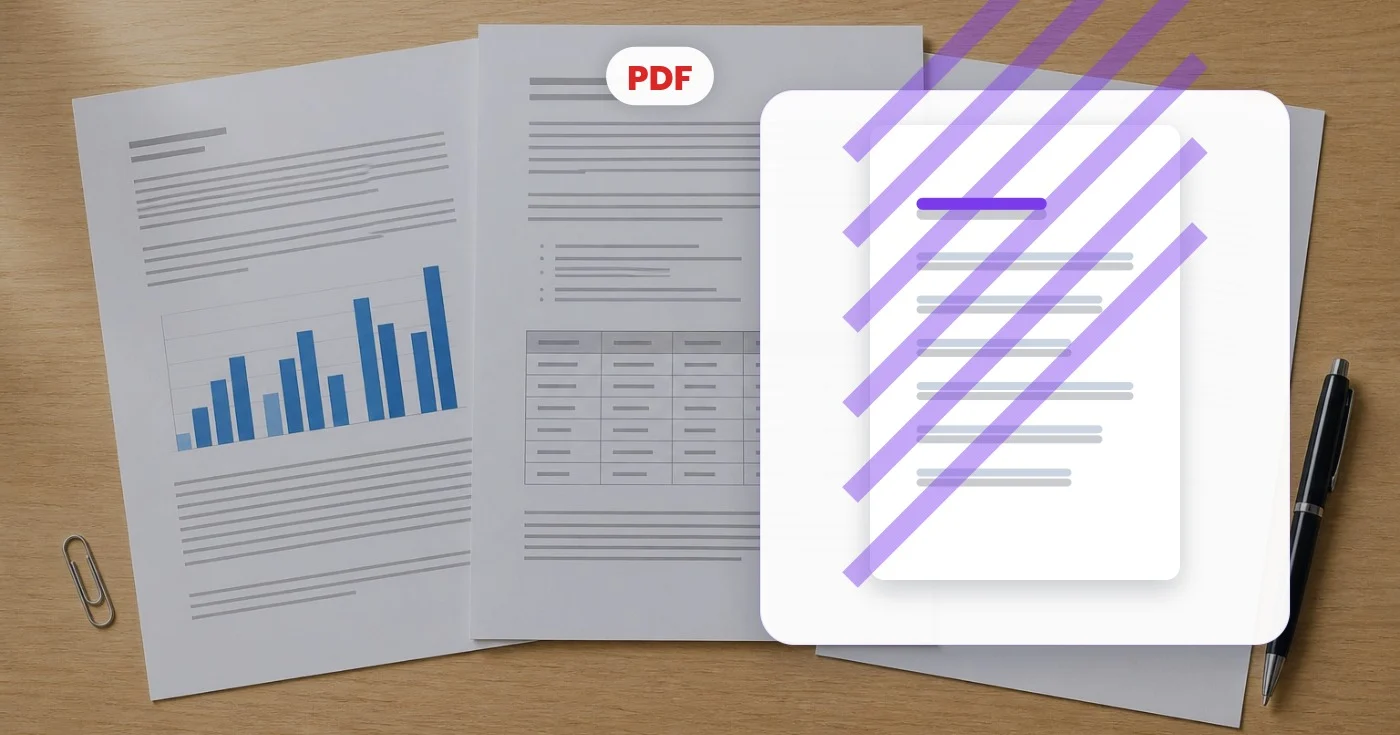
This PDF watermark tool stamps a line of text across every page of a document. Start from a preset such as CONFIDENTIAL, DRAFT or PAID, or type your own words, then set the position, size, color, opacity and angle while a live preview of page 1 shows how it will look. The stamp becomes part of each page, so it prints and shows in standard PDF viewers.
Add a CONFIDENTIAL or DRAFT watermark to every page
The Quick presets are CONFIDENTIAL, DRAFT, COPY, APPROVED, FINAL, SAMPLE, PAID and DO NOT COPY. Each one fills in the text and a matching color, and you can still change both. The tool starts as a gray, diagonal CONFIDENTIAL at 25 percent opacity, which keeps the page readable underneath.
- Upload the PDF and wait for the page 1 preview.
- Pick a Quick preset or type your own Watermark text.
- Adjust Position, Font size, Opacity, Rotation and Color.
- Select Watermark my PDF, then See result to open the download.
Place the stamp diagonally, centered or in a corner
The Position control has a grid of 9 spots, from Top left to Bottom right, plus DIAGONAL. Corners and edges keep the text upright, which suits a version label or a company name. DIAGONAL runs across the page like a classic stamp, and only then does the Rotation slider apply, from -90° to 90°. Font size runs from 10 to 120 points and Opacity from 5 to 100 percent.
Make a watermark light enough to read the page through it
The stamp is drawn on top of the page content, so a lower Opacity lets the words underneath show. A soft gray near 25 percent suits long documents, while red or orange stays visible at lower opacity. The preview shows page 1 in its real proportions, and the zoom controls let you check small print before the stamp goes onto every page.
Watermark many PDFs with the same text
To stamp many PDFs with one label, use the Batch toggle, a Premium option. One setup is applied to every PDF you add and the results return in a single ZIP, with the preview showing the first file. Font size is set in points, so a stamp that suits A4 pages looks larger on smaller pages; group files of a similar size.
What a text watermark can and cannot do
A watermark labels a document; it does not stop anyone from opening it, so add an open password as well when access matters. The tool stamps text only. To put a logo across photos, watermark an image instead, and for one APPROVED or PAID mark on a single page, place a stamp exactly where it belongs.
Before you apply the watermark
- Check the text for typos; it appears on every page.
- Use a short phrase, because a long line at a large size can run off a narrow page.
- Keep a copy of the unstamped PDF; this page has no option to take a stamp off afterward.
- Stick to letters, numbers and common punctuation, because the stamp uses a standard Latin typeface.
Other ways to label a document
Watermarks here are text only; to put a logo across photos instead, add a logo watermark to an image, and for one APPROVED or PAID mark on a single page, place a stamp exactly where it belongs. A watermark does not stop anyone opening the file, so add an open password as well when access matters.
What you can do with Watermark PDF
Review the main capabilities before you begin.
- Stamp CONFIDENTIAL or DRAFT across every page
- Add your own custom watermark text to a PDF
- Mark documents as private before sharing
- Set watermark opacity, angle and color
- Protect drafts and proofs with a diagonal stamp
Settings reference
8 settings
Available controls for Watermark PDF.
- Processing modePresets
- Process one input, or switch to Premium batch mode to process multiple inputs with shared settings. Available input types depend on the tool.Options: Single PDFBatch
Text
- Quick presetsPresets
- One-click stamps that fill in both the watermark text and a matching color at once, such as CONFIDENTIAL in red or DRAFT in grey; you can still fine-tune everything afterwards.Options: CONFIDENTIALDRAFTCOPYAPPROVEDFINALSAMPLEPAIDDO NOT COPY
- Watermark textText input
- The text stamped on every page of the PDF; type any custom wording such as a company name, document status, or version note.
- Font sizeSliderRange: 10–120pt · Default: 60pt
- Sets how large the watermark text appears on each page; big sizes suit a bold diagonal warning, while smaller sizes work better for a discreet corner stamp.
Style
- PositionPresets
- Places the watermark in one of nine spots on the page, or use Diagonal to run it across the center of every page in the classic anti-copy style.Options: Top leftTopTop rightLeftCenterRightBottom leftBottomBottom rightDIAGONAL
- OpacitySliderRange: 5–100% · Default: 25%
- Controls how see-through the watermark is; lower values keep the page content readable underneath, while higher values make the stamp stand out strongly.
- RotationSliderRange: -90–90° · Default: -30°
- Tilts the watermark to any angle when the Diagonal position is selected; corner and center positions always stay upright, so the slider is disabled for them.
- ColorColor picker
- Sets the watermark text color using nine quick swatches or a full picker where you can enter an exact hex code to match a brand or document style.
Related tools for Watermark PDF
Tools for common next steps after Watermark PDF.
PDF & Documents
Sign PDF
Draw, type or upload a signature, place it on a PDF page and download the signed copy.
Try it nowPDF & Documents
PDF Password
Add password encryption to a PDF, or remove a known password from a file you are authorized to modify.
Try it now
PDF & Documents
Merge PDF
Combine multiple PDFs, arrange them in the required order and download one merged file.
Try it nowFrequently Asked Questions
How Watermark PDF helps you get it done
Real problems it solves every day — for businesses, creators, and everyday tasks. Find the use case that fits you and start.
Stamp CONFIDENTIAL on Internal Documents
Internal strategy decks, M&A diligence and board materials should be clearly marked confidential. Stamp every page diagonally before circulating to prevent leaks if a file escapes the intended audience.
Mark DRAFT on Work-in-Progress Contracts
A "DRAFT" watermark across every page prevents an early version from being mistaken for a signed contract. Remove the watermark with a new merge once the final is approved.
Client-Specific Watermarks
Add a per-client watermark (e.g. client name + date) to deliverables so if the file is shared outside the engagement, you know whose copy leaked. Subtle deterrent, strong tracking.
Educational Material Branding
Online course providers stamp course PDFs with the student name and enrolment ID to discourage re-sharing. Personalised watermarks beat blanket DRM for most paid-content platforms.
Photographer & Designer Proofs
When sending PDF portfolios to potential clients, a "PROOF" watermark prevents unlicensed use before payment. Remove on invoice clearance.
Government Form Versioning
Mark template versions clearly (e.g. "DRAFT v3 - 2026") so reviewers know exactly which version is on their desk. Critical when multiple stakeholders are reviewing the same form across weeks.
Real Estate Listing Proof Stamps
Agents stamp "SAMPLE" or "NOT FOR DISTRIBUTION" diagonally across PDF floor plans and brochures sent to prospects, so drafts can't be mistaken for the final marketing package.
Invoice Status Stamping for Freelancers
Freelancers and small agencies use the color picker and text field to stamp "PAID" in green or "UNPAID" in red across invoice PDFs, so payment status is unmistakable to anyone who opens the file.
Event Ticket & Press Pass Anti-Fraud Marks
Event organizers stamp attendee names or "VOID IF COPIED" across PDF tickets and press passes at a small corner position, discouraging resale and duplication.
Sample Itinerary Stamps for Travel Agencies
Travel agents stamp "SAMPLE ITINERARY — NOT VALID FOR TRAVEL" diagonally across proposed trip PDFs sent to clients before booking, preventing a draft from being mistaken for a real travel document.
Healthcare Record Confidentiality Stamping
Clinics and healthcare administrators stamp "CONFIDENTIAL - PROTECTED HEALTH INFORMATION" diagonally across patient record PDFs before faxing or emailing them to insurers, referring providers or legal counsel, making the sensitivity of the document unmistakable at a glance.
Watch each transformation land
Every photo crosses the slash untouched and comes out the other side finished.























