
AI Portrait Background Changer
Review fine hair, glasses, and the outline of clothing before downloading.
Choose a portrait backdrop or describe your own. Automatic subject selection protects the person while the background changes.
- Studio, office, and outdoor presets
- Automatic subject protection
- Manual boundary refinement
Choose an image
JPG, PNG, WebP, HEIC, and other supported formats. Free up to 20 MB; Premium and higher up to 50 MB for this tool.
How to change the background of a portrait photo with AI
This AI portrait background changer replaces what is behind a person with a studio, office, garden or warm interior backdrop. The person is detected and protected automatically, so you choose a setting instead of cutting out hair by hand. It is made for headshots, profile photos and team pictures where the face and clothing should stay as photographed and only the setting should change.
Swap a portrait background in 4 steps
Studio is selected when the page opens and replaces the background with a neutral warm gray portrait backdrop. Every preset also asks the tool to preserve the person, hair, face, clothing and pose. The finished PNG keeps the shape of your portrait.
- Upload one portrait with the person clearly in front of the background.
- Open Background; Studio is already chosen, or pick Office, Garden or Warm interior.
- Edit Custom instructions if you want a different color or setting.
- Select Generate, then inspect hair, glasses and clothing edges against your original.
Choose a backdrop that fits the light on the face
Office gives a softly lit modern office with restrained detail, Garden a naturally blurred green garden that follows the existing light direction, and Warm interior a minimal indoor setting with soft window light. The closer the new light is to the light already on the face, the more natural the portrait looks. Pair a window-lit portrait with Office or Warm interior and an outdoor portrait with Garden. If the face is lit differently, relight the portrait first.
Protect hair, glasses and clothing edges
Fine hair, glasses and loose clothing edges are where a swapped background shows its joins, so zoom in on them in the result and compare with the original. The page note asks you to review fine hair, glasses and the outline of clothing before downloading. A portrait where the person stands clear of the background gives the cleanest outline, and if no safe automatic area is found, Refine area manually lets you brush the area to change.
Use the new backdrop for a headshot or profile photo
A swapped backdrop turns an ordinary photo into a consistent headshot for a resume, a team page or a profile. To have a new studio portrait generated from a selfie, with clothing and lighting directed as well, make a professional headshot from a selfie. For a transparent cutout to use in your own design, remove the background entirely.
Give a team the same backdrop
To give a team the same backdrop, use Batch images, a Premium option: it applies the chosen backdrop to every portrait and returns a ZIP of PNGs, so a team page matches. Run one portrait first, then look at each result separately, because hair and clothing differ from person to person. To keep the real setting but soften it, blur what is behind the person.
Before you upload a portrait
- Use one person, facing the camera, with the whole head in the frame.
- Keep hair and shoulders clear of other people or objects.
- Choose even light on the face so a new backdrop can match it.
- Start from a regular photo rather than a cutout, because images with transparent areas are refused.
- Keep the original so you can compare edges afterward.
Other backdrops and finishes for a portrait
For a transparent cutout to drop onto your own design, remove the background entirely; to keep the real setting but soften it, blur what is behind you.
If your face is lit differently from the new backdrop, relight the portrait with softbox or golden-hour light; pets, products, and other subjects can be placed in any described scene.
What you can do with AI Portrait Background Changer
Review the main capabilities before you begin.
- Replace a portrait backdrop with a described setting
- Protect the detected person in the prepared photo
- Refine difficult subject boundaries manually
Settings reference
4 settings
Available controls for AI Portrait Background Changer.
Workflow
- Single image or Batch imagesPresets
- Process one image, or use Premium Batch images to apply the same automatic recipe to a set and download one ZIP.Options: Single imageBatch images
Background
- One-tap presetsPresets
- Pick a ready-made direction with one tap; generation uses the selected preset automatically.Options: StudioOfficeGardenWarm interior
- Custom instructions (optional)Text input
- Describe the requested change, relevant materials, lighting, perspective, and details that must remain unchanged.
Selection
- Selection brush sizeSliderRange: 4–160px · Default: 32px
- The subject area is found automatically. This brush appears only if that automatic area could not be found; paint the area to edit, then generate again.
Related tools for AI Portrait Background Changer
Tools for common next steps after AI Portrait Background Changer.
Creative & Design
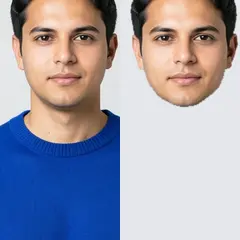
Face Cutout
Select a face and create a transparent head cutout for a collage, sticker, or profile design.
Try it now
AI Image Studio
AI Relight
Adjust golden-hour warmth, soft studio light, or shadow visibility while keeping the subject in place.
Try it now
Background Studio
AI Background Changer
Change a photo background automatically with AI. Put a person or product in a studio, beach, office, city, or a described scene.
Try it nowFrequently Asked Questions
Watch each transformation land
Every photo crosses the slash untouched and comes out the other side finished.























