Your Product Page Is Making Customers Wait: When Beautiful Images Become Heavy Files
Heavy product images can make a page slower to load. Explore Pixoate resizing and compression while preserving the details customers need to inspect.
A store owner chooses the largest export because the product deserves to look good. That same file then appears in a small card, beside several other oversized images. Quality has been treated as a file-size decision rather than a question about what the viewer needs to see.
Large images can contribute unnecessary page weight. The useful goal is enough detail for the placement, delivered through an appropriate image workflow.
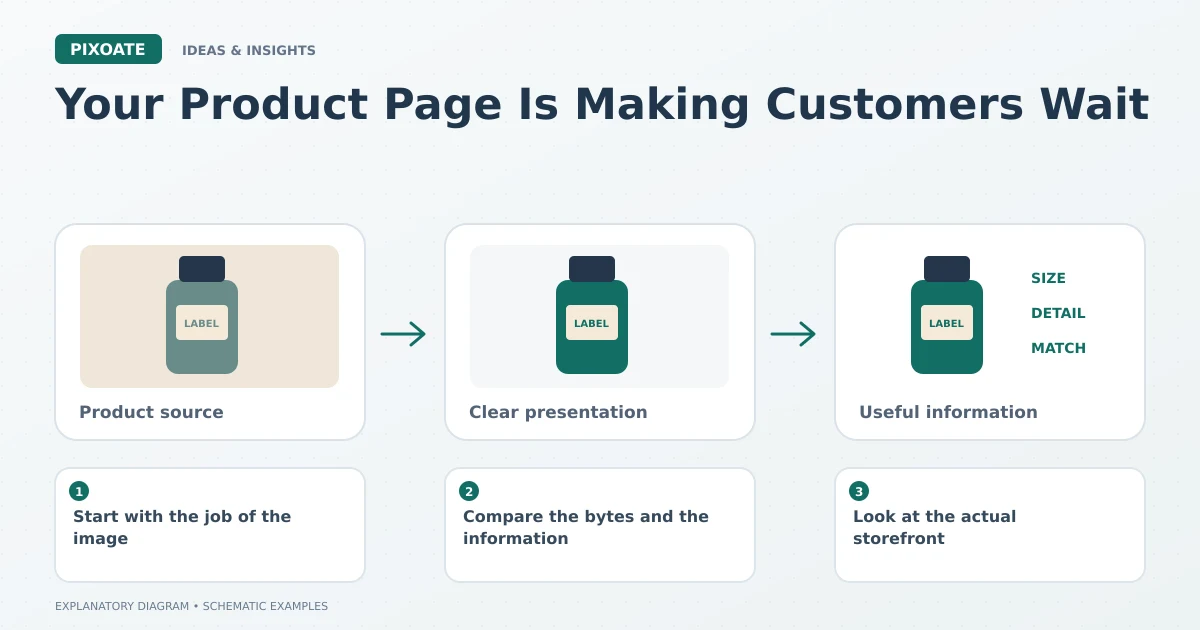
Original explanatory graphic. The scenes and sample records are schematic illustrations, not screenshots or measured tool results.
Start with the job of the image
A thumbnail identifies the product. A gallery close-up supports inspection. A specification download may serve another purpose entirely. Those uses can justify different outputs from the same original.
Keep the best source, then prepare destination copies. Repeatedly shrinking and recompressing an already degraded image makes later decisions harder because the lost detail is no longer available.
Compare the bytes and the information
Use Pixoate Compress Image to create a smaller candidate. Compare labels, textures and edges at the intended display size. Record the actual file size and settings rather than assuming a quality slider guarantees a particular result.
Use JPG to WebP when that format suits the destination. Format support, image content and the platform's delivery behaviour all affect the practical outcome.
For an illustrative example, reducing one file from 800 KB to 200 KB removes 600 KB from that local file. It does not prove a fixed reduction in page load time: the live site may resize or re-encode it, and other resources may dominate the page.
Look at the actual storefront
Inspect the delivered page on relevant devices and network conditions. Check whether a collection card is receiving an appropriate image and whether a useful larger view remains available in the product gallery.
Image optimization is one part of performance. Theme behaviour, scripts and other assets can also matter, so avoid attributing every slow page to the photos.
Make a reusable decision for each image family
Choose a sensible approach for plain product shots, detailed materials and text-heavy graphics separately. A compression setting that suits a smooth bottle may damage fine lettering on packaging.
Review the exceptions individually, and keep the original files for future exports. The aim is an image that loads appropriately and still answers the buyer's question.
Use Pixoate Compress Image to make the trade-off visible. Smaller files become useful when they preserve the information that made the image worth showing.