How to Convert WebP or AVIF to JPG When a Website Rejects Your Image
Website rejecting a WebP or AVIF image? Convert it to JPG with Pixoate, then review transparency, quality and the receiving site's upload requirements.
An image opens on your computer but a website refuses it. The filename ends in WebP or AVIF, while the upload form asks for JPG or PNG. The picture may be fine; the receiving system expects a different format.
Use Pixoate WebP to JPG or AVIF to JPG to create an actual compatible output. Renaming the extension is not a conversion.
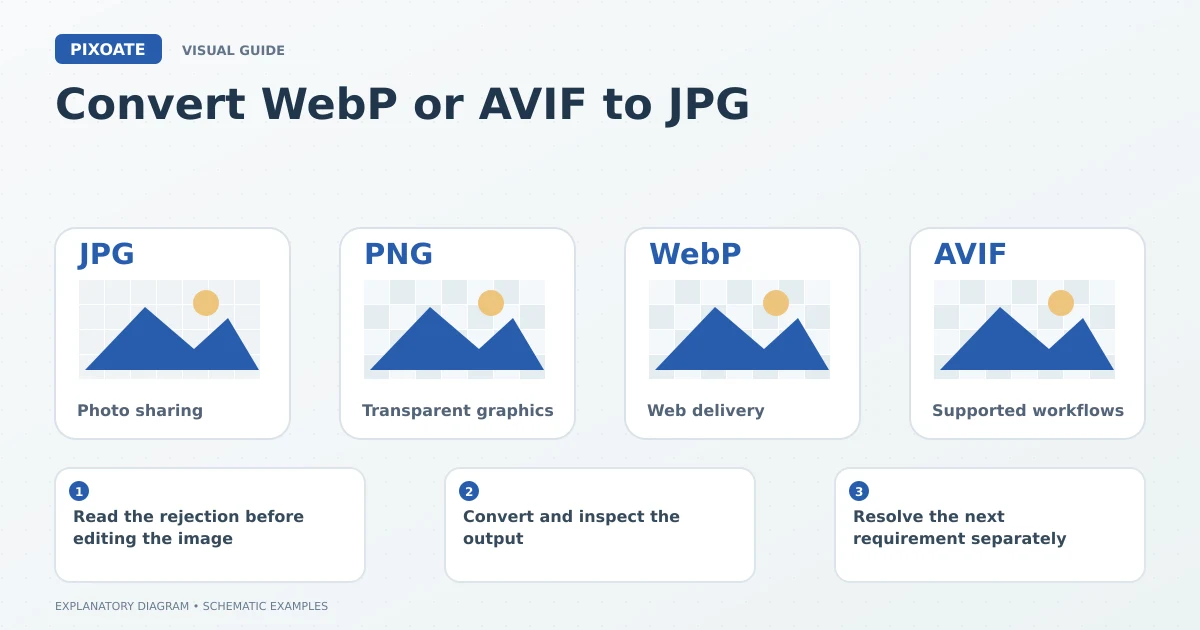
Original explanatory graphic. The scenes and sample records are schematic illustrations, not screenshots or measured tool results.
Read the rejection before editing the image
Confirm whether the problem is format, dimensions, file size or a damaged file. A format conversion will not necessarily solve an image that exceeds the upload limit or is too small for the destination.
Keep the original. If the source includes transparency, animation or other characteristics, decide what a static JPEG version should show before converting.
Convert and inspect the output
Upload the image to the appropriate converter and choose the available quality options. Download the JPG and open that actual file, not the source preview.
Check that the picture is complete, colours are suitable and any formerly transparent areas have the intended background. JPEG is a still-image format without alpha transparency, so it cannot preserve every characteristic of every source.
Use Image Format Converter when several supported input types need a common output. Group similar tasks for available batch processing, then inspect the resulting files individually.
Resolve the next requirement separately
| Upload issue | Relevant next step |
|---|---|
| Unsupported file type | Create a genuinely accepted format. |
| File too large | Compress Image and review detail. |
| Wrong dimensions | Resize Image without distortion. |
| Missing or damaged content | Obtain a valid original or clearer source. |
Try the converted file in the destination and read any remaining error. Avoid repeated conversions between lossy formats while guessing at the cause.
Why did changing .webp to .jpg fail?
The extension changed, but the encoded file content did not. An upload system may inspect the content rather than trust the filename.
Will conversion make the picture sharper?
It changes the format. It does not recover genuine detail missing from the source.
Choose WebP to JPG or AVIF to JPG, preserve the original and verify the downloaded file against the specific requirement that caused the rejection.