
Etsy Listing Studio
Generative output can vary; review the full result before publishing
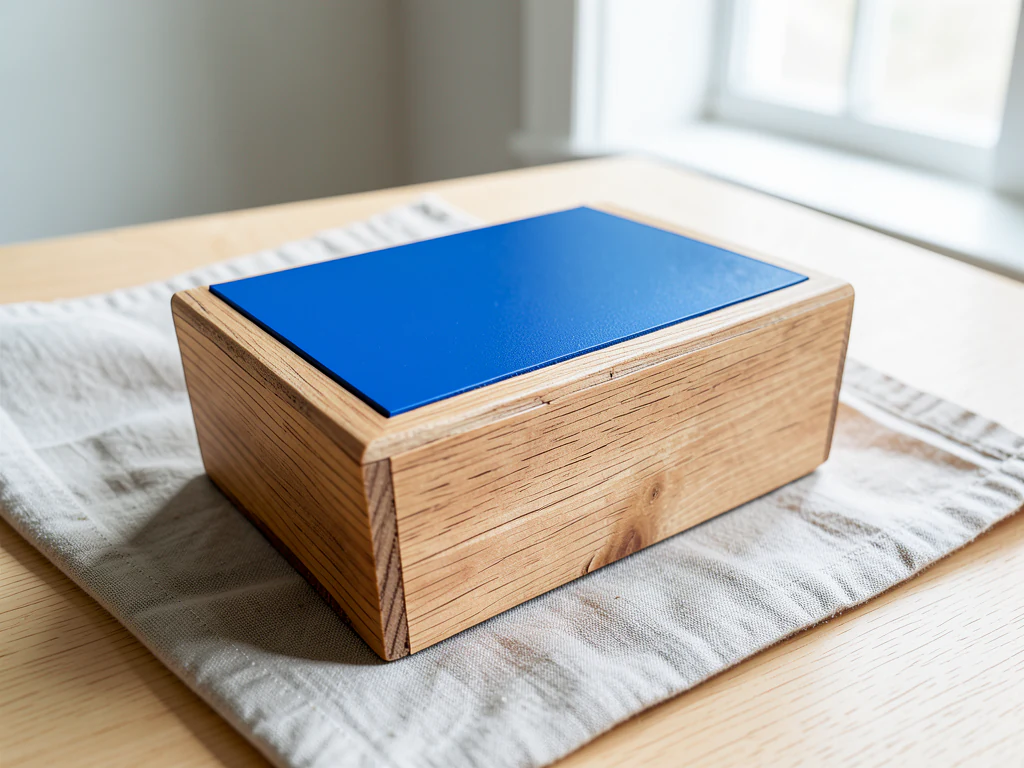
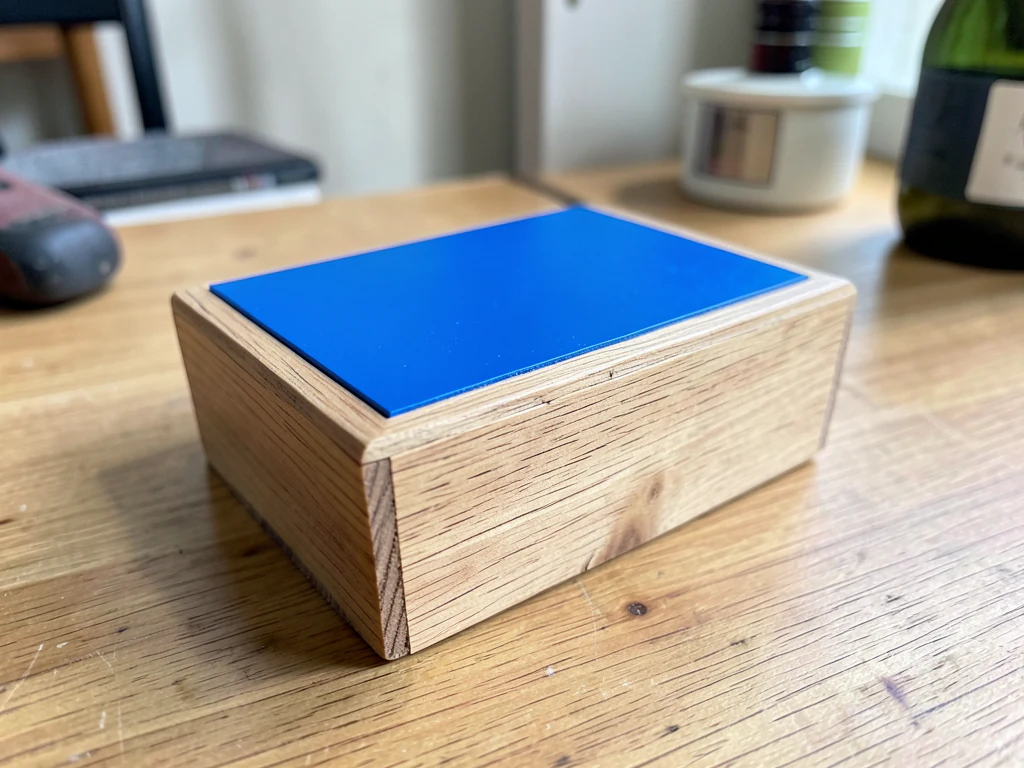
Etsy buyers are shopping for evidence of a person making something, so the glossy white-box treatment that works on a marketplace often works against you here. This direction builds warm, tactile settings — wood, linen, daylight — around a piece whose texture, irregularities and tool marks the AI is asked to keep, because on Etsy those are the selling points rather than flaws to retouch away. Check that they survive.
- Prepared Etsy Listing Studio direction
- Editable prompt
- Source-detail review required
Choose a source image for Etsy Listing Studio
JPG, PNG, WebP, HEIC, and other supported formats. Free up to 20 MB; Premium and higher up to 50 MB for this tool.
Styling handmade pieces for an Etsy shop without hiding the handwork
On Etsy a photo has two jobs: show the making and show the size. This page asks the AI to keep your piece as photographed and generates the table, wall and light around it, so the glaze run, the stitch line or the wood grain should be whatever your camera caught. Shoot close enough for the texture to read, in daylight, with the piece sharp from its front edge to its back.
Pick a setting that belongs to your craft and keep it for the whole shop: a linen-covered table for textiles, pale wood for ceramics, a plain wall for prints. Write it into the prompt once and reuse the same wording for every listing, so the shop page reads as one collection. Etsy does not ask for a particular backdrop, which makes the choice about your brand rather than a platform rule.
Scale is easy to misjudge in a styled photo, and generated props make it worse when they come out the wrong size. If a mug appears beside a pair of earrings, check it looks like a real mug, and remove any prop that could pass for part of the sale. Etsy favors large photos, so download the original resolution with Premium or a credit, then check the file against Etsy's size guidance. For a plain cutout instead, take the background off an Etsy product photo.
Style Etsy listing photos around handmade items without hiding the handwork
This Etsy listing studio takes a photo of something you made and rebuilds the table, wall and light around it, so a workbench snapshot reads like a finished listing photo. You choose one of four looks or write your own, compare the result with your original and download a PNG. It prepares images. It does not publish to Etsy or check Etsy's current policies for you.
Style a handmade item for a listing in 5 steps
The page opens on Plain white, which suits a catalog more than a craft shop. For a handmade feel, pick a warmer look before you generate, and keep one look across the shop so listings read as a set.
- Upload one photo of the finished piece, sharp and fully in frame.
- Under Styles, choose Warm surface or In use at home instead of Plain white.
- Add one sentence in Custom instructions, such as a linen cloth on a pale oak table.
- Select Generate Product scene.
- Zoom to full size and study texture, seams and edges before you download.
Keep texture, glaze and stitching visible
Buyers on Etsy look for the marks of making, so check them first. The picture is generated again with a request to keep the item, which means a slightly uneven glaze, a weave or a tool mark can come back smoothed. Compare those spots with your original at full size, and keep the untouched photo as one of the listing images so a buyer can see the real surface next to the styled one. Compare the two on a slider before you decide.
Choose a setting that fits the craft and the shop
Warm surface sets the piece on a neutral tabletop in front of a pale wall, lit by soft daylight from one side. In use at home places it in a tidy home setting with window light. Pick one and keep it across listings, then change only the props. Leave out any prop a buyer could think is included, and show scale with a familiar object in the original photo rather than a generated one.
Check size and file before you upload to Etsy
The result keeps the shape of your upload, so crop first if you need a particular thumbnail shape. The Listing Image Checker lists Etsy's recommendation as at least 2,000 px on each side, and without a paid plan the PNG downloads at web size, which is smaller. Premium or a credit returns the original resolution. Measure the file with the Listing Image Checker before you upload, or take the background off for a plain cutout when a scene is not wanted.
Set up for Etsy Listing Studio
Prepared settings
- Starting point
- Upload one source image
- The page opens on the correct edit workflow; upload is the only required setup step.
- Prepared workflow
- Prepared Etsy Listing Studio scene direction
- Etsy Listing Studio opens with the Etsy Listing Studio direction preselected, so there is no need to find the operation manually.
- Output shape
- Same as your upload
- The result keeps the shape of the image you upload.
- Review rule
- Preserve the source subject and verify factual details
- Generated imagery can vary; the final result stays under the user's approval before download.
Best-fit uses
- A consistent look across a shop selling one-off pieces
- Seasonal scene refreshes without rephotographing stock
- Turning workbench snapshots into listing-ready images
Frequently asked questions
- What makes a good Etsy listing photo?
- Honest texture and clear scale. Buyers want to see the weave, grain, glaze or stitch, and they want to know how big it is. Keep the item sharp and fully visible when you shoot; the generated setting adds the styling around it, not the detail within it.
- Will it smooth out the handmade irregularities?
- Not on purpose — the AI is asked to keep the item as shot, so a slightly uneven glaze or a visible seam should stay; check that it did. That is deliberate. Smoothing away the marks of handwork is how a handmade listing starts looking mass-produced, which is the opposite of what an Etsy buyer is looking for.
- Should every listing use the same background?
- A shared palette and surface family makes a shop look like a shop rather than a feed of unrelated posts. Vary the arrangement and the props, keep the light and materials consistent. Buyers browsing your shop page see the set before they read a single title.
- Do I need to say the background is generated?
- The AI is asked to keep the item as shot; the styling around it is not photographed. Etsy has its own policies on listing accuracy and image use, so check the current rules. Never let a prop imply something is included in the purchase when it is not.
- Why does the page open on Plain white for a handmade item?
- Plain white is the first of four looks shared by the listing studios, so each opens on it. Etsy does not require a particular background in the Listing Image Checker's table, so choose the look that fits your craft. Warm surface and In use at home usually suit handmade pieces better, and your own wording in Custom instructions replaces the prepared text.
- Can I use this for art prints, cards or stationery?
- Yes, from a photo of the printed piece on a plain surface. The page generates a new table and light, and the whole picture is generated again, so check every line of text and the colors against your artwork. It does not place a flat file into a frame or a card template.
- How do I show color variations of the same item?
- Photograph each variation the same way on the same surface, then run every photo with the same look and the same Custom instructions. Check each result against its own source, because a warm scene can pull a cool color toward beige. A Premium batch runs the set in one go and returns a ZIP of PNGs.
- Can the page add my shop name or logo to the photo?
- No. The prepared instructions ask for no invented text or logos. If you want your shop mark on the picture, stamp it afterward with Watermark Image, where you set the position and opacity, and keep it small and away from the piece.
- What happens with clear glass, lace or sheer fabric?
- These show whatever is behind them, so a new backdrop changes how they look, and fine detail such as lace edges can be redrawn. Photograph them against a plain surface, then compare the rim, the pattern and any see-through areas with your original. Skip the styled scene if the result changes how the piece looks.
What you can do with AI Product Photos
Review the main capabilities before you begin.
- Turn plain snapshots into studio-style product shots
- Drop products onto curated gradients and backgrounds
- Add a natural shadow for a realistic look
- Create listing-ready images for your store
- Upgrade e-commerce photos without a studio
Settings reference
4 settings
Available controls for AI Product Photos.
Workflow
- Single image or Batch imagesPresets
- Process one image, or use Premium Batch images to apply the same automatic recipe to a set and download one ZIP.Options: Single imageBatch images
Styles
- One-tap presetsPresets
- Pick a ready-made direction with one tap; generation uses the selected preset automatically.Options: White studioLifestylePremium podiumCatalog set
- Custom instructions (optional)Text input
- Describe the requested change, relevant materials, lighting, perspective, and details that must remain unchanged.
Selection
- Selection brush sizeSliderRange: 4–160px · Default: 32px
- The subject area is found automatically. This brush appears only if that automatic area could not be found; paint the area to edit, then generate again.
Related tools for Etsy Listing Studio
Tools for common next steps after Etsy Listing Studio.

Background Studio
Remove Background
Remove a photo background and download a transparent PNG. Review hair and edges before use.
Try it now
Background Studio
White Background Maker
Replace a photo background with white for product listings.
Try it now
Product Photography Studio
Listing Image Checker
Check a product image against the listed marketplace requirements. Review any flagged issues before uploading.
Try it nowHow AI Product Photos helps you get it done
Real problems it solves every day — for businesses, creators, and everyday tasks. Find the use case that fits you and start.
Consistent Marketplace Catalogs
Give every product the same clean gradient or white studio background with a matching shadow, so Amazon, Shopify and Etsy listing grids look uniform and premium.
Social & Ad Creative
Place products on gradients sized for Instagram, Pinterest and paid-ad layouts, then review the composite before export.
Guides for this tool
- Do Better Product Photos Increase Sales? What Online Stores Should MeasureCan better product photos increase sales? Learn what to measure, what can distort results and where Pixoate helps improve images worth comparing.
- How to Create AI Lifestyle Product Photos Without a Studio PhotoshootCreate AI lifestyle product photos with Pixoate. Explore settings for small business campaigns and review product shape, colour and scale before use.
Watch each transformation land
Every photo crosses the slash untouched and comes out the other side finished.























