Embossed text defeats quick typing
Curved surfaces, shallow relief, road dirt, and low contrast make letters and numbers difficult to distinguish.
Pixoate reads markings; it does not inspect tire condition, determine service life, or recommend continued use or replacement.
Embossed black-on-black sidewall text is slow to transcribe and easy to confuse. Photograph the DOT marking, verify the tire identification number, and turn the final date code into a usable row.
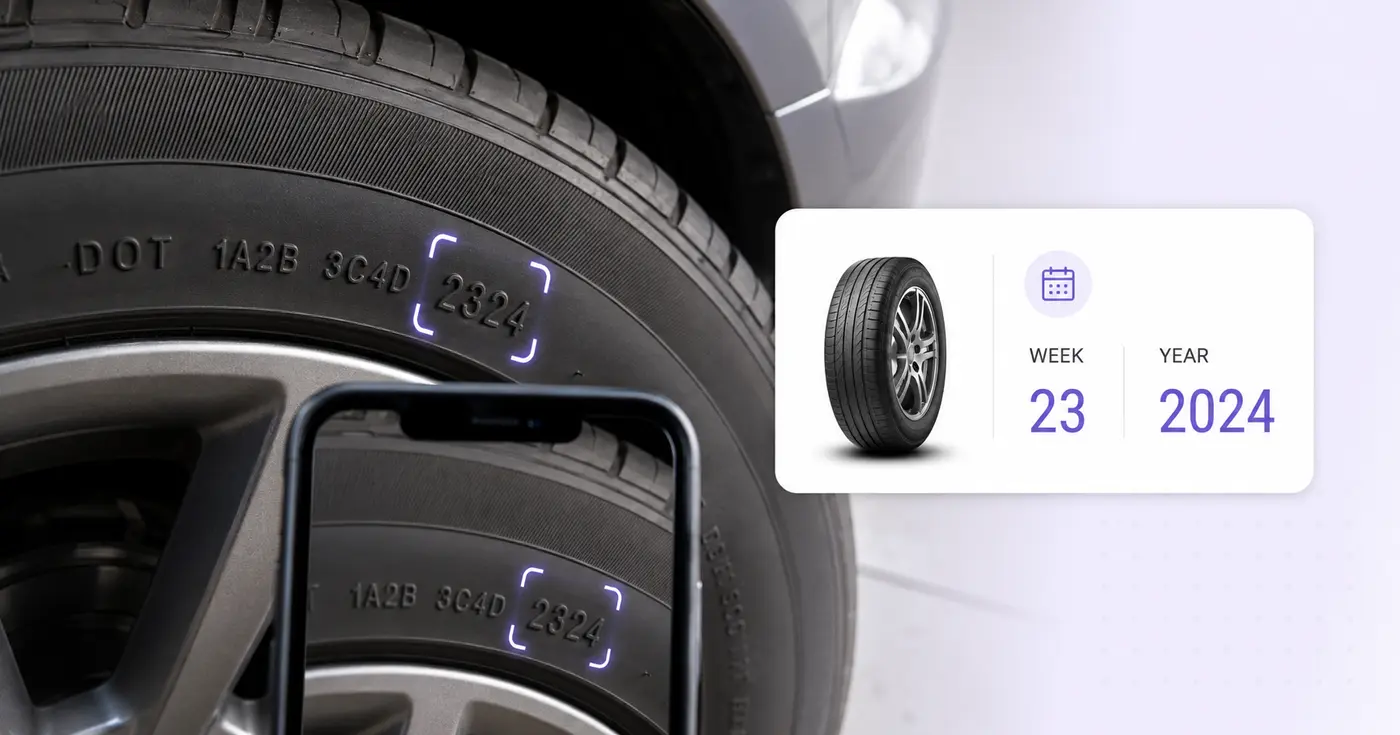
The Tire DOT Code Scanner reads the DOT tire identification number from a sidewall photo and works out the manufacture date from its last 4 digits. It places the code, brand, tire line, size, vehicle position and location in an editable row. Verify the embossed characters against the tire, then download a CSV or save a tire register in your account.
Find the characters that begin with DOT and photograph them straight on, with the camera parallel to the sidewall. Embossed text has little contrast, so light it from the side to throw shadows into the lettering, and clean off road dirt when it is safe. The complete number may be molded on only one sidewall, so check the other side if the final digits are missing.
The scanner works out Manufacture Week and Manufacture Year only when the full number ends in 4 digits whose first 2 fall between 01 and 53. A code ending 0925 gives week 09 and year 2025. If the ending is missing or the week is impossible, the number is flagged and no week or year is filled in. Edit the DOT number and the week and year recalculate, and a week or year typed in that disagrees with the code is flagged.
Vehicle or Position and Location sit beside the code, so a fleet can record which tire is on which axle or trailer. Saved records keep each code with the manufacture week and year worked out from it, and Download saved register (CSV) exports the whole register. The tool reads markings only. It does not inspect tread, pressure or damage, check recalls or recommend when to replace a tire.
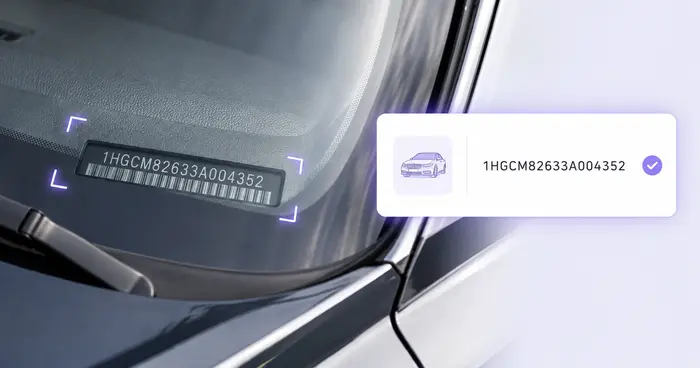
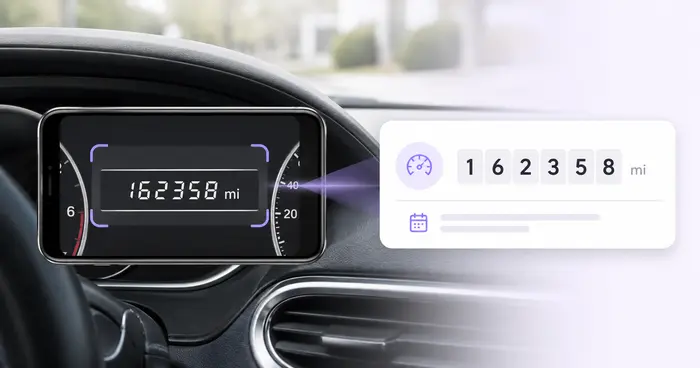
A DOT marking is a tire's own identification number and date code. A vehicle's identifier is read by scanning its VIN, its mileage by photographing the odometer, and an equipment plate by scanning the serial number label. Each has its own checks, so use the one that matches the label in front of you.
The real problem
Tire files often contain size and brand but omit the full identification code and manufacture date. On mounted tires, the complete code may even face inward.
Curved surfaces, shallow relief, road dirt, and low contrast make letters and numbers difficult to distinguish.
The complete tire identification number is not necessarily molded on both sidewalls, so one photo can be incomplete.
Manufacture date alone cannot establish damage, inflation history, loading, wear, recalls, storage, or suitability for continued service.
How Pixoate helps
Pixoate places the sidewall information into editable fields and derives manufacture week and year only when the full TIN ends with a plausible four-digit code. The app does not convert that date into a replacement recommendation.
Look for the DOT marking and check the other sidewall if the complete code or final date digits are missing.
Use side lighting, clean the area when safe, and compare every OCR character with the sidewall.
Keep the code with brand, line, size, vehicle or position, location, and derived manufacture week and year.
Record tire identifiers and positions during installation, rotation, inspection, or seasonal changeover.
Capture intake information for customer discussions, inventory, or service documentation.
Inventory markings on infrequently used tires that otherwise receive little recordkeeping attention.
For the current four-digit date format, the first two digits are the manufacture week and the last two are the year. For example, 2324 means week 23 of 2024.
The full tire identification number may appear on only one sidewall. Check the opposite side rather than treating a partial marking as the complete TIN.
No. Replacement and safety decisions require inspection plus manufacturer, vehicle, service, regulatory, and operating guidance—not only a manufacture date.
Clean the area when safe, use light from the side to create shadows, hold the camera parallel to the sidewall, and fill the frame with the marking.
A final four-digit code whose week is outside 01 through 53 is highlighted for review, and manufacture week and year are not derived automatically.
No. Pixoate does not contact a recall database or assess tread, pressure, age-related degradation, repairs, loading, damage, or suitability for service.
It decodes the date part: the last 4 digits become the manufacture week and year, so you can work out how old the tire is. The rest of the number is kept as printed, and plant and size characters are not decoded. Whether a tire stays in service is a separate decision.
Yes. Photograph each tire's code as its own image and upload up to 25 images in one run, then set Vehicle or Position on each row so you know which is which. The CSV lists them together in the order you uploaded them.
The scanner works out the date only from a 4-digit ending. A code that ends in 3 digits is flagged as missing its final 4-digit date code, so it can be downloaded in the CSV but not saved to the register until the value ends in a valid code.
The Manufacture Week and Manufacture Year cells are tied to the last 4 digits of the DOT number. A value that disagrees is flagged with a note that it must match the code. Correct the DOT number instead, and the week and year update to match.
Yes. Download current rows (CSV) writes Source file, Brand, Tire Line, Tire Size, DOT Tire Identification Number, Manufacture Week, Manufacture Year, Vehicle or Position and Location. The saved-register export uses the same columns, and both open in Excel or Google Sheets.
Note the mileage at the time of the tire check by scanning the odometer display, and tie the tires to the right vehicle with a VIN read from the door label. If the sidewall shot came out tilted, rotate it so the code runs level before you upload it.
Tools for common next steps after Tire DOT Code Scanner.
OCR & Data Extraction
Read a VIN from a vehicle photo, label, document, or supported barcode and check its modern 17-character format.
Try it nowOCR & Data Extraction
Read dashboard odometers from photos, verify the mileage, add vehicle and trip context, and export or save an editable log.
Try it nowOCR & Data Extraction
Turn equipment-label photos into an editable asset list with serial numbers, models, manufacturers, tags and CSV export.
Try it nowEvery photo crosses the slash untouched and comes out the other side finished.