Manual typing is fragile
Long identifiers are difficult to compare by eye, especially while standing beside a vehicle or working from a phone.
This tool transcribes identifiers. It does not verify title, ownership, history, recalls, theft status, or vehicle condition.
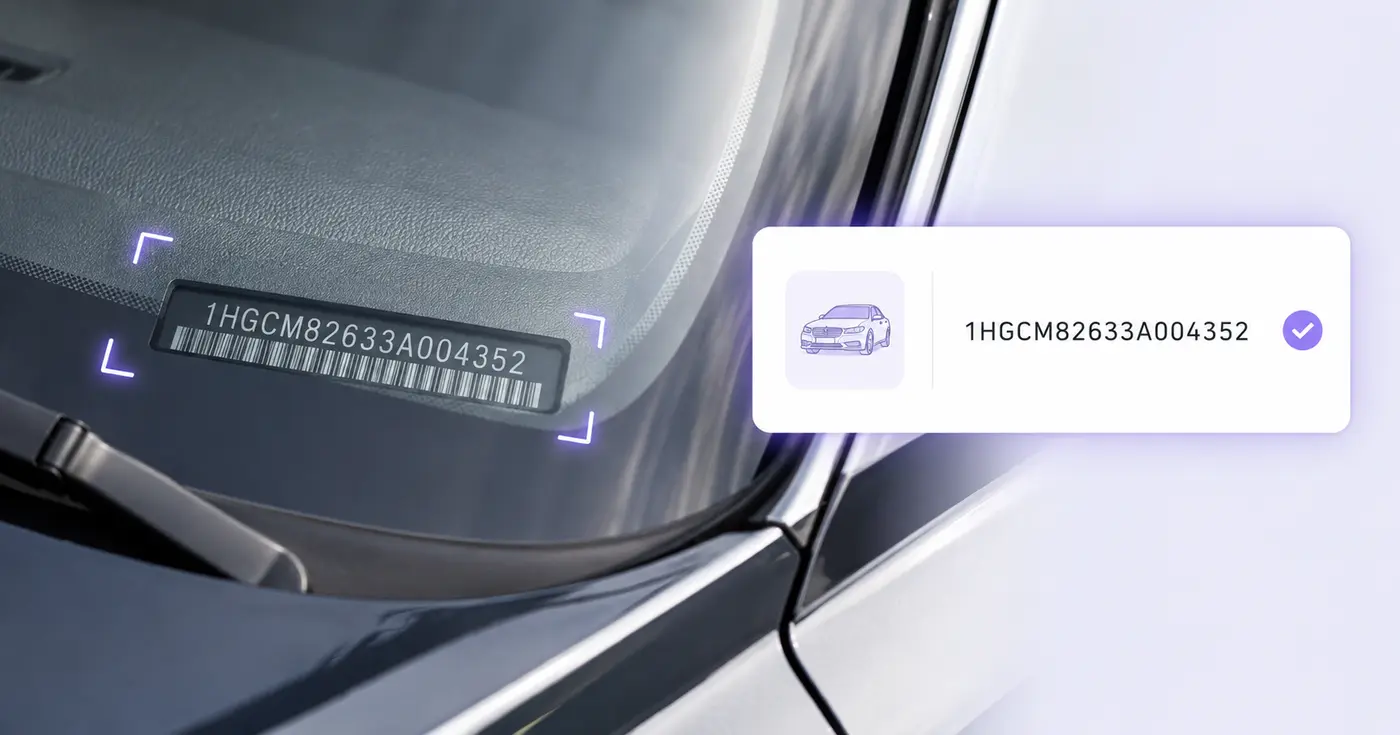
A VIN is only 17 characters, but one wrong character can point to the wrong vehicle. Photograph the dashboard plate, door label, or document and verify the extracted identifier before it enters your inventory.
This tool transcribes identifiers. It does not verify title, ownership, history, recalls, theft status, or vehicle condition.
The VIN Scanner reads a vehicle identification number from a photo of a windshield plate, door label or registration, then checks its length and check digit so a misread character stands out. Use it at intake or check-in to build a vehicle list without retyping 17 characters. Each photo becomes one editable row that you can download as CSV or save to your account.
Photograph the VIN straight on, with no glare across the plate. A 17-character VIN is picked up even when the photo has no VIN caption beside it, and spaces or hyphens inside it are removed. If the text read leaves the VIN cell empty and your browser supports barcode detection, a barcode in the same photo can fill it instead. Keep one vehicle per photo, because each photo becomes one row.
The VIN cell is flagged when it is not 17 characters, contains I, O or Q, or fails the check digit in position 9. The usual cause is one misread character, such as O for zero or S for 5. Compare the cell with the plate, correct it, and the warning clears. Saving to the register stops until every flagged value is fixed, but the CSV download is not blocked, so an unusual number can still go into a spreadsheet.
Vehicle Description, Stock Number, Plate Number, Location and Capture Date sit next to the VIN, so one export doubles as an intake sheet. Up to 25 photos go through in one run, and the CSV starts with a Source file column that ties every row back to its photo. Saved records holds what you saved to your account, where you can edit a row, delete it, or download the whole register again as CSV.
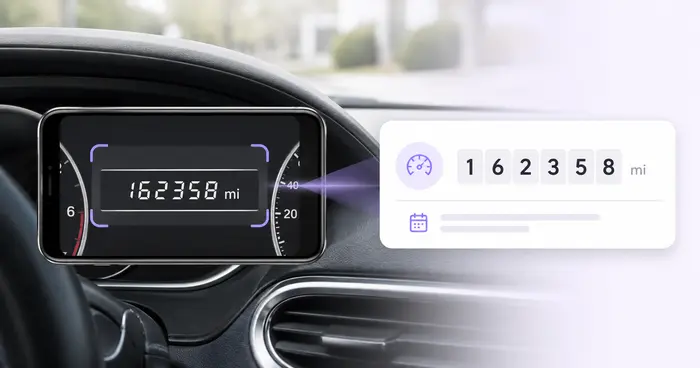
The scanner transcribes a VIN and checks its format. It does not decode the year, make or model, and it does not look up ownership, title, recalls, theft reports or vehicle history. A valid check digit only shows that the 17 characters agree with each other. To pair the VIN with mileage, read the odometer from the dashboard, and for equipment that has a data plate instead of a VIN, scan the serial number label.
The real problem
VINs mix letters and numbers in windshield glare, narrow labels, and paperwork. A single O-for-zero or missing character breaks lookups and contaminates inventory data.
Long identifiers are difficult to compare by eye, especially while standing beside a vehicle or working from a phone.
A document, dashboard plate, and door label may need reconciliation instead of blind acceptance of the first number found.
Seventeen well-formed characters do not prove ownership, condition, title status, or that every underlying record is correct.
How Pixoate helps
Pixoate reads the VIN as text and can use the browser barcode detector on supported devices. It normalizes common spacing, checks the modern 17-character format and check digit, and shows an actionable warning until the value is internally consistent.
Photograph the windshield plate, certification label, registration, or scannable code straight on and without glare.
Compare the extracted VIN with the source and correct length, spaces, or disallowed I, O, and Q characters.
Keep the VIN with the vehicle description, stock number, plate, location, and capture date.
Build a simple intake list for newly arrived vehicles before entering another management system.
Capture the exact vehicle identifier at check-in for parts, service, and customer records.
Record assigned vehicles during inspections, handoffs, parking audits, or insurance updates.
Modern road-vehicle VINs use 17 characters and exclude I, O, and Q. Pixoate also verifies the ninth-position check digit against the other characters.
The visible text is read first. When the browser Barcode Detector and the code format are supported, a barcode value fills the VIN field only if the text reading left it empty; either result must be checked against the vehicle.
Not in this workflow. It captures the identifier and user-visible vehicle details without sending the VIN to a third-party decoding or history service.
No. Format and check-digit validation catch transcription inconsistencies; they do not verify ownership, title, theft reports, recalls, history, odometer status, or condition.
Common sources include the driver-side windshield plate, driver-door certification label, registration, title, and service paperwork. Compare sources when accuracy matters.
The value is highlighted because O is not valid in a modern VIN. You can edit the cell and compare the character with the source image before saving.
No. The VIN Scanner takes image files only, so a PDF is not accepted. Turn the page into a picture with PDF to Images, or take a photo or screenshot of the document, then upload that image. A clear shot of a registration or title is read the same way as a photo of the plate.
Yes. Download current rows (CSV) creates a file with a Source file column and one column for each field, which opens in Excel or Google Sheets. After you save records, Download saved register (CSV) exports every VIN you have saved with this tool, not only the photos from the current run.
The register accepts a VIN only when it has 17 characters, no I, O or Q, and a matching check digit. Any other value is flagged and the save stops until you correct it. You can still download the current rows as CSV, so an unusual number can be kept in a spreadsheet.
Yes, when the cleaned result is 17 characters with no I, O or Q. It changes letters to capitals and removes spaces and hyphens. Otherwise the text is left as it was read and flagged, so you can correct it against the vehicle. The check digit is tested after cleaning, so a tidied VIN can still be flagged.
Saving needs an account. Sign in, then choose Save records, and the rows appear under Saved records, where you can edit or delete them later. A record keeps the typed values and the file name, not the photo. Reading a photo and downloading the CSV do not need the save step.
There is no app to install. Open the VIN Scanner in your phone's browser, choose a saved photo or take one if your phone's picker offers the camera, and run it as you would on a computer. Saved rows are tied to your account, so you can open them later on any device.
Add the mileage by reading the odometer from a dashboard photo, and log tire age by reading the DOT code on the sidewall. Before a vehicle photo goes into a public listing, blur the license plate or any other area.
Tools for common next steps after VIN Scanner.
OCR & Data Extraction
Read dashboard odometers from photos, verify the mileage, add vehicle and trip context, and export or save an editable log.
Try it nowOCR & Data Extraction
Turn equipment-label photos into an editable asset list with serial numbers, models, manufacturers, tags and CSV export.
Try it nowOCR & Data Extraction
Extract custom fields from an image, scan, invoice, receipt, form, or ID into clean JSON for spreadsheets, accounting, and APIs.
Try it nowEvery photo crosses the slash untouched and comes out the other side finished.