How to Extract Contractor Insurance Certificate Details into a Vendor Register
Extract contractor insurance certificate details with Pixoate. Build a reviewed vendor register of names and dates while keeping coverage checks separate.
A contractor sends an insurance certificate, another sends a renewal and a third sends a photograph of last year's document. Keeping them in an email folder does not automatically produce a usable vendor register.
Pixoate COI Expiration Tracker extracts certificate details into editable records and supports reminders for verified dates. It helps organise document information; saving a certificate does not verify coverage or establish compliance.
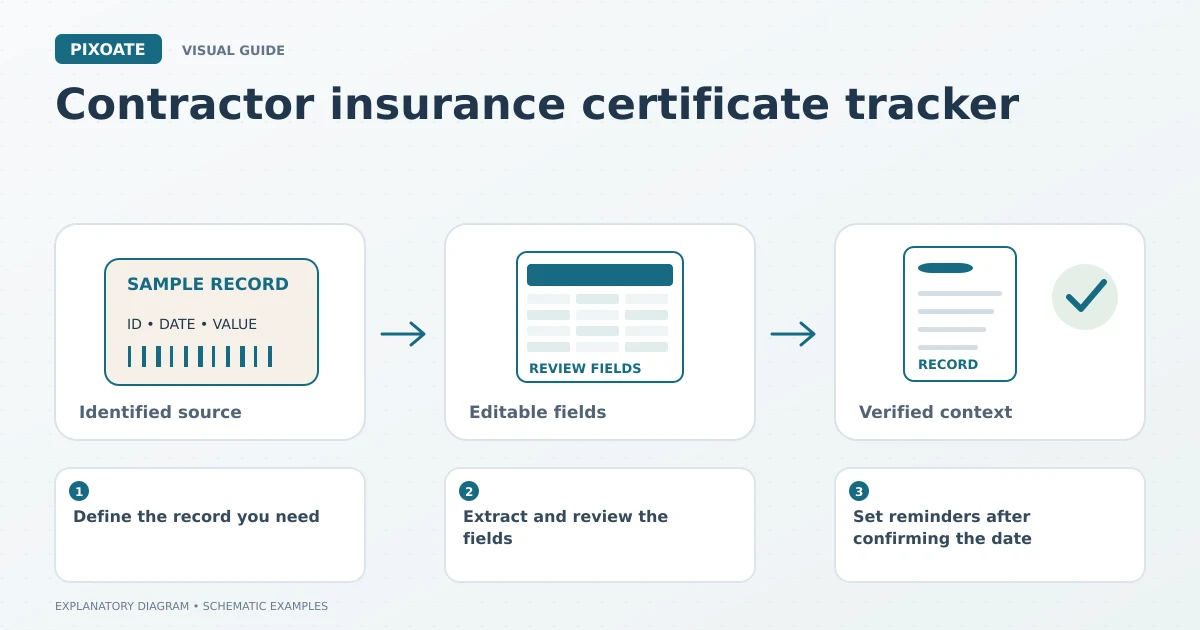
Original explanatory graphic. The scenes and sample records are schematic illustrations, not screenshots or measured tool results.
Define the record you need
Keep the vendor, carrier, policy reference and relevant dates distinct. A certificate may contain several coverage sections with different details. Do not treat the first date on the page as the deadline for every entry.
Retain the original certificate and a clear source reference. If the document's applicability or current status is unclear, resolve that with the appropriate authorised party rather than relying on OCR output.
Extract and review the fields
Upload the supported PDF or image to COI Expiration Tracker. Review the returned fields against the source, paying particular attention to names, policy identifiers and expiration dates.
Correct uncertain values before saving or exporting. For extra administrative fields, Extract Data provides a custom-field workflow. Keep your operational notes separate from statements made by the certificate itself.
Set reminders after confirming the date
Signed-in users can save supported records and select available reminder intervals. Reminder delivery requires the relevant account and email-notification conditions, including a verified email address and a valid saved date.
Assign responsibility for follow-up in your own process. An email reminder is useful only if somebody knows which vendor to contact and what replacement documentation is needed.
| Review question | Why it matters |
|---|---|
| Is this the current certificate? | A newer document may supersede the one being extracted. |
| Does the vendor match the work record? | Similar business names can be confused. |
| Which policy does this date describe? | Multiple sections may have different details. |
| Who handles renewal follow-up? | A date alone does not assign the task. |
Keep readable source documents
If a paper certificate arrives as several poor phone images, Scan to PDF can help create a readable document copy. Preserve the originals and avoid losing small print during cleanup or compression.
Does Pixoate verify insurance coverage?
No. It extracts and organises the supplied information. Confirm status and requirements through the appropriate carrier, authorised agent and your established process.
Use Pixoate COI Expiration Tracker to replace scattered certificate details with reviewed records and a clear follow-up routine.