From Dust to Done: Why Renovation Photo Reports Belong in the Client Handover
Renovation photo reports give a client handover useful context. Explore Pixoate workflows for recording progress, visible results and remaining work.
The room is finished, the tools are packed and the client sees the new surface. Much of the work that made it possible is no longer visible: preparation, intermediate stages and details behind the finished result.
A renovation photo report can make that work easier to understand. It gives selected images a sequence and explains what the reader should notice.
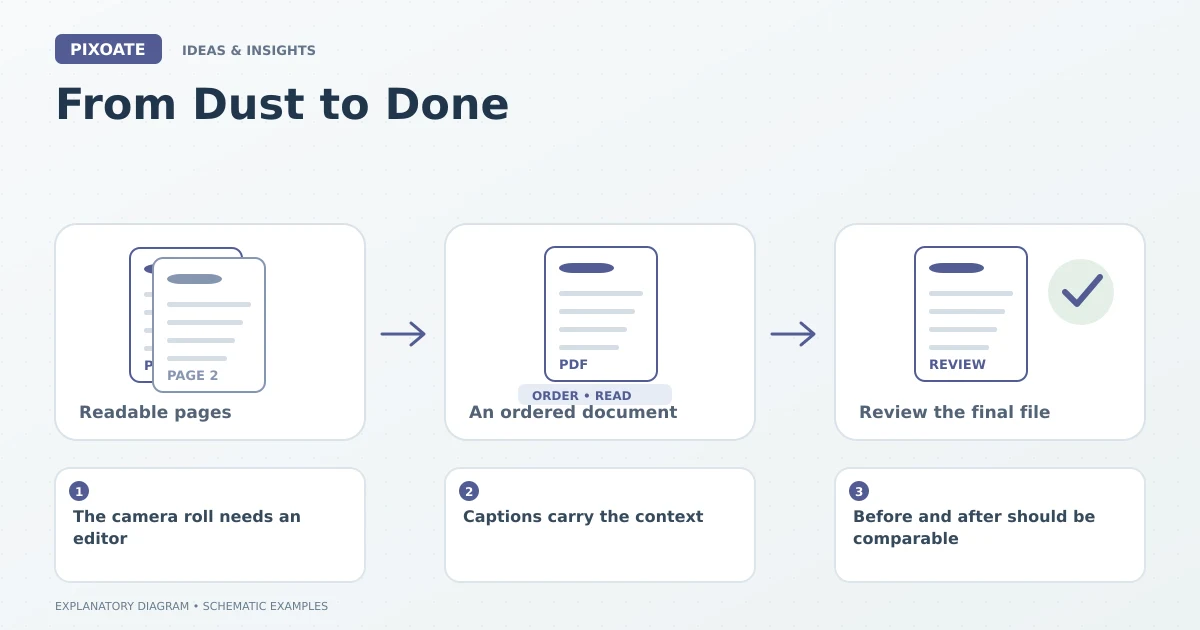
Original explanatory graphic. The scenes and sample records are schematic illustrations, not screenshots or measured tool results.
The camera roll needs an editor
A large collection of photos is not automatically a useful handover. Repeated angles, missing room names and unexplained close-ups make the client reconstruct the job from fragments.
Choose images that answer practical questions: what was there before, what changed during the work and what is complete now? Keep unresolved issues visible rather than letting a polished final photo imply that every question has been closed.
Captions carry the context
Pixoate Job Photo Report Builder combines project details, phase labels and captions into a PDF report. A short caption can identify the location, stage and relevant observation without making unsupported claims about quality or approval.
“Utility room, east wall, pipework before enclosure” gives a reader a way to interpret the picture. “Progress photo” leaves most of the work to them.
Before and after should be comparable
Use Image Compare when paired views help explain a change. Similar camera positions make the relationship easier to see, but differently framed images are not precise measurements.
Keep original documentary photos separate from staged or generated design concepts. The report should make it clear which images record the job and which illustrate a proposal.
Make the handover useful after the first reading
Include the project reference and enough location information to find a detail later. Choose readable images and review the final PDF's page order.
| Reader need | Report choice |
|---|---|
| Understand the sequence | Before, during and after phase labels |
| Find a specific area | Clear room and location captions |
| Identify open work | Explicit notes about unresolved items |
| Revisit the source | Retained original photographs |
A photo report is not a substitute for inspections, certificates or contractual records that the job requires. It is a clear visual companion to the relevant documentation.
Use Pixoate Job Photo Report Builder to turn selected progress photos into a handover someone can read without having stood beside you throughout the project.