The Seasonal Campaign That Never Launched: When Product Photography Slows Marketing
Seasonal campaigns can stall when every image needs a new photoshoot. Explore how Pixoate helps adapt existing product photos into useful campaign assets.
The seasonal offer is ready. The stock is available. The email copy is approved. The campaign waits because the only product image still looks like last season's promotion.
For a small business, photography delays can come from many small dependencies: finding a suitable background, arranging a new shoot, fitting the image into several shapes and rebuilding the text for each placement.
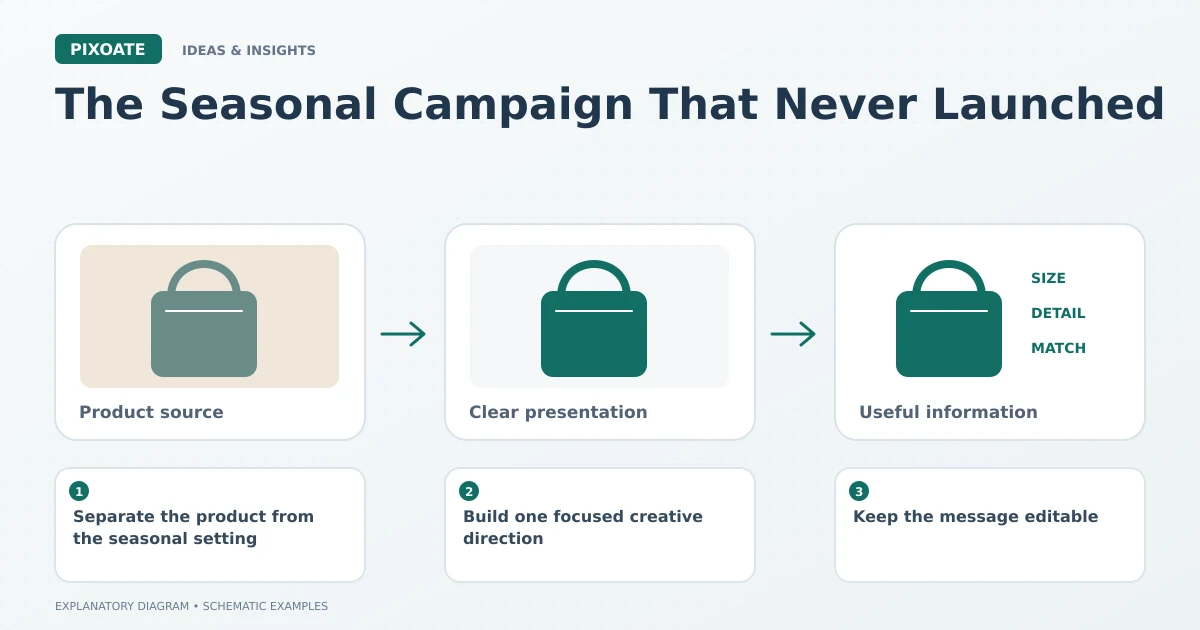
Original explanatory graphic. The scenes and sample records are schematic illustrations, not screenshots or measured tool results.
Separate the product from the seasonal setting
A clear source photograph can remain useful across several campaigns if the product itself has not changed. The surrounding story may change from a summer gift idea to a winter desk setup without requiring a different representation of the actual item.
Keep the source product, packaging and variant information accurate. A reused photograph becomes unsuitable when it no longer matches what is sold.
Build one focused creative direction
Pixoate AI Product Background Generator can help create a setting around a supplied product image. Describe the environment and mood with enough specificity to keep the product central.
For an illustrative desk-accessory campaign, the direction might be a quiet home-office surface with restrained seasonal colour. A crowded scene with many invented props may distract from the offer and increase the amount of review required.
Inspect labels, shape, colour, shadows and accessories. Generated surroundings can imply a use or bundle that the product does not actually support.
Keep the message editable
Use Pixoate Photo Editor to add the headline, dates and supporting text as editable elements. Save the design and adapt the canvas for relevant placements, then review spacing and mobile readability in each version.
Changing the canvas does not automatically make every composition effective. A tall story may need the product and headline repositioned even when the existing layers remain available.
Reduce the number of decisions repeated next time
Keep the approved product source, design file and a short note about the intended placements. Record which version was used and which offer details must be updated for the next campaign.
Measure production time using your own workflow if time savings matter to the business. Do not attach a universal savings percentage to a tool simply because one task became easier.
The useful opportunity is a campaign process with fewer avoidable restarts. Begin with a reviewed product setting in Pixoate, then carry that source into an editable design the next promotion can reuse thoughtfully.