Requirements are fragmented
Federal, state, county, city, and professional authorities can each have their own forms, fees, terms, and renewal process.
Administrative tracker only. Requirements vary by activity, location, and agency; verify status and renewal instructions with the issuing authority.
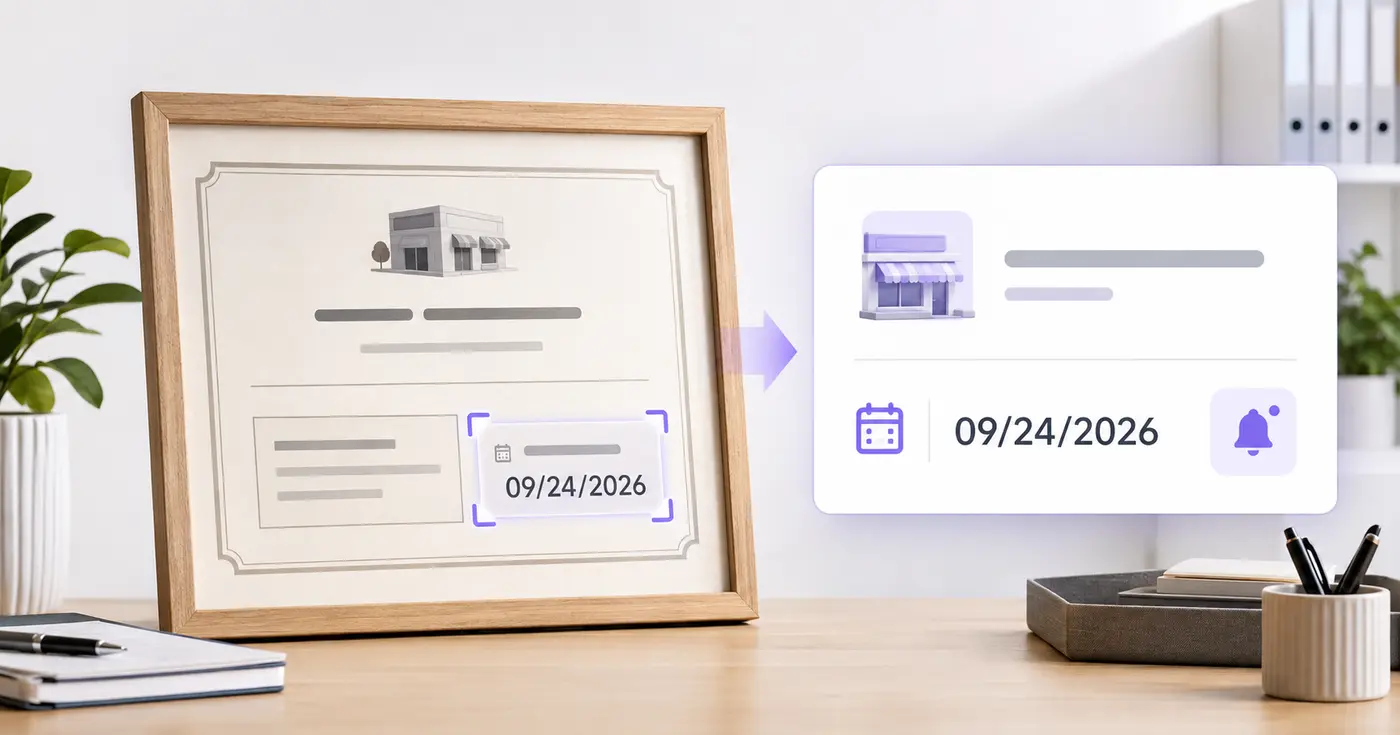
Renewal dates hide across wall certificates, PDF permits, agency portals, and inboxes. Turn each document into a verified row and give the responsible owner time to act before the deadline.
The Business License Expiration Tracker reads a license, permit or registration document, as a PDF or a photo, and places the business name, license or permit type, issuing agency, number, issue date, expiration date and jurisdiction in an editable row. Save the rows to keep one renewal list for every location, with email reminders ahead of each date. It tracks dates and does not check legal status.
Use a clear photo of the wall certificate, a scan, or the PDF from the issuing agency. One document makes one row, so upload each license or permit separately. The reader looks for captions such as License No, Permit Number, Issued By, Date Issued and Expiration, and every cell stays editable. Values read from a PDF carry no confidence score, so all of them are shaded; check each one against the original.
Issuing Agency and Jurisdiction are separate cells, so city, county and state documents can sit in one register and still be told apart. Business Name lets a single list cover several storefronts or entities. The Renewal Reference cell is for a portal reference, a filing number or a note on who handles the renewal, and passwords or card numbers do not belong in it.
Lead times run from 90 days to 1 day before the expiration date, and 60, 30 and 7 days are preselected, which leaves room for forms and fees. Emails go to your account address once it is verified and the Product updates & account emails setting is on. The saved list puts the nearest expiration first and flags a date that is overdue or due within 30 days.
A saved row is a renewal list. It cannot tell whether a license is active, suspended or still required for your activity, and it does not read renewal rules or fees. Check status and instructions with the issuing authority. A permit and its payment receipt can be combined into one PDF for the file, and a wall license can be captured as a clean PDF with your phone camera.
The real problem
A local permit may renew on one date, a state license on another, and a professional credential somewhere else. The document exists, but the deadline is not assigned or visible.
Federal, state, county, city, and professional authorities can each have their own forms, fees, terms, and renewal process.
A framed license or archived PDF does not notify the operator, office manager, or outside advisor responsible for renewal.
A readable expiration date does not reveal suspension, changed requirements, pending filings, grace periods, or whether the activity needs another permit.
How Pixoate helps
Pixoate extracts common document fields, lets your team correct the agency, jurisdiction, number, and dates, and can remind the signed-in owner before the verified expiration. Official status still comes from the issuing authority.
Use a clear photo, scan, or PDF from the issuing agency and handle one credential per source when possible.
Confirm business name, credential type, issuing agency, jurisdiction, number, issue date, and expiration date.
Save or export the tracker, record the renewal reference, and choose reminder intervals before the verified deadline.
Track city and county permits across stores, offices, restaurants, salons, and service areas.
Keep company, trade, and professional credential dates visible without a full compliance platform.
Maintain one renewal worklist for the owner while preserving each agency's original document and instructions.
No. Requirements and fees vary by business activity, location, government rules, and profession. Check the relevant issuing agencies and qualified advisors.
No. Only the appropriate issuing authority can establish official status. OCR cannot detect suspensions, revocations, pending actions, or requirement changes.
Yes. The workflow accepts PDFs and images. Review every extracted field and retain the original agency document and renewal instructions.
The register includes issue date and expiration date. Reminders are tied only to a valid expiration date that the signed-in user has verified.
Yes as an administrative list. Issuing agency and jurisdiction are separate editable fields, but the tool does not interpret or reconcile differing legal requirements.
Use a non-secret portal reference, filing identifier, instruction note, or internal owner. Do not store account passwords, payment-card data, or other unnecessary secrets.
Reminders go only to the email address on the account that saved the record. The tool has no field for a second recipient, so forward the email or use an account address your bookkeeper can read.
Open the saved record, choose Edit, replace the Expiration Date and Issue Date with the new ones and select Save changes. The reminders then count from the new expiration date. Edit the Renewal Reference cell if the filing number changed.
Values are found by their printed captions. If the agency appears only in a seal, or the number has no caption such as License No or Permit Number, the cell stays empty. Type the value from the document. Only Expiration Date is required before a record can be saved.
Stand square to it and shoot straight on, so the frame is not skewed. Move until the glass shows no reflection, and turn the flash off. Then check every value, because glare and decorative fonts are common causes of misread digits.
Download saved register (CSV) lists every saved license or permit with business name, type, agency, number, issue and expiration dates, jurisdiction and renewal reference. Sort the file by Expiration Date in Excel or Google Sheets, or use Saved records, which already puts the nearest date first.
Subcontractor and vendor insurance expires too, so track certificates of insurance alongside your permits. A framed wall license can be captured with your phone camera as a PDF, and a large permit PDF can be shrunk for email.
Tools for common next steps after Business License Expiration Tracker.
OCR & Data Extraction
Extract extinguisher tag details into a location register and schedule reminders before a verified next-service date.
Try it nowOCR & Data Extraction
Extract certificate-of-insurance details into an editable vendor register and schedule renewal reminders before expiration.
Try it nowOCR & Data Extraction
Extract product dates and lot codes from label photos, build an editable watchlist and schedule optional reminders.
Try it nowEvery photo crosses the slash untouched and comes out the other side finished.