
Proof is scattered
Receipts, order emails, product labels, and warranty documents often live in different physical and digital places.
Coverage comes from the actual warranty terms and applicable law. Pixoate does not decide eligibility, calculate coverage, or submit claims.
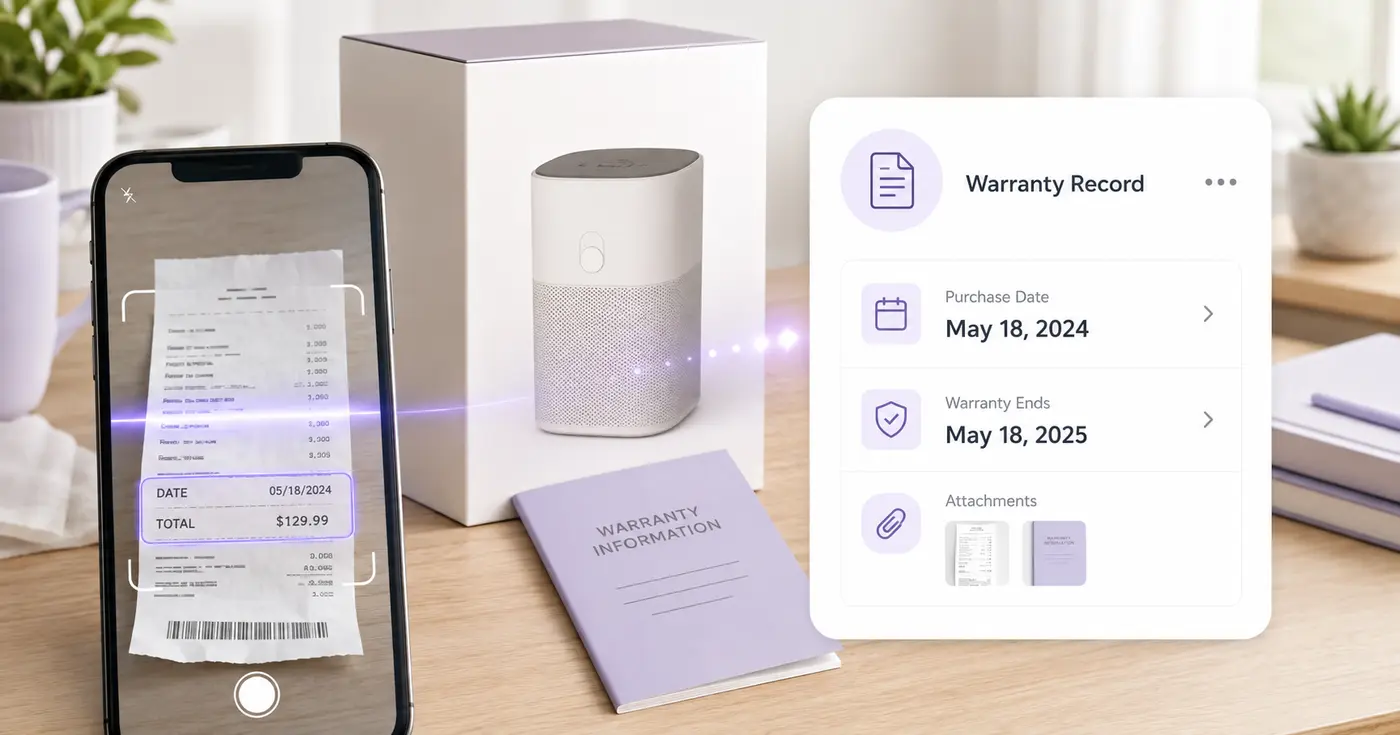
Warranty paperwork is easy to keep and hard to find. Upload the receipt or document, verify the purchase and warranty details, and save the date and identifiers you will need if the product fails.
The Warranty Receipt Tracker reads a receipt, order confirmation or warranty document and places the product, brand, model, serial number, retailer, purchase date and receipt number in one editable row. You add the warranty end date from the actual terms, save the record, and can ask for an email before that date. It accepts photos and PDFs, so the details are easy to find when a product fails.
Upload a photo, scan or PDF of the receipt, an emailed order confirmation or the warranty document. One file makes one row, so when the details are split between a receipt and a warranty card, fill the missing cells by hand. Every cell can be edited and shows its OCR confidence when the reader has one, and anything it was unsure about is shaded for a second look.
The tool does not calculate when a warranty ends. Warranty Expiration is the required cell, and the date comes from your product's written terms, which may not match the purchase date plus a fixed period. Type it as YYYY-MM-DD. When a document prints a coverage end date, the reader fills it in for you, and you should still compare it with the terms.
The reminder box under the table lets you choose 90, 60, 30, 14, 7, 3 or 1 days before the warranty date, with 30 and 7 preselected. Saving needs a signed-in account. Reminder emails go to your account address once it is verified and the Product updates & account emails setting is on. A reminder uses the date in the cell, so correct the date and save again if the terms change. Saved records shows a badge when a warranty is due within 30 days or has ended, and what state its reminders are in.
A saved record is an index of the details you will need: product, model, serial, retailer, purchase date, warranty end date and receipt number. It is not proof of purchase and does not confirm coverage or send a claim, so keep the original receipt and the written terms. Because one file makes one row, merge the receipt and warranty PDFs into one file when you want a single row to read both, and read a serial number from the product label when the receipt omits it.
The real problem
The box was recycled, the email is buried, and the serial number lives on the product. A claim becomes a scavenger hunt at exactly the moment the customer is already frustrated.
Receipts, order emails, product labels, and warranty documents often live in different physical and digital places.
The end date may depend on written terms, product category, seller, registration, exclusions, or applicable consumer law.
Even a well-filed receipt does not surface itself before a user-entered return, service, or warranty period ends.
How Pixoate helps
Pixoate extracts common receipt and product identifiers into an editable row. You consult the real terms, enter the verified warranty end date, and optionally receive reminders before it arrives.
Use a legible scan, photo, order confirmation, or warranty document; combine details manually when they span sources.
Correct retailer, purchase date, model, serial, and receipt number, then enter the expiration stated by the applicable terms.
Export CSV or save the record and choose reminders before the user-verified warranty expiration.
Index computers, printers, appliances, tools, and other purchases without deploying an asset-management suite.
Keep appliance purchase and warranty details tied to the unit or property where the product is installed.
Replace the drawer of fading receipts with a searchable list of the important claim details.
No. Warranty duration and start rules vary. Read the actual terms and enter or verify the applicable expiration date instead of assuming it from the purchase date.
A receipt can establish the purchase date and original purchaser, and a seller or manufacturer may request it. The extracted row is an index, not a replacement for original evidence.
Yes. The workflow accepts common images and PDFs. Review the result because order confirmations and warranty documents often distribute the needed details across pages.
No. Coverage and claim eligibility depend on the warranty, facts, exclusions, product condition, seller or manufacturer process, and potentially applicable law.
The schema includes product, brand, model, serial, retailer, purchase date, warranty expiration, and receipt or order number.
Yes, after a signed-in user enters a valid verified date. Available intervals range from 90 days to 1 day before that saved date.
Choose up to 25 files in one run, one receipt or document per file, and each becomes its own row. Fill in the warranty end date on each, then save them together. Saved records lists the soonest end date first, and Download saved register (CSV) exports the whole list for a spreadsheet.
The Serial Number cell stays empty when the receipt does not print one. Read the number from the product label and type it in, or run the label through the Serial Number Scanner and copy the value across. The row accepts a typed serial number like any other value.
Yes. Open Saved records, choose Edit on the record, change Warranty Expiration and select Save changes. The reminders then count from the new date. Choose Change reminders on the same record if you want different lead times.
The first column is Source file, followed by Product, Brand, Model Number, Serial Number, Retailer, Purchase Date, Warranty Expiration and Receipt or Order Number. The saved-register export has the same columns for every record you kept.
The record stays in Saved records with an overdue badge until you edit or delete it. Keep it if you want a history of what you bought, or delete it when the product is gone.
For itemized prices, pull line items and tax from the receipt as JSON, and when the serial is only printed on the product, read it from the appliance label. Keep the paper receipt and the warranty card together by combining both photos into one PDF.
Tools for common next steps after Warranty Receipt Tracker.
OCR & Data Extraction
Extract vendor, date, total, tax, currency and line items from a receipt into structured JSON.
Try it nowOCR & Data Extraction
Turn equipment-label photos into an editable asset list with serial numbers, models, manufacturers, tags and CSV export.
Try it nowOCR & Data Extraction
Extract product dates and lot codes from label photos, build an editable watchlist and schedule optional reminders.
Try it nowEvery photo crosses the slash untouched and comes out the other side finished.























