Mobile Shop Design Visualizer
Generative output can vary; review the full result before publishing
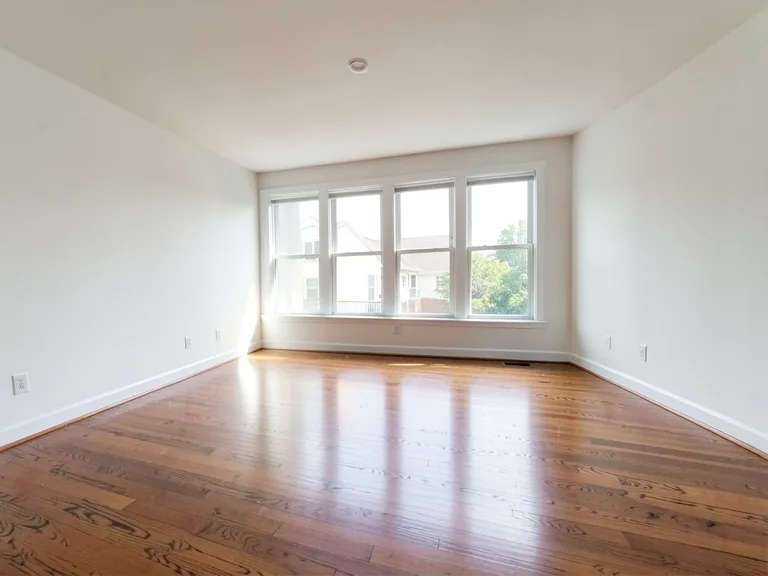
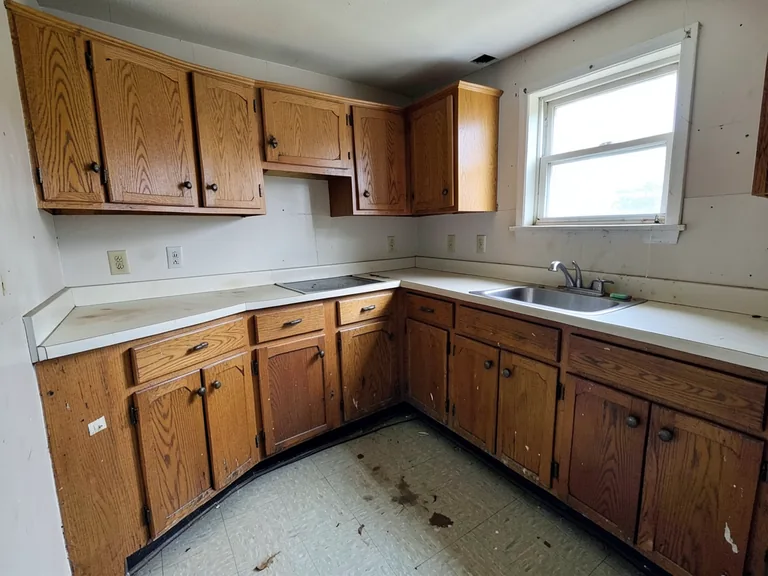
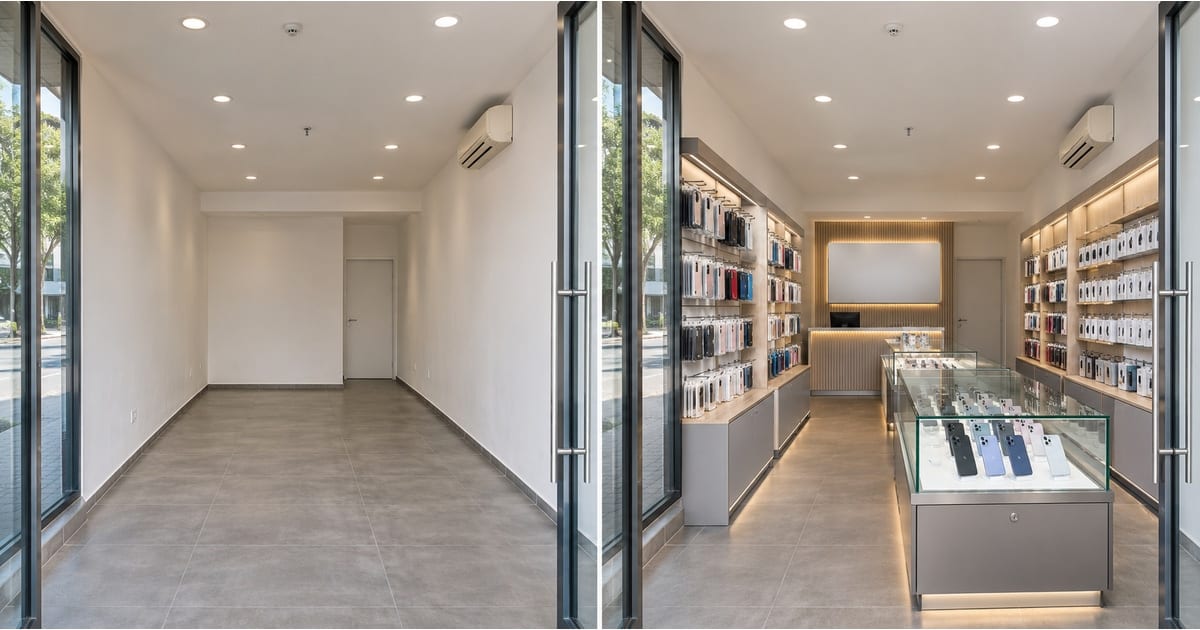
A mobile shop sells small, valuable products that need to be seen, touched and secured, and that decides the layout: glass counters near the entrance, shelving for accessories, a billing desk that watches the door. Upload a photo of your empty shop and this page shows it fitted out as a mobile store, so you can plan the layout and show a landlord or supplier what you intend to build.
- Prepared Mobile Shop direction
- Editable prompt
- Full-result review required
Choose a source image for Mobile Shop
JPG, PNG, WebP, HEIC, and other supported formats. Free up to 20 MB; Premium and higher up to 50 MB for this tool.
Planning counters and shelves for a small phone store
A mobile shop is mostly counter: glass display cases up front, accessories on the walls and a billing desk that can see the door. Photograph the empty shop from the entrance and apply the mobile shop look to see the arrangement.
Blank sign panels are used on purpose, so add your own approved branding later. Compare two layouts for the counter position, and for a wider retail plan see a boutique or showroom layout in the same unit.
Photograph from the door, and mention in the custom instructions box which wall should hold the accessories and where the billing desk should stand. Compare a counter-first layout with a shelf-first layout before you order fixtures. Keep the entrance clear so customers can walk straight in.
Set up for Mobile Shop Design Visualizer
Prepared settings
- Starting point
- Upload one source image
- The page opens on the correct edit workflow; upload is the only required setup step.
- Prepared workflow
- Prepared Mobile Shop staging direction
- Mobile Shop Design Visualizer opens with the Mobile Shop direction preselected, so there is no need to find the operation manually.
- Output shape
- Same as your upload
- The result keeps the shape of the image you upload.
- Review rule
- Review the complete generated result before use
- Generated imagery can vary; the final result stays under the user's approval before download.
Best-fit uses
- Plan counters, shelves and the billing desk for a phone shop
- Show a landlord the unit as a mobile store
- Compare two layouts before ordering fixtures
Frequently asked questions
- Will it show real brands and products?
- No. The concept uses generic displays and aims to leave sign areas blank, without logos, which is intentional. Choose the Blank sign panel item to place an empty sign above the counter, then add your own approved branding later rather than relying on a generated sign.
- Does it consider security?
- It shows the look and layout. Security, cameras and locking displays are decisions for you and your supplier, and the picture can help you explain what you need.
- What should I review in a Mobile Shop result?
- Inspect faces, hands, object geometry, small details, perspective, readable marks, and any claim implied by the scene. Regenerate or reduce the requested change when something is inaccurate.
- What rights checks apply to a Mobile Shop client project?
- Use only source material and references you have rights to, follow the destination platform rules, and obtain any required person or property permissions. Generated output still needs a human accuracy and rights review.
What you can do with AI Room Staging
Review the main capabilities before you begin.
- Plan complete-room furniture placement automatically
- Restyle living rooms, bedrooms, offices, and dining rooms
- Preserve fixed architecture and camera perspective
- Process property sets in Premium batch mode
Settings reference
5 settings
Available controls for AI Room Staging.
Workflow
- Single image or Batch imagesPresets
- Process one image, or use Premium Batch images to apply the same automatic recipe to a set and download one ZIP.Options: Single imageBatch images
Styles
- One-tap presetsPresets
- Pick a ready-made direction with one tap; generation uses the selected preset automatically.Options: Modern living roomScandinavianLuxury interiorHome officeBedroomDining roomBohemianIndustrialMid-century modernFarmhouseCoastalKids' room
- Custom instructions (optional)Text input
- Describe the requested change, relevant materials, lighting, perspective, and details that must remain unchanged.
Selection
- Selection brush sizeSliderRange: 4–160px · Default: 32px
- Automatic selection is the default. Open Refine area manually and set this brush width only when the image needs a tighter edit boundary.
Output
- Ask AI to preserve subject identity and product detailsOn / Off
- Adds an explicit instruction to retain the main subject, shape, branding, labels, and readable text unless the request changes them.
Related tools for Mobile Shop Design Visualizer
Tools for common next steps after Mobile Shop Design Visualizer.
Virtual Staging & Property
AI Real Estate Photo Editor
Edit real-estate photos with AI: add furniture or a TV, paint walls, remove clutter, replace skies, improve landscaping, and create twilight exteriors.
Try it now
Virtual Staging & Property
Virtual Staging AI
Virtually stage empty rooms with AI furniture for real-estate listings. Create living room, bedroom, office, dining, and luxury concepts.
Try it now
Photo Enhancement
AI Photo Enhancer
Adjust noise, sharpness, color and scale in one enhancement workflow, then compare the result with the original.
Try it nowGuides for this tool
- How to Create Furnishing Proposals for Interior Design Clients with AICreate AI furnishing proposals for interior design clients with Pixoate. Compare room concepts and assemble clear presentation PDFs for discussion.
- Beautifully Staged, Believably Sized: Why Virtual Furniture Must Fit the RoomVirtual furniture needs believable proportions. Explore room-scale reviews and Pixoate comparisons that keep attractive staging concepts grounded in reality.
Watch each transformation land
Every photo crosses the slash untouched and comes out the other side finished.