
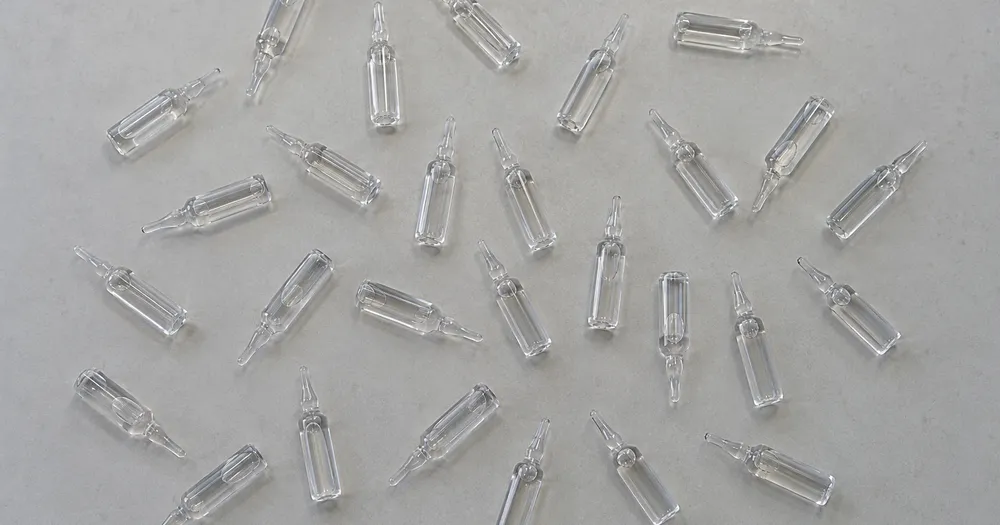
Count ampoules in a tray from a photo
Works with JPG, PNG, WEBP · Free up to 20 MB, Premium 50 MB
Spread the ampoules one layer deep on a tray or flat surface and photograph from directly above — counted detections receive dots for review. Built for pharmacies, clinics, labs and care homes — review and correct each photo before adding it to a CSV or PDF tally.
- Review the photo, then count visible ampoules
- Upload a photo and get an automatic count
- Review the markers to catch ampoules counted twice or missed
- Free to use · No signup required · Without watermark
Upload Image
Tips for an accurate count
• Use an even, well-lit photo with the ampoules fully in frame
• Keep your ampoules visible and avoid overlapping items
• Dots and heatmap show retained detections — review and correct the tally
About the Ampoules Counter
The ampoules counter counts visible ampoules from your photo and marks detections for review. Counting starts automatically once the photo and item are ready. Visibility, overlap and similar-looking items can affect the total. Built for pharmacies, clinics, labs and care homes.
How It Works
1. Photograph your ampoules
2. Upload your photo to count ampoules automatically
3. Review the markers and correct the tally if needed
4. Add to the tally sheet and export your count as CSV
Perfect For
• Tray counts during stock rotation in a clinical store
• Checking deliveries against a controlled-drug record
• Theatre and crash-trolley stock verification drafts
• Support for a mandatory manual count, never a replacement
Counting glass ampoules in trays for clinical stock checks
Hospital stores, operating rooms and crash carts hold ampoules that are counted at stock rotation, at goods-in and during cart checks. For controlled drugs, the witnessed manual count and register entry remain the procedure, and a photo count can only support them. Ampoules usually sit in molded trays or card inserts, so shoot from directly above with the whole tray in frame.
Clear glass is the challenge: ampoules nearly vanish on a white tray and pick up bright reflections from ceiling lights. A dark background and soft, angled light make the outline and the colored neck rings stand out. Ampoules lying flat in rows can touch end to end, so check that each holds one dot and not two. Empty slots in a tray are easy to see by eye, so compare them with the count. Different products in similar glass need one example each, and lookalike ampoules should never share a tray.
Add each tray or drawer as a labeled row in the tally. Vials in racks are handled on the vial counter, syringes for the same cart on the syringe page, and tablets on the pill counter.
Frequently asked questions
- Do the items need to be separated before counting?
- Slight touching can work, but full overlaps hide items and make the result less reliable. Spread them one layer deep under even light, mark a clear example, and review every result marker.
- What if the photo has more than just ampoules in it?
- The counter automatically looks for ampoules in your photo. Similar-looking distractors can still affect the result, so review every marker before using the total.
- Can I count several photos into one total?
- Yes — count each photo and add every reviewed result to the tally sheet as a labelled row. Export the tally as CSV or a PDF report, or save it to your account.
- Is it free and private?
- Yes. You can count, review and download a free result without an account. Downloads are free without a watermark. No signup required. Server-processed photos are encrypted in transit and removed under our Security policy.
What you can do with Pill Counter
Review the main capabilities before you begin.
- Count pills and tablets from a single photo
- Use a marked tray estimate as a manual-count cross-check
- Have a qualified person review each counted-pill marker
- Optionally mark an example to refine a tricky count
- Batch-count many trays in a bulk audit
- Filter out tiny specks with a size cutoff
Settings reference
14 settings
Available controls for Pill Counter.
Upload
- Single photo / Bulk auditPresets
- Choose a single-photo count or a Premium bulk audit. Review every result.Options: Single photoBulk audit
Count
- Included markersSliderRange: 0–1 · Default: 0.21
- Starts at 21%; slide toward Show more to include weaker markers or Only strongest to hide them.
- Overlay stylePresets
- Choose dots, a heatmap, both or a clean preview.Options: BothDotsHeatNone
Advanced
- Result overlayDropdown
- Choose how count markers appear in the on-screen preview; the download keeps its own markers.Options: Dots + heatmapDots onlyHeatmap only
Tally
- Add to tallyOne-click
- Add this count to the tally sheet under the name of the object that was counted. Signed-in accounts add finished counts automatically unless that is turned off under Account settings; in bulk mode every photo also has its own Add to tally button.
- LabelText input
- Rename a tally row. Edits and removals wait until you choose Save changes, so you can fix several rows at once.
- CountNumber input
- Correct a row's count; totals, the chart and exports follow once the change is saved.
- Save changesOne-click
- Apply every edited or removed tally row in one step, or choose Discard changes to leave the sheet as it was.
Chart
- By objectPresets
- The chart is the same in every counting tool and covers the tallies of all of them. By object draws a separate line chart for each tally name, such as pipes and people. By tool draws a chart for each counting tool.Options: By objectBy tool
- PeriodPresets
- Choose how far back the chart looks. Days without a count appear as zero.Options: 7 days30 days90 days12 months
History
- Counting setupGallery
- Keep comparable counts together. A first setup is created for you, so the first count can be saved straight away.
- Observed atText input
- The date and time of the count, shown as a date and a time field.
- NotesText input
- Starts with every detected object and its count, one per line, such as Pipes - 11. Edit it before saving.
- Save countOne-click
- Save the count to your account history. Open a saved count later to correct it or download its source photo.
Related tools for Pill Counter
Tools for common next steps after Pill Counter.

Counting & Inventory
Object Counter
Estimate an object count from a photo. Review and correct the numbered markers before using the count.
Try it now
Counting & Inventory
Live Object Counter
Aim your phone at separated, fully visible items and review the detector markers as the count updates in real time.
Try it now
Counting & Inventory
Bottle Counter
Count bottles on shelves, in crates, or in cold rooms from one photo, with counted detections marked for review.
Try it nowHow Pill Counter helps you get it done
Real problems it solves every day — for businesses, creators, and everyday tasks. Find the use case that fits you and start.
Pharmacy Fill Double-Checks in Seconds
Photograph a filled tray as a second check on a manual count. A qualified pharmacist must review each counted detection, correct the AI tally, and follow the required medication procedure before release.
Controlled-Substance Draft Review Trail
Treat the AI tally as a draft, have a qualified person complete the required manual controlled-substance procedure, and export only the corrected result alongside the official record. The AI report is not a compliance audit trail by itself.
Care Home Medication Round Counts
Use a photo count only as a second check. Qualified care staff must review and correct the markers and complete the required manual medication count between shifts; AI must not replace that procedure.
Supplement & Capsule Manufacturing QC
Run Similar items mode on a production sample after marking the specific capsule or tablet in the Examples setting, and have a qualified reviewer verify the markers before shipping.
Multi-Tray Stock Checks for Pharmacies
Open Bulk audit to run Distinct objects mode across every tray photo, then have a qualified person review every marker and correct each tray before exporting the tally.
Watch each transformation land
Every photo crosses the slash untouched and comes out the other side finished.























