
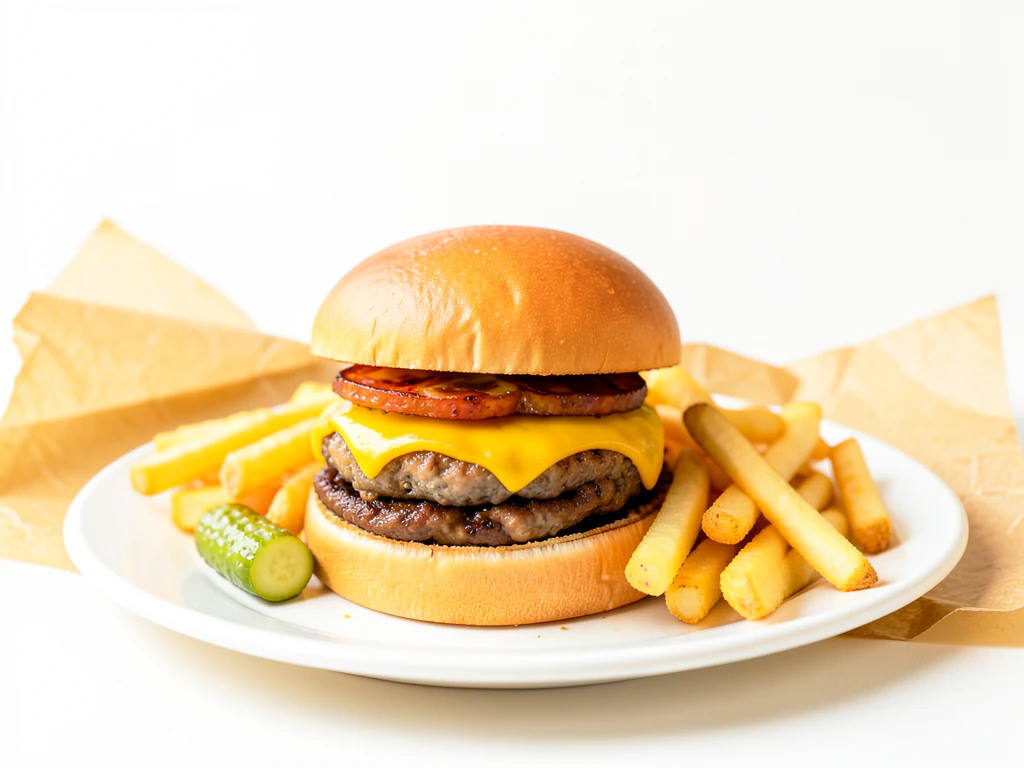
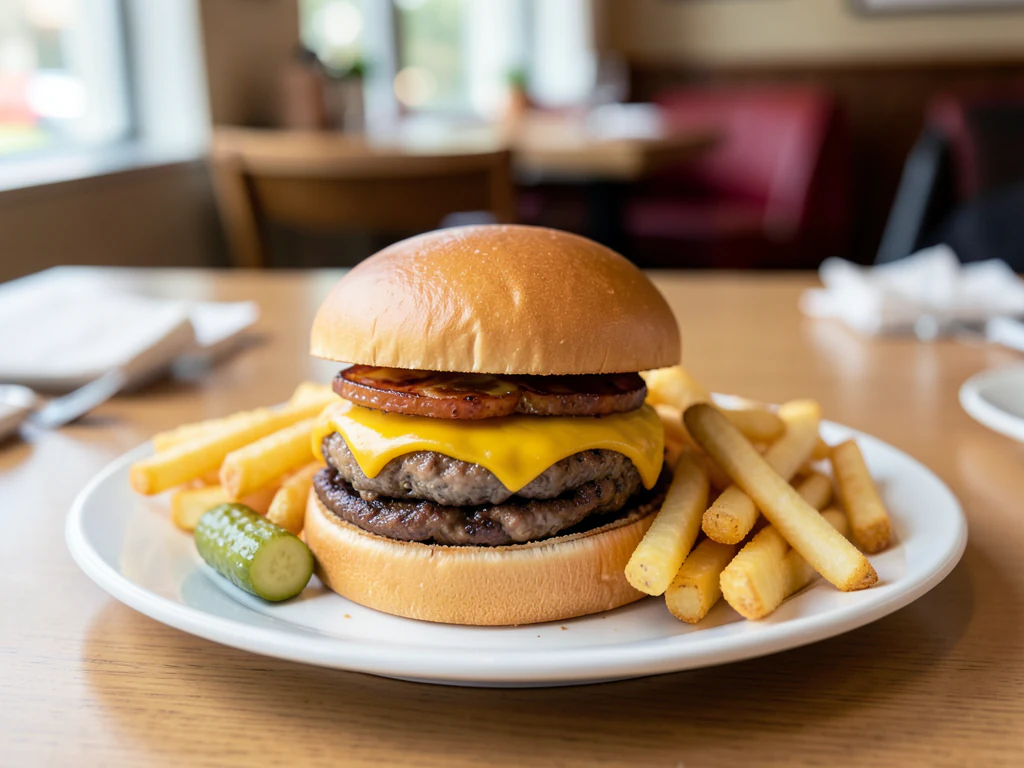
Delivery App Food Photos
Generative output can vary; review the full result before publishing
Delivery apps show food as small tiles next to a dozen competitors, and the tile does much of the deciding. This direction produces the bright, clear, uncluttered presentation those grids favor — while asking the AI to keep the dish as shot, because a delivery customer comparing the tile to what arrives in the box is the most unforgiving audience food photography has.
- Prepared Delivery App Food Photos direction
- Editable prompt
- Source-detail review required
Choose a source image for Delivery App Food Photos
JPG, PNG, WebP, HEIC, and other supported formats. Free up to 20 MB; Premium and higher up to 50 MB for this tool.
Making a dish readable at delivery-app tile size
On a delivery app your photo is a small tile beside a row of competitors, viewed for a moment on a phone. Fill most of the frame with the dish, shoot close and from the angle that shows its main ingredient, and test the result by looking at it zoomed out on your own phone. Bright marble and Café table usually stay legible at that size; Dark and moody can turn muddy once shrunk.
Customers compare the tile with what arrives, so the photo must show what you send. Keep the real portion, leave out sides that are not included, and if the dish travels in a container, do not imply a restaurant plate it never sees. Each platform sets its own image rules, and some reject added text or logos, so read the current photo guidelines in each partner app before uploading a whole menu.
Platform-specific notes are on the pages for Zomato listings, Swiggy listings, DoorDash menus and Uber Eats menus. A promotion such as a weekend discount is a different job: design a banner for a delivery offer rather than adding text to a dish tile.
Delivery app food photos: prepare a dish photo for a listing tile
This page prepares a photo of a dish you deliver as a clear, bright listing image, with a clean surface and light built around the plate. It suits menus on food delivery and takeaway apps, where the picture is a small tile beside competitors. You choose a look, compare the dish with your original and download a PNG. It does not upload to any platform.
Make a listing tile image in 5 steps
Delivery tiles are small, and the result keeps the shape of your upload, so crop to the shape your platform shows before you start. Put the dish in the middle of the frame and fill most of it. A bright, plain surface leaves the food as the only thing in the tile that competes for a glance.
- Crop the dish photo to the tile shape, with the dish filling most of the frame.
- Upload it and, under Styles, choose Bright marble or Café table.
- Select Generate Product background.
- View the result at thumbnail size on your phone to see whether the dish still reads.
- Download the PNG and repeat with the same look for the rest of the menu.
Look for the platform notes before a bulk upload
Each delivery platform has its own image rules, and they change. The pages for Zomato, Swiggy, DoorDash and Uber Eats start from that platform's listing, but the partner portal is where the current size and content rules are. Read them before you upload a whole menu, and note whether text, logos or badges are allowed on dish images.
Show the dish as it arrives, not as it was plated
A delivery customer sees the tile and the box minutes apart. The picture is generated again with a request to keep the dish, so count pieces, compare the portion and check sides and sauces with the photo you uploaded. If the dish travels in a container, photograph it as served, and do not imply a restaurant plate or sides that are not part of the order.
Run a multi-outlet menu with one look
Outlets of one brand look consistent when everyone uses the same look and the same crop. Write down the crop shape and the look name once, shoot each dish in the same spot, and use Batch images, a Premium option, to run a whole menu into one ZIP of PNGs. Open every file before you upload, because a batch speeds production but not review.
Set up for Delivery App Food Photos
Prepared settings
- Starting point
- Upload one source image
- The page opens on the correct edit workflow; upload is the only required setup step.
- Prepared workflow
- Prepared Delivery App Food Photos background direction
- Delivery App Food Photos opens with the Delivery App Food Photos direction preselected, so there is no need to find the operation manually.
- Output shape
- Same as your upload
- The result keeps the shape of the image you upload.
- Review rule
- Preserve the source subject and verify factual details
- Generated imagery can vary; the final result stays under the user's approval before download.
Best-fit uses
- Listing images for delivery and takeout platforms
- Refreshing an underperforming delivery menu
- Consistent tiles across a multi-outlet operation
Frequently asked questions
- What makes a delivery listing photo work?
- Brightness, a single dish filling the tile, and instant recognizability. Delivery apps are browsed fast at small size against direct competitors. Dark, busy or ambiguous images lose the comparison before the price is considered.
- Should I photograph the food in its delivery packaging?
- Show it plated for appetite, since that is what sells the dish. But be honest that it arrives in a container — a photo implying restaurant plating for something delivered in a box is a common complaint.
- Does the portion need to match what I send out?
- Yes, and delivery is where this is checked most rigorously, because the customer sees the picture and the reality minutes apart. The AI is asked to keep the dish as shot, so photograph the actual portion you dispatch and compare the result with it.
- Do delivery platforms have image requirements?
- Many publish minimum resolution, aspect ratio and content rules, and some do not allow added text, logos or promotional badges on dish images. Check the current guidelines for each platform you list on before uploading a full menu.
- Should I use the same photo on Zomato, Swiggy and my own site?
- You can, since the result is an ordinary PNG, but each platform has its own size and content rules. Keep the master PNG, then crop or resize a copy for each placement and check each partner portal's current guidelines before you upload.
- Can I show a combo meal with a drink and sides?
- Photograph the combo as it is packed and sent, then upload that one picture. The page rebuilds the surroundings for the whole frame, so check that every item is present, the count matches the order and no extra side or sauce has appeared.
- Why does my listing photo look different from my original?
- The surface, light and background are generated, so the picture differs from your original by design. If the dish itself looks different, with a changed garnish, color or portion, that is a defect: compare it with your photo, generate again, or use the original for that listing.
- How do I avoid a dull or flat-looking result?
- Start from a photo taken in daylight near a window, with side light that shows texture. A flat, dim original gives the page little to work with. Brighten and sharpen the source first with the AI Photo Enhancer if needed, then choose Bright marble or Café table.
- Does the page change the dish's color or add steam?
- It generates a new surface and light and asks the AI to keep the dish, so the food color can still shift a little under the new light. Compare the sauce, the greens and the crust with your original in daylight, and do not ask for steam, sparkle or extra toppings in Custom instructions, since those misdescribe what arrives.
- Can I add a promotion banner or discount to the tile?
- Not on this page, which leaves lettering out, and many platforms do not allow badges or promotional text on dish images, so check the partner rules. Put offers in the platform's own offer fields, where they stay accurate when the price changes.
What you can do with AI Product Scene Generator
Review the main capabilities before you begin.
- Build a scene around your product from a single photo
- Create editorial, ecommerce, and social campaign concepts
- Generate coherent props, surfaces, lighting, and shadows
- Ask the AI to keep the product as photographed
Settings reference
4 settings
Available controls for AI Product Scene Generator.
Workflow
- Single image or Batch imagesPresets
- Process one image, or use Premium Batch images to apply the same automatic recipe to a set and download one ZIP.Options: Single imageBatch images
Scenes
- One-tap presetsPresets
- Pick a ready-made direction with one tap; generation uses the selected preset automatically.Options: Bathroom counterKitchen lifestyleOutdoor lifestyleEditorial podiumSocial ad
- Custom instructions (optional)Text input
- Describe the requested change, relevant materials, lighting, perspective, and details that must remain unchanged.
Selection
- Selection brush sizeSliderRange: 4–160px · Default: 32px
- The subject area is found automatically. This brush appears only if that automatic area could not be found; paint the area to edit, then generate again.
Related tools for Delivery App Food Photos
Tools for common next steps after Delivery App Food Photos.

Product Photography Studio
AI Product Photos
Generate a background scene around your product. Describe the setting and review the result.
Try it now
Background Studio
Remove Background
Remove a photo background and download a transparent PNG. Review hair and edges before use.
Try it now
Background Studio
Background Changer
Replace a background with a photo, color, gradient or library design. Choose from 21,000+ backgrounds.
Try it nowWatch each transformation land
Every photo crosses the slash untouched and comes out the other side finished.























