
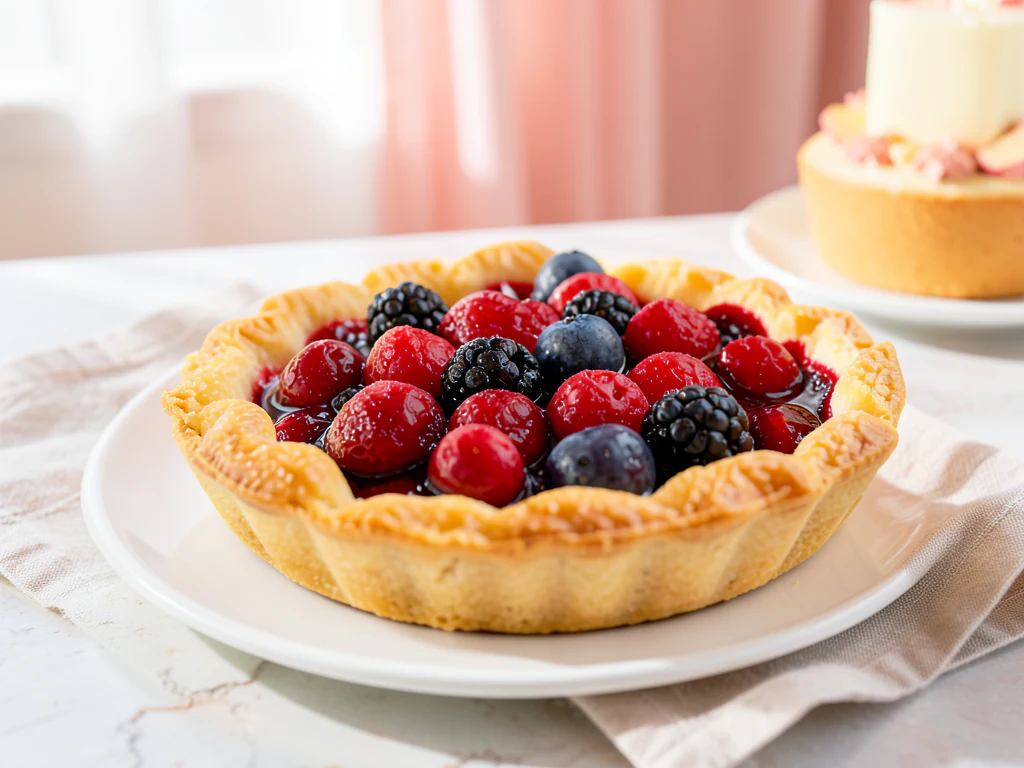
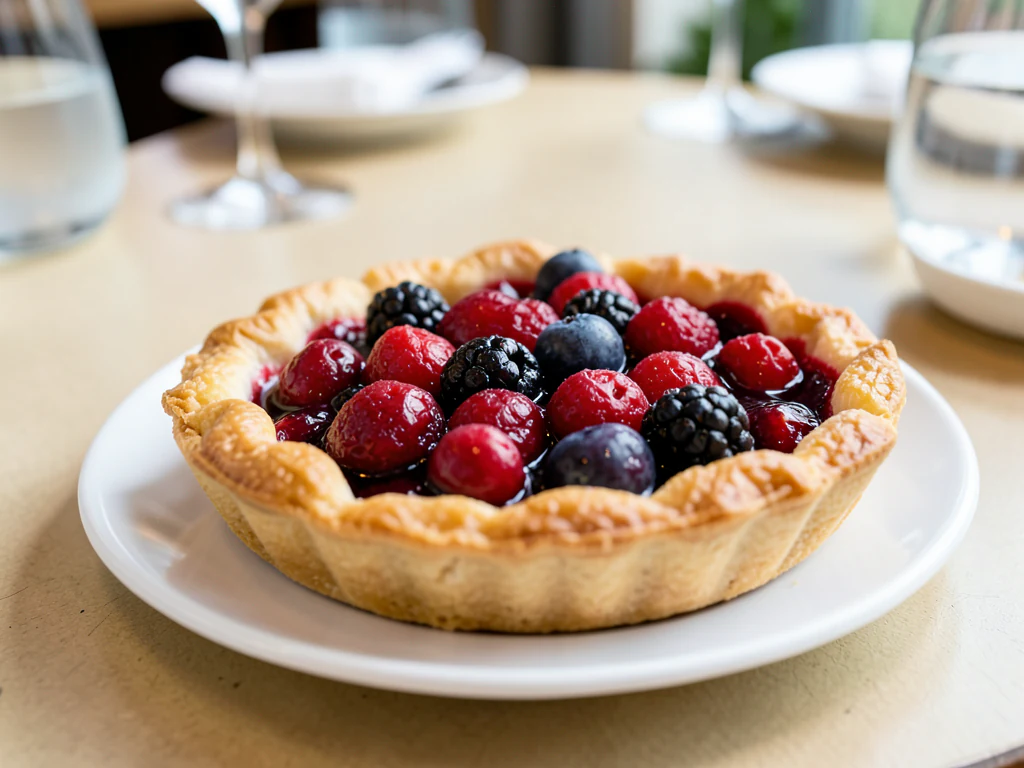
Food Background Generator
Generative output can vary; review the full result before publishing
The most common problem with a food photo is not the food — it is the laminate countertop, the fridge, the register behind it. This direction rebuilds the surface and surroundings into a coherent food-photography backdrop with light that agrees with the plate, while asking the AI to keep the dish as shot.
- Prepared Food Background Generator direction
- Editable prompt
- Source-detail review required
Choose a source image for Food Background Generator
JPG, PNG, WebP, HEIC, and other supported formats. Free up to 20 MB; Premium and higher up to 50 MB for this tool.
Replacing a steel worktop or fridge door behind a plate
Home cooks, caterers and small cafés often have good food sitting on the wrong surface: a stainless prep counter, a fridge door, a stack of takeaway boxes. Upload that photo and the AI is asked to keep the dish as shot while the backdrop is rebuilt; compare garnish and plate rim with your photo afterwards. Describe the new surface by material and tone, such as "matte charcoal slate" or "pale washed linen", rather than by mood words alone.
The edge of the dish is where a replacement gives itself away. Microgreens, cheese strands, sesame seeds, crumbs and wisps of steam all sit close to the boundary, so zoom in on them. Look for a soft shadow under the plate, too; without one the dish seems to float. Glossy sauces and cutlery can still reflect the old kitchen, which is easier to fix by reshooting with the cutlery moved than by editing.
If you need the plate on nothing at all, for a flyer or a website banner, cut the dish out onto a transparent background. When the kitchen behind the food is fine and only distracting, soften it with a background blur instead of replacing it. Keep the same backdrop across a menu so the dishes read as one restaurant.
What to check at the edge of the plate
- Herbs and fine garnish are still attached and unchanged
- A contact shadow sits under the plate
- Steam and drips have not turned into smudges
- No old-kitchen reflections remain in sauces or cutlery
Food background generator: replace the surface behind a dish photo
This food background generator replaces the counter, table or wall behind a dish with a food-photography surface and light, while the dish itself stays in the picture. It is a way to rescue a good plate shot on a poor surface. You choose one of four looks or describe your own, compare the plate with your original and download a PNG.
Swap the surface behind a plate in 5 steps
One photo of a plated dish goes in and one PNG comes out in the shape of the photo, so frame the plate the way you want it shown. Wipe the rim and move cutlery away from the edge before you shoot.
- Upload one photo of the plated dish, shot from above or at a slight angle.
- Under Styles, pick the surface that contrasts with the food.
- Optionally name a material and tone in Custom instructions.
- Select Generate Product background.
- Zoom to the plate edge and compare it with your original, then download the PNG.
Pick the surface by how it contrasts with the food
Rustic table is a dark wooden table with warm side light and a linen napkin, a fit for pale dishes such as pasta, rice or cakes. Bright marble is a pale marble counter in clean daylight, which flatters dark or saucy food. Dark and moody is dark slate with one warm light from behind and deep shadows, which suits bright or colorful dishes. Café table is a window-side tabletop with a blurred interior.
Surface color also bleeds into the picture: a warm wooden table can pull a pale sauce toward yellow, and cool slate can dull a red one. Check the sauce and the greens against your original in daylight, and switch the surface if the color has moved.
Describe your own surface in plain words
Custom instructions take up to 1,000 characters. Name a material, a tone and where the light comes from, for example matte charcoal slate with soft daylight from the left, rather than a mood word alone. Mention one prop at most, such as a linen napkin. Leave the dish out of the sentence unless you want it described, because the page is asked to keep the food as photographed.
Know what this page does not give you
It builds a surface around your plate; it does not give you an empty backdrop to download. For a blank wood, marble or stone surface to place a cutout on yourself, browse the food backgrounds. For the plate on a transparent background, cut the dish out, and when the kitchen behind it only needs softening, blur the background instead of replacing it.
Set up for Food Background Generator
Prepared settings
- Starting point
- Upload one source image
- The page opens on the correct edit workflow; upload is the only required setup step.
- Prepared workflow
- Prepared Food Background Generator background direction
- Food Background Generator opens with the Food Background Generator direction preselected, so there is no need to find the operation manually.
- Output shape
- Same as your upload
- The result keeps the shape of the image you upload.
- Review rule
- Preserve the source subject and verify factual details
- Generated imagery can vary; the final result stays under the user's approval before download.
Best-fit uses
- Cleaning up dish photos taken in a working kitchen
- One backdrop family across a whole menu
- Seasonal backdrop changes without reshooting dishes
Frequently asked questions
- Which backdrop suits food photography?
- Matte and mid-toned, in a color that contrasts the food without competing — dark slate under bright dishes, pale wood or linen under rich ones. Glossy surfaces reflect light back into the frame and are the usual reason a home food photo looks harsh.
- Will the plate and garnish stay unchanged?
- That is the aim. The AI is asked to keep the dish as shot and to rebuild only the surroundings, which keeps the image honest about portion and plating while fixing the part that was never meant to be in shot. AI can still change small details near the edges, so compare garnish and plate rim with your original.
- Why does the shadow under the plate matter so much?
- It is what makes the dish sit on the surface rather than float above it. A missing or wrong contact shadow is a very common reason a background replacement reads as fake, and viewers notice it without knowing why.
- Can I use the same backdrop for a whole menu?
- You should. A shared surface across every dish is what makes a menu look like one restaurant's photography. Vary props slightly between dishes if you want interest; keep the surface and light constant.
- Can I download the empty background by itself?
- No. The page builds the surface around your dish and returns the whole picture. For empty surfaces you can place a cutout on, use the backgrounds library, and cut the dish out with the Background Remover first.
- Why does the dish edge look soft or have a faint halo?
- Fine edges such as herbs, steam and sauce drips are the hardest part of any background swap, and the picture is generated again around them. Zoom in to the edge and compare it with your original. Generate again, or shoot against a plainer surface so the outline is clearer.
- Can I match the surface to my restaurant's tables?
- Describe it in Custom instructions by material and tone, such as pale oak with a matte finish, and pick the look closest to your tables. The result will resemble your furniture rather than copy it, so do not describe features your venue does not have.
- What if the plate sits on a tray, a paper liner or a banana leaf?
- Keep it in the photo. The page asks the AI to keep the arrangement and rebuilds the surface around it, but check the edge of the liner or leaf in the result, since a thin or irregular edge is easy to redraw.
- Does the same look give matching results on different dishes?
- The surface and light will be similar, but each result is generated on its own, so details such as the grain direction or the shadow length can differ. Compare a few results side by side before you commit a whole menu, and generate again for any that stand out.
What you can do with AI Product Scene Generator
Review the main capabilities before you begin.
- Build a scene around your product from a single photo
- Create editorial, ecommerce, and social campaign concepts
- Generate coherent props, surfaces, lighting, and shadows
- Ask the AI to keep the product as photographed
Settings reference
4 settings
Available controls for AI Product Scene Generator.
Workflow
- Single image or Batch imagesPresets
- Process one image, or use Premium Batch images to apply the same automatic recipe to a set and download one ZIP.Options: Single imageBatch images
Scenes
- One-tap presetsPresets
- Pick a ready-made direction with one tap; generation uses the selected preset automatically.Options: Bathroom counterKitchen lifestyleOutdoor lifestyleEditorial podiumSocial ad
- Custom instructions (optional)Text input
- Describe the requested change, relevant materials, lighting, perspective, and details that must remain unchanged.
Selection
- Selection brush sizeSliderRange: 4–160px · Default: 32px
- The subject area is found automatically. This brush appears only if that automatic area could not be found; paint the area to edit, then generate again.
Related tools for Food Background Generator
Tools for common next steps after Food Background Generator.

Product Photography Studio
AI Product Photos
Generate a background scene around your product. Describe the setting and review the result.
Try it now
Background Studio
Remove Background
Remove a photo background and download a transparent PNG. Review hair and edges before use.
Try it now
Background Studio
Background Changer
Replace a background with a photo, color, gradient or library design. Choose from 21,000+ backgrounds.
Try it nowWatch each transformation land
Every photo crosses the slash untouched and comes out the other side finished.























