

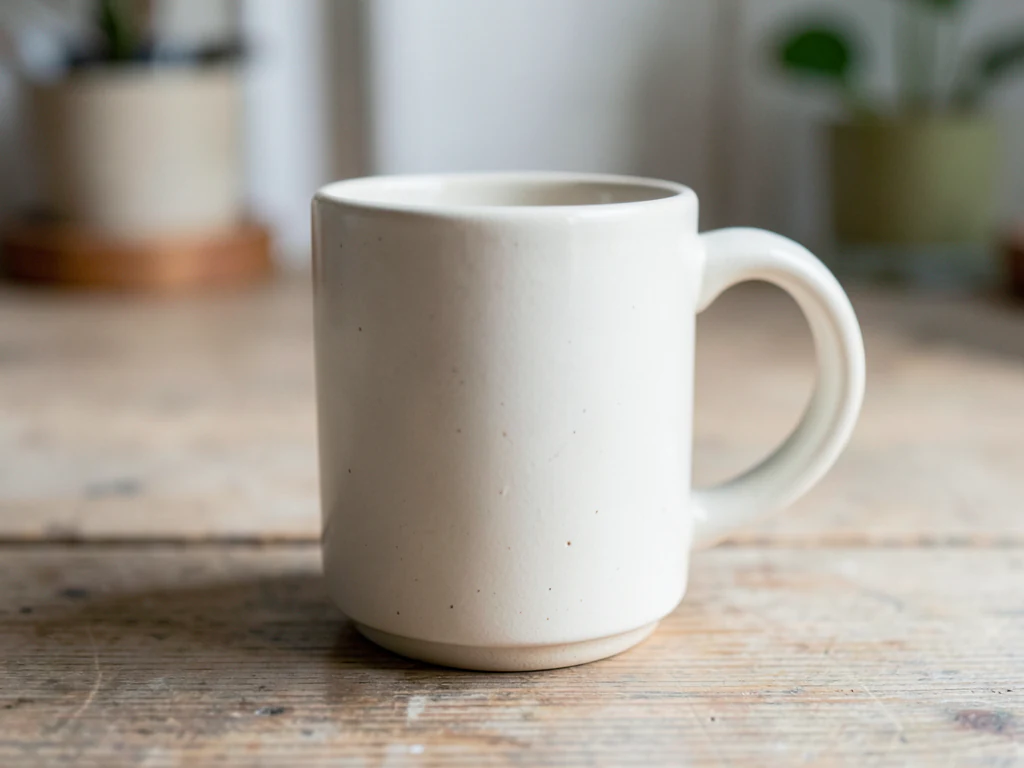
Lifestyle Product Photography
Generative output can vary; review the full result before publishing
A product floating on white tells a buyer what it is; a product on a morning kitchen counter tells them why they want it. This direction builds that second image — a generated setting with surface contact and shadow — around a product the AI is asked to keep as shot, so the scene sells the context without misrepresenting the item. Check logos, labels and colors against your photo.
- Prepared Lifestyle Product Photography direction
- Editable prompt
- Source-detail review required
Choose a source image for Lifestyle Product Photography
JPG, PNG, WebP, HEIC, and other supported formats. Free up to 20 MB; Premium and higher up to 50 MB for this tool.
Writing a lifestyle scene that fits the product you photographed
A lifestyle image earns its place when the setting answers a buyer's question: how big is it, where does it go, what does it sit beside. Decide on that one question before you press a look. A desk lamp wants a desk and a wall; a serving bowl wants a laid table. The prompt box takes your own words, and the scenes that hold together name four things: the surface, what stands behind it, where the light comes from and the shadow it throws.
Match the light in your source. If a window lit the product from the left, ask for daylight from the left; a scene lit from the opposite side makes the item look pasted in, because the highlights on the product are likely to stay where you shot them. Camera height matters the same way: an item shot from above will not sit convincingly on a shelf seen straight on.
Everything new in the frame is invented, including props that hint at what comes in the box. Look for a second cup, a charger or a refill the buyer will not receive, and regenerate when one appears. Scale is the other trap, so compare against an object whose size everyone knows. For the plain counterpart in the same set, build a white-backdrop product shot, then trim the finished image to a square for a shop grid.
Lifestyle product photography: place one product photo in a believable setting
Lifestyle product photography shows an item where it would be used, not only what it looks like. Here you upload one photo of your product, choose a surface and describe the place in your own words, and the page builds the setting around it. It suits secondary listing images, store banners and social posts. The setting is generated, so the product is what you check hardest.
Make a lifestyle image in 6 steps
One product photo goes in and one PNG comes out, in the shape of your upload. The four looks set the surface and the light, and one sentence from you sets the place, so the same product can sit on a kitchen counter or on a shelf.
- Upload one sharp photo of the product with room around it.
- Under Styles, pick Warm wood, Stone and sun or Color sweep as the starting surface.
- In Custom instructions, add one sentence naming the place, such as a breakfast table by a window.
- Select Generate Product scene.
- Check the shadow under the item and the size of any prop against the real product.
- Download the PNG, or select Edit again to change the place.
Match the look to the kind of place you want
Warm wood is an oak surface in front of a soft neutral wall with daylight from one side, which reads as a kitchen counter, a desk or a living room. Stone and sun is a pale stone slab under hard sunlight with a crisp shadow, closer to a bathroom shelf, a patio or a summer mood. Color sweep is a pastel backdrop with a faint floor reflection, which suits playful products and social posts more than a believable room. Plain white is the clean counterpart for the same product.
Write the place so the scene explains the product
Your sentence can run to 1,000 characters in Custom instructions, but one place and two props are plenty. Say where the product sits and what is near it, for example a ceramic planter on a window ledge with a trailing plant beside it. Choose props that tell the buyer something about size or use, and avoid anything that could be mistaken for part of the purchase. Leave words, logos and people out of the sentence and add any wording afterward.
Make a matched pair: one plain shot, one lifestyle shot
A listing often needs both. Run Plain white first for the clean image, select Edit again, switch to a surface and run once more. Every run starts from your original photo, so the product shows the same angle in each. When a marketplace insists on a pure white main image, put the product on pure white and keep lifestyle images for the other slots, then check each file against the marketplace rules.
Set up for Lifestyle Product Photography
Prepared settings
- Starting point
- Upload one source image
- The page opens on the correct edit workflow; upload is the only required setup step.
- Prepared workflow
- Prepared Lifestyle Product Photography scene direction
- Lifestyle Product Photography opens with the Lifestyle Product Photography direction preselected, so there is no need to find the operation manually.
- Output shape
- Same as your upload
- The result keeps the shape of the image you upload.
- Review rule
- Preserve the source subject and verify factual details
- Generated imagery can vary; the final result stays under the user's approval before download.
Best-fit uses
- Secondary listing images that show scale and context
- Social and email creative that needs a setting, not a cutout
- Seasonal refreshes of an existing catalog without a reshoot
Frequently asked questions
- What makes a lifestyle product shot look believable?
- Three things, in order: the contact shadow where the product meets the surface, light direction that matches between product and scene, and scale that reads correctly against known objects. The prompt asks for all three and the scene is asked to match the light in your photo, so shoot the product in soft, even light and pick a scene that suits it. If a result looks pasted on, check the contact shadow first — regenerate rather than accepting it.
- Can I show the product being held or used?
- Scenes involving people are much harder to keep accurate, and hands in particular are where generated images fail most visibly. If you try it, inspect fingers, grip and scale closely. For anything customer-facing, a real photograph of the product in use is still the stronger asset.
- How do I keep a lifestyle set looking consistent?
- Reuse one scene direction across the range rather than generating each product its own setting. Consistency across a catalog reads as a considered brand; a different kitchen behind every item reads as stock imagery, which is precisely the impression a lifestyle set is meant to avoid.
- Do I need to disclose that the setting is generated?
- The product is real; the environment is not photographed, and the whole frame is re-rendered, so check the product against your photo. Some platforms and ad networks have their own disclosure rules for synthetic imagery, and those rules are moving quickly. Check what applies where the image will run, and never let the setting imply a claim the product cannot support.
- Can I turn a white-background product shot into a lifestyle photo?
- Yes, if the file is an ordinary photo with a solid white background. Upload it, choose a surface and describe the place. A transparent PNG cutout is refused, because AI edits need an opaque source, so save the cutout on a solid color first or start again from the original photo.
- How do I show how big the product is in a lifestyle scene?
- Name one familiar object in Custom instructions, such as a coffee cup beside the item, then check that the object looks like a real one next to your product. The page cannot measure anything, so the scale in the picture is only as honest as that comparison. Put real dimensions in the listing text.
- Which look should I try first for a lifestyle shot?
- Warm wood is a safe start: daylight from one side, a neutral wall and a long soft shadow suit most small products. If the product is pale or reflective, try Stone and sun and watch the highlights and the shadow. Run two looks on the same photo and keep the one where the product, not the surface, is noticed first.
- Why does the product look different from my photo in the lifestyle result?
- The whole picture is generated again with a request to keep the product, so the item can shift slightly in color, edges or small print. Compare it with your original in the before-and-after slider. If a detail changed, shorten the Custom instructions, drop strong color words from the scene and generate again.
- Can I use lifestyle images in social ads?
- Yes, as ordinary PNG files, subject to each platform's own rules for edited images. Crop to the placement's shape before you generate, and keep prices and offers out of the picture. The Product Ad Generator is built around layouts with room for a headline, if that is the main job.
- How many props should I ask for in one scene?
- Two is a practical limit. Props are generated rather than photographed, so extra items raise the chance of odd shapes or one that overlaps the label. Name each by material and position, such as a linen napkin on the left, and look at them at full size for text or logos you did not supply.
What you can do with AI Product Scene Generator
Review the main capabilities before you begin.
- Build a scene around your product from a single photo
- Create editorial, ecommerce, and social campaign concepts
- Generate coherent props, surfaces, lighting, and shadows
- Ask the AI to keep the product as photographed
Settings reference
4 settings
Available controls for AI Product Scene Generator.
Workflow
- Single image or Batch imagesPresets
- Process one image, or use Premium Batch images to apply the same automatic recipe to a set and download one ZIP.Options: Single imageBatch images
Scenes
- One-tap presetsPresets
- Pick a ready-made direction with one tap; generation uses the selected preset automatically.Options: Bathroom counterKitchen lifestyleOutdoor lifestyleEditorial podiumSocial ad
- Custom instructions (optional)Text input
- Describe the requested change, relevant materials, lighting, perspective, and details that must remain unchanged.
Selection
- Selection brush sizeSliderRange: 4–160px · Default: 32px
- The subject area is found automatically. This brush appears only if that automatic area could not be found; paint the area to edit, then generate again.
Related tools for Lifestyle Product Photography
Tools for common next steps after Lifestyle Product Photography.

Background Studio
Remove Background
Remove a photo background and download a transparent PNG. Review hair and edges before use.
Try it now
Background Studio
White Background Maker
Replace a photo background with white for product listings.
Try it now
Product Photography Studio
AI Product Photos
Generate a background scene around your product. Describe the setting and review the result.
Try it nowWatch each transformation land
Every photo crosses the slash untouched and comes out the other side finished.























