
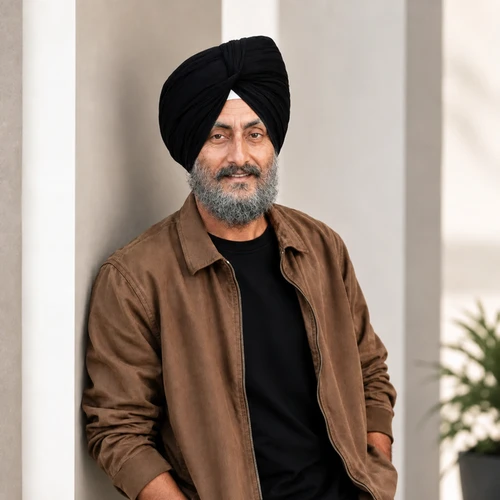

AI Age Progression — See Yourself at Ages 1 to 70
AI age previews are creative estimates, not medical or forensic predictions.
Upload one clear portrait and choose a target age from 1 to 70. Preview age-related changes to facial proportions, skin, and hair while preserving your resemblance, clothing, and the original scene.
- Eight exact target-age presets
- Original clothing, background, and framing preserved
- Generated output is screened before it is saved
Upload one clear face photo
Use a well-lit, front-facing portrait with one person and no face obstruction.
What the age preset means
The selected number guides changes to facial proportions, skin, and hair. Child presets can change cheek fullness, nose size, and jaw development. AI cannot predict a person's real future appearance or reconstruct their exact past appearance.
How to see yourself older or younger with AI age progression
This AI age progression tool shows one portrait at a target age from 1 to 70 years. Upload a clear photo, choose one of 8 ages and create a single full-frame preview that is set to keep your clothing, accessories, background and framing. Use it to imagine an older version of yourself, a younger one, or a portrait of someone who has agreed to take part. It is a creative estimate, not a prediction of how anyone will look.
Create an older or younger version of a photo
The 40-year preset is selected when the page opens. Changing the age clears the earlier result, so create the preview again after each change. Generate again makes a fresh version at the same age.
- Upload one clear, front-facing portrait, or choose Take a photo.
- Under Choose target age, pick 1, 5, 14, 18, 21, 40, 60 or 70 years.
- Tick the box confirming you own the photo or have permission.
- Select the button that reads Create age 40 preview, with your chosen age in place of 40.
- Compare the face, hair and outline with your source, then choose See result.
Choose an age: younger and older presets
The 8 presets are 1, 5, 14, 18, 21, 40, 60 and 70 years, so there is no 30 or 50. The number guides changes to facial proportions, skin and hair: child ages can change cheek fullness, nose size and jaw development, while older ages bring age-related skin texture and hair changes. The face, neck, hands and other exposed skin are meant to age together.
Keep the rest of the photo unchanged
The request is to keep the head at its original size and position and to leave clothing, accessories, background, lighting and framing as photographed. The output is one full-frame picture, with no collage or added text. That makes the preview easy to compare with the original, but a generated face can still drift, so check the eyes, the expression and the outline of the face.
Pick a photo that gives a clear preview
A sharp, front-facing portrait in natural light, with visible hair and a clear facial outline, gives the preview the most to work with. Sunglasses, hands over the face, heavy shadow, beauty filters and motion blur all make the face harder to read. Use one person per photo, and crop group pictures down to the person you want to see.
Treat the age preview as an estimate
The picture is a creative estimate based on visible features in one photo. Genetics, health, environment and styling cannot be predicted from it, so it is not medical, forensic or identity evidence. Use only photos you own or have permission to use, and when you share the result, put the original beside it with a draggable before-and-after slider. For a set of different looks at your current age, create 5 to 7 portrait variations, and with 2 adult portraits you can imagine a fictional child portrait.
Before you create a preview
- Use a portrait with one person facing the camera.
- Choose even natural light without hard shadows over the face.
- Remove sunglasses and keep hands away from the face.
- Confirm that you may use the photo.
- Pick the age you want, because there is no in-between preset.
After you see yourself at another age
Set the original and the aged portrait side by side with a draggable comparison slider; for a set of different looks at your current age, create five to seven portrait variations.
With two parents' photos, you can also imagine a fictional child portrait.
What you can do with AI Age Progression
Review the main capabilities before you begin.
- Preview one portrait at an exact age from 1 to 70
- Compare the generated age result with the source face
- Explore older and younger age directions responsibly
- Preserve clothing, accessories, background, and original framing
- Preview age-related face, skin, and hair changes while preserving resemblance
Settings reference
3 settings
Available controls for AI Age Progression.
Portrait
- Reference portraitFile input
- Upload one clear, front-facing portrait with one visible person and no face obstruction.
- Choose target agePresets
- Preview age-related facial proportions, skin, and hair while preserving clothing, accessories, and the original scene.Options: 1 year5 years14 years18 years21 years40 years60 years70 years
- I own this photo or have permission from the person shown.On / Off
- Confirm that you own the portrait or have permission from the person pictured before generation starts.
Related tools for AI Age Progression
Tools for common next steps after AI Age Progression.
Creative & Design
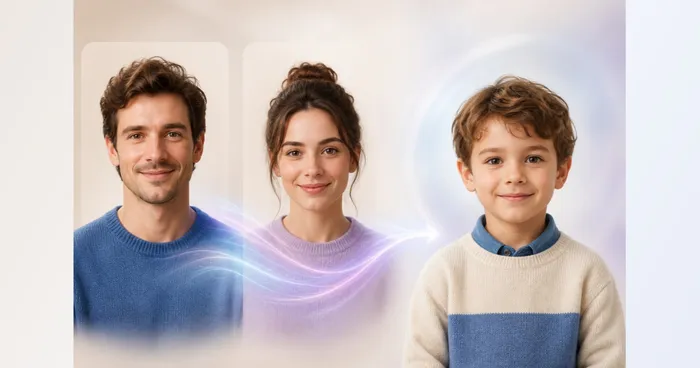
Future Child Generator
Upload two parent portraits and create one fictional, family-friendly child portrait inspired by visible traits from both.
Try it now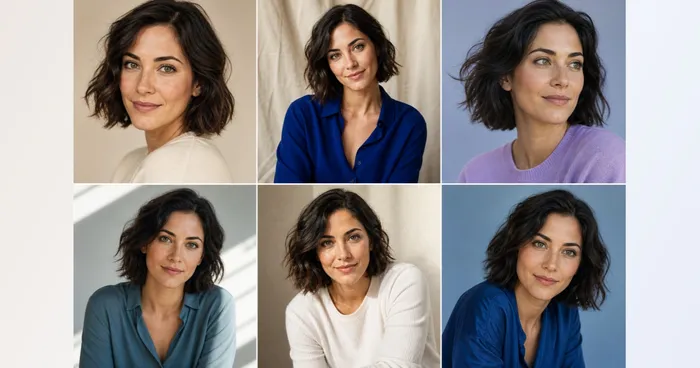
Creative & Design
AI Photo Variations
Upload one to five portraits of the same person to generate portrait variations. Review likeness and details.
Try it now
Portrait & Headshot Studio
LinkedIn Headshot Generator
Generate a professional portrait with directed clothing, background, and lighting. Compare facial likeness and details before use.
Try it nowFrequently Asked Questions
How AI Age Progression helps you get it done
Real problems it solves every day — for businesses, creators, and everyday tasks. Find the use case that fits you and start.
Future-Self Creative Portraits
Explore a clearly disclosed portrait at age 40, 60, or 70 for a personal concept, story, or conversation without presenting it as a prediction of real aging.
Age-Range Character References
Create younger or older visual directions for fictional character development, then review identity and age appropriateness before using the generated image as an art reference.
Family Timeline Artwork
Build playful, labeled family timeline concepts from portraits you own or may use while keeping every generated age result separate from documentary or forensic claims.
See the featured effects in motion
The strongest effect picks lead this belt before the rest of the catalog.




















