
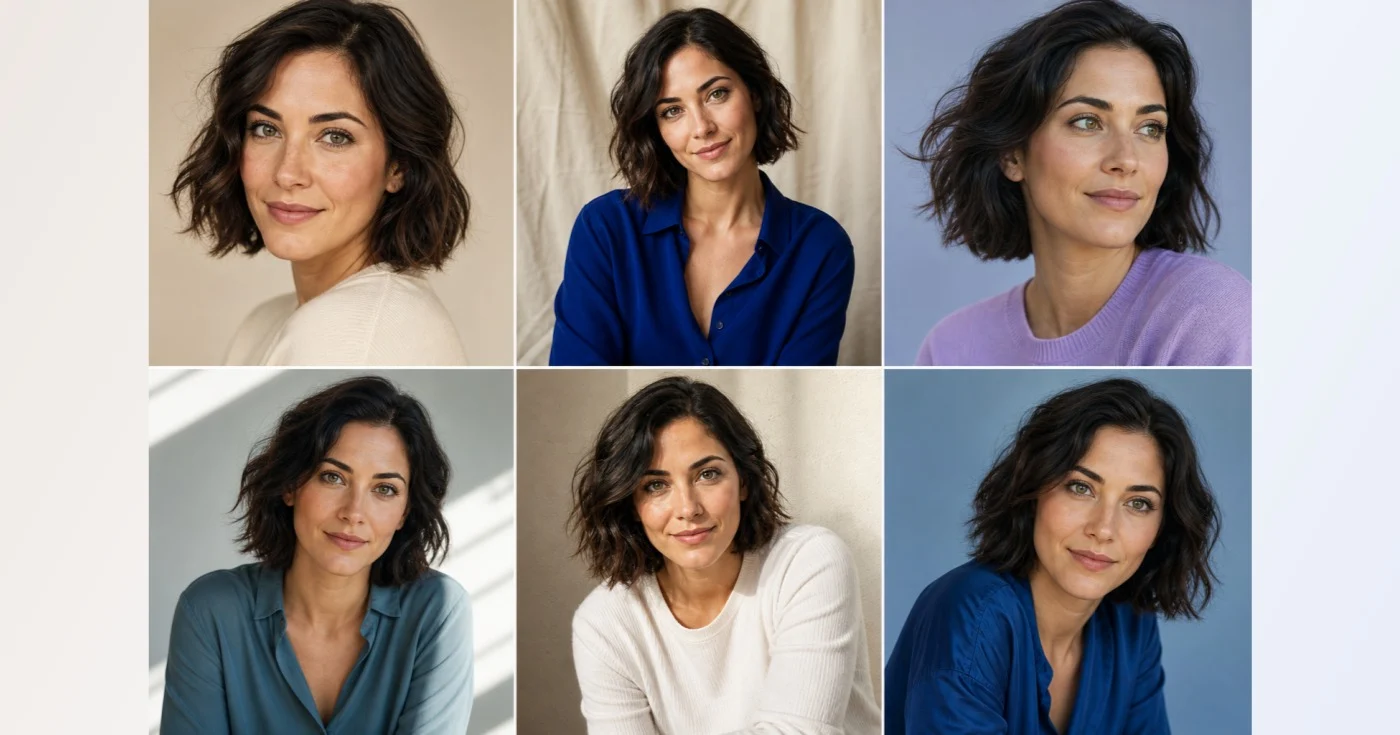
AI Photo Variations — Create 5–7 Portraits from Your Photos
Multi-output generation is a Premium batch workflow.
Upload one to five photos of the same person. Choose five, six, or seven outputs and generate a distinct portrait direction for each result.
- 1–5 identity reference photos
- 5, 6, or 7 separate portrait results
- Completed results stay available if a later variation fails
Start the Premium portrait batch
This workflow creates five to seven separate AI portraits. Unlock the batch before choosing any personal reference photos.
How to create AI photo variations of the same person from your photos
AI photo variations turn 1 to 5 photos of the same person into a set of 5, 6 or 7 new portraits, each in a different direction such as studio, golden hour, window light or formal. The photos work together as one identity reference, so a result is not matched one-to-one with an upload. It is a Premium workflow, and you confirm that you own the photos or have permission before it starts.
Create a set of portraits from your photos
Reference 1 is the photo shown in the preview panel before you generate. The portraits are created one after another, so the page shows how many are ready while the rest are still being made.
- Add 1 to 5 clear photos of the same person, using Add another reference for more slots.
- Choose 5, 6 or 7 images under Number of portrait results.
- Tick the box confirming you own the photos or have permission.
- Select Generate, which shows your chosen count, and wait while the portraits appear one at a time.
- Review each card, then choose See result to save the ones you like.
Choose references that anchor one identity
Use clear photos of the same person at a consistent age, with similar hair and appearance. A mix of front-facing and slight-angle shots gives the set more views of the face, while photos of different people confuse it, because every upload is treated as the same identity. One photo is enough to start, and more references help when you have several good ones.
See what changes between the portraits
Every result gets its own direction and changes only pose, expression, wardrobe, lighting, framing and background. The set runs through a daylight studio portrait, an outdoor golden-hour portrait, a window-lit editorial, a polished formal portrait and a natural candid look. Choosing 6 adds a cinematic low-key portrait, and 7 adds a bright minimal one. The directions are fixed, so you cannot assign a style to a particular result.
Continue a set that stopped part-way
If generation stops before the last portrait, the finished cards stay on the page and a message says how many are ready. Select the button that reads Create remaining, followed by a number, to continue from the next missing portrait instead of starting again. Once a set is complete, the button changes to Generate a new set.
Check likeness and details in every portrait
Each card is labeled AI-generated and carries a reminder to review facial identity and small details. Look at the face, hair, age, hands, teeth and clothing in every portrait, because one good result says nothing about the rest. Use only the portraits that still look like the person, and lay your favorites out in one grid to compare them. For one studio-style portrait instead of a set, create a professional headshot from a selfie, and to see the same person at another age, preview an older or younger version.
Before you add photos
- Pick photos of one person only, with a similar age and look.
- Include at least one clear, front-facing view of the face.
- Avoid sunglasses, masks and heavy filters.
- Confirm that you own the photos or have the person's permission.
- Expect each portrait to change the clothes and the background.
Choosing what to do with your favorite variation
For one studio-lit profile photo rather than a set, turn a selfie into a professional headshot; to see the same face at 5 or 70, preview an older or younger you.
Outfits can be tested on a full-body photo with a garment image, and two parents' photos can inspire a fictional child portrait.
What you can do with AI Photo Variations
Review the main capabilities before you begin.
- Use one to five photos to anchor one recognizable identity
- Create five, six, or seven separate portrait directions
- Vary pose, expression, wardrobe, lighting, and background
- Keep completed portraits when a later generation stops
- Resume an interrupted set from its next missing portrait
Settings reference
3 settings
Available controls for AI Photo Variations.
Identity references
- Identity referencesFile input
- Add one to five clear photos of the same person with consistent age, hair, and appearance.
- Number of portrait resultsPresets
- Choose how many separate portrait directions the Premium workflow should generate sequentially.Options: 5 images6 images7 images
- I own these photos or have permission from the person shown.On / Off
- Confirm that every reference is owned by you or used with permission from the person shown.
Related tools for AI Photo Variations
Tools for common next steps after AI Photo Variations.
AI Image Studio
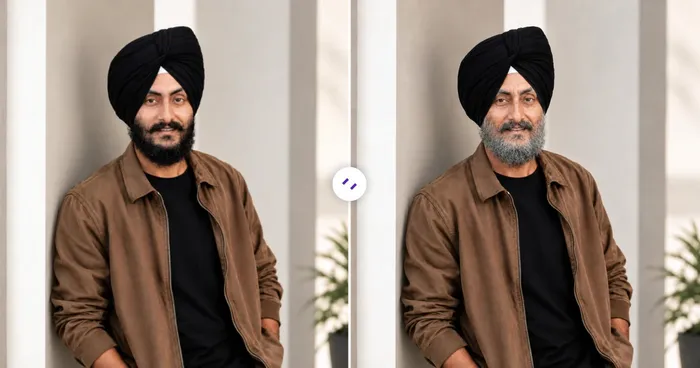
AI Age Progression
Generate a portrait at a selected age from one photo. This is a visual interpretation, not a prediction.
Try it now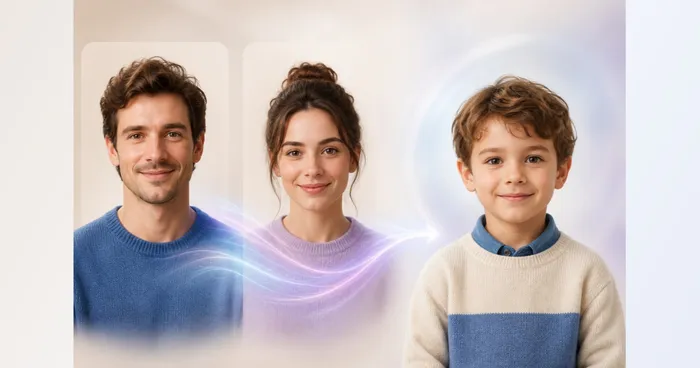
Creative & Design
Future Child Generator
Upload two parent portraits and create one fictional, family-friendly child portrait inspired by visible traits from both.
Try it now
Portrait & Headshot Studio
LinkedIn Headshot Generator
Generate a professional portrait with directed clothing, background, and lighting. Compare facial likeness and details before use.
Try it nowFrequently Asked Questions
How AI Photo Variations helps you get it done
Real problems it solves every day — for businesses, creators, and everyday tasks. Find the use case that fits you and start.
Personal Brand Portrait Directions
Generate several identity-consistent portrait concepts to compare lighting, wardrobe, expression, and background before planning a real profile or team photo session.
Creator Profile Image Set
Explore five to seven distinct portrait directions from one permitted identity set, then inspect every face and detail before choosing images for social profiles or content planning.
Casting and Character Moodboards
Create varied portrait concepts of the same permitted subject for an internal visual moodboard without presenting generated clothing, settings, or expressions as documentary photographs.
Watch each transformation land
Every photo crosses the slash untouched and comes out the other side finished.























