


AI Object Replacer — Replace Anything in a Photo
Mark part of a clear object, or use Exact painted area to cover it yourself
Paint one object, describe its replacement, and keep the surrounding image protected. Useful for furniture, décor, products, plants, and visual concepts.
- Selection-controlled object replacement
- Matching perspective, scale, light, and shadows
- Original surroundings restored outside the mask
Choose a photo containing the object
JPG, PNG, WebP, HEIC, and other supported formats. Free up to 20 MB; Premium and higher up to 50 MB for this tool.
How to replace an object in a photo with AI
The AI object replacer swaps one item in a photo for something you describe, such as a sofa for an armchair, a lamp for a plant or a product for a variant. Click or brush over the object, say what should take its place, and the tool matches scale, perspective and lighting while everything outside the edit area is restored from your upload. Review the replacement and the shadow it casts before you use the picture.
Replace an object in a photo step by step
Paint over one clear object, or click once on it, then answer What should replace it? with a short description, such as a modern red lounge chair. The presets in the Presets tab fill in a sentence for Replace furniture, Replace with plant, Replace product and Replace décor; edit it to name the style, color and material you want. Generate stays disabled until the object is marked and the description is filled in.
- Upload an opaque photo that shows the object clearly.
- Click or brush over the object you want to replace.
- Choose a preset or describe the replacement in the box.
- Select Generate to swap the object.
- Check the new item and its shadow, then download the PNG.
Mark the whole object, not just part of it
A rough mark can grow to cover the full object and its shadow, which is why a click or a short stroke often works. If the tool says it could not separate the marked object, paint more of it, or switch on Exact painted area and cover the object and its shadow. Leave a little space around the object for the new item and its contact shadow. Exact painted area keeps every unpainted pixel unchanged, which suits an item that touches other things.
Describe the replacement so it fits the scene
Name the item, its style and where it sits: a low oak coffee table under the window beats a table. Mention size relative to nearby things when it matters. The tool matches perspective and lighting from the scene, but exact products, brand logos and readable text can come out different from what you described, so treat a replaced product as a concept and check labels and proportions.
Replace, remove, add or recolor: which page
To make an object disappear without a replacement, erase it and rebuild the background. To keep the object and change only its shade, recolor the item. To place a new object into empty space, add an object to the photo. For a whole room at once, restyle the room with a chosen style.
Before you download the replacement
- Look at the shadow and the floor or table contact under the new item.
- Check scale against nearby objects and the angle of the room.
- Batch images is not offered here, because each photo needs its own selection.
When replacing is not quite the right edit
To keep the object and change only its color, recolor a sofa, car, or garment; for fingernails rather than objects, preview polish shades and French tips on your hand.
An empty corner needs a new object placed in open space, while a whole room can be furnished in one chosen style.
What you can do with AI Object Replacer
Review the main capabilities before you begin.
- Replace selected furniture, products, or décor
- Match the replacement to scene perspective and lighting
- Control the exact editable area with a brush
- Copy surrounding pixels from the prepared source
Settings reference
4 settings
Available controls for AI Object Replacer.
Presets
- One-tap presetsPresets
- Pick a ready-made direction with one tap; generation uses the selected preset automatically.Options: Replace furnitureReplace with plantReplace productReplace décor
- What should replace it?Text input
- Describe the requested change, relevant materials, lighting, perspective, and details that must remain unchanged.
Selection
- Selection brush sizeSliderRange: 4–160px · Default: 32px
- Set the brush width used to mark the exact add, fill, or replacement area required before generation.
Output
- Ask AI to preserve subject identity and product detailsOn / Off
- Adds an explicit instruction to retain the main subject, shape, branding, labels, and readable text unless the request changes them.
Related tools for AI Object Replacer
Tools for common next steps after AI Object Replacer.
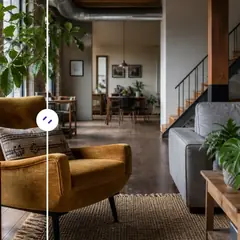
AI Image Studio
Add Object to Photo with AI
Add furniture, plants, people, products, and décor to photos with AI. Paint the placement area and preserve the prepared source outside it.
Try it now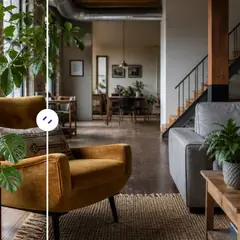
AI Image Studio
AI Object Remover
Remove unwanted people, objects, cables, signs, and clutter from photos automatically, with optional manual refinement for precise cleanup.
Try it now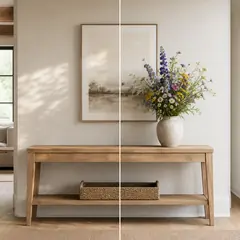
AI Image Studio
AI Generative Fill
Paint part of an image and fill it with new AI-generated content. Repair gaps, add details, or replace selected areas while protecting nearby pixels.
Try it nowFrequently Asked Questions
Watch each transformation land
Every photo crosses the slash untouched and comes out the other side finished.























