


AI Product Scene Generator — Create Lifestyle Product Photos
Generated concepts are not a product specification; verify packaging and physical details
Create a contextual ecommerce or campaign scene around an existing product. The AI is asked to keep the product as photographed while its surroundings are generated.
- Asks the AI to keep the product as photographed
- Lifestyle, editorial, indoor, and outdoor presets
- Natural props, surfaces, lighting, and shadows
Choose a clear product photo
JPG, PNG, WebP, HEIC, and other supported formats. Free up to 20 MB; Premium and higher up to 50 MB for this tool.
How to create lifestyle product scenes and social ad images with AI
This AI product scene generator takes a plain photo of your product and builds a setting around it: a bathroom counter, a kitchen, an outdoor scene, a display podium or a social ad layout. You do not mask the product: the instructions ask the tool to keep it and to generate the surfaces, props, light and shadows around it. It is made for sellers, small brands and marketers who need context for a product without a photo shoot, and every result is a concept to check against the real item.
Turn a plain product photo into a lifestyle scene
Shoot the product alone, sharp and fully in frame, on any plain surface. Nothing needs painting or cutting out, because the tool is set to keep the product and build the scene around it. The generated scene replaces the surroundings, and the finished PNG keeps the shape of your photo.
- Upload one clear photo of a single product.
- Open Scenes and pick Bathroom counter, Kitchen lifestyle, Outdoor lifestyle, Editorial podium or Social ad.
- Edit Custom instructions to change the surface, props or light.
- Select Generate and compare the product with your original photo.
Pick a scene for the place the image will appear
Bathroom counter is described for beauty and wellness items, Kitchen lifestyle for food and home products, and Outdoor lifestyle gives sunlight and contextual props. Editorial podium sets the product on a display podium with premium materials and generous negative space, which leaves room for text. Social ad composes a brand-ready scene with a clear focus on the product.
Direct props, surface and light in your own words
A preset fills Custom instructions with a description that you can edit. Name a surface such as honed marble, 1 or 2 props, the direction of the light and how busy the scene should be. Ask for empty space where a headline will go, then add the words afterward with a text tool so the spelling stays exact. Fewer props keep the product in focus.
Keep the product itself accurate
The whole picture is generated again, with instructions to keep the product's proportions, material and surface details, so check packaging text, logos, colors, proportions and where the shadow falls. The page note says generated concepts are not a product specification and asks you to verify packaging and physical details. Compare the scene with the original on a slider before you publish.
Build a consistent set and check listing rules
A whole catalog can go through Batch images, a Premium option, which applies one scene to every queued product photo and returns a ZIP of PNGs. Amazon and Walmart Marketplace ask for a pure white background on the main image, so treat a lifestyle scene as an extra image and check each image against marketplace listing rules before you upload.
Before you generate a product scene
- Photograph one product at a time, with the whole item in frame.
- Use even light so edges and labels stay readable.
- Keep hands and other objects away from the product.
- Start from the original photo, because a transparent cutout is refused.
- Keep the real product nearby to compare label text and colors.
Building a full product image set
Pair the lifestyle scene with a clean studio sweep or podium version, then check each image against Amazon, eBay, and Etsy photo rules.
Several angles can be shown together when you combine them into one collage.
What you can do with AI Product Scene Generator
Review the main capabilities before you begin.
- Build a scene around your product from a single photo
- Create editorial, ecommerce, and social campaign concepts
- Generate coherent props, surfaces, lighting, and shadows
- Ask the AI to keep the product as photographed
Settings reference
4 settings
Available controls for AI Product Scene Generator.
Workflow
- Single image or Batch imagesPresets
- Process one image, or use Premium Batch images to apply the same automatic recipe to a set and download one ZIP.Options: Single imageBatch images
Scenes
- One-tap presetsPresets
- Pick a ready-made direction with one tap; generation uses the selected preset automatically.Options: Bathroom counterKitchen lifestyleOutdoor lifestyleEditorial podiumSocial ad
- Custom instructions (optional)Text input
- Describe the requested change, relevant materials, lighting, perspective, and details that must remain unchanged.
Selection
- Selection brush sizeSliderRange: 4–160px · Default: 32px
- The subject area is found automatically. This brush appears only if that automatic area could not be found; paint the area to edit, then generate again.
Related tools for AI Product Scene Generator
Tools for common next steps after AI Product Scene Generator.
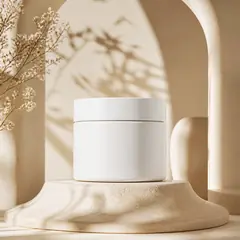
Product Photography Studio
AI Product Background Generator
Generate studio, gradient, podium, botanical, or lifestyle backgrounds around your product photo for ecommerce campaigns.
Try it now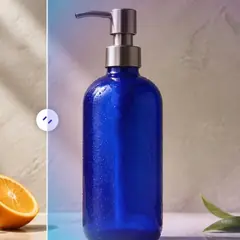
Background Studio
AI Background Changer
Change a photo background automatically with AI. Put a person or product in a studio, beach, office, city, or a described scene.
Try it now
Product Photography Studio
AI Product Photos
Generate a background scene around your product. Describe the setting and review the result.
Try it nowFrequently Asked Questions
Watch each transformation land
Every photo crosses the slash untouched and comes out the other side finished.























