
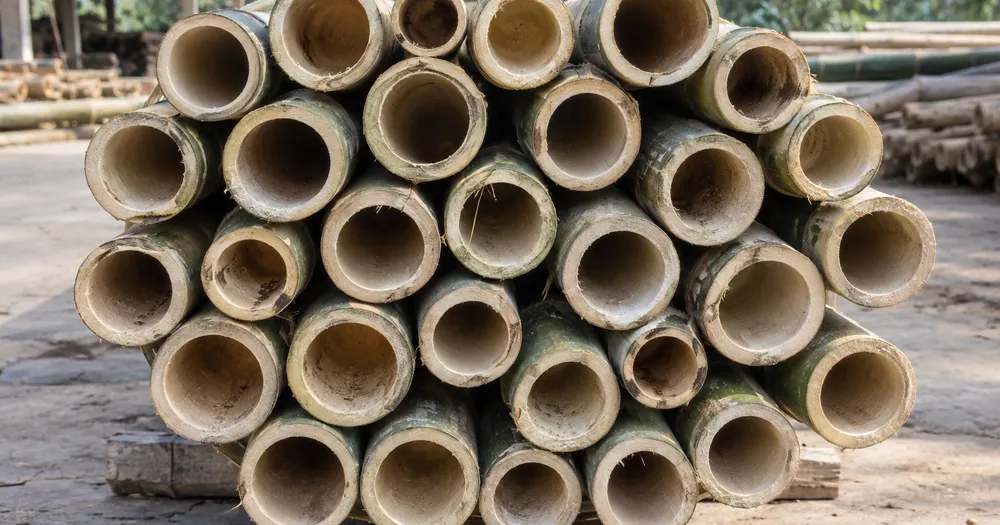
Count bamboo poles in a bundle from a photo
Works with JPG, PNG, WEBP · Free up to 20 MB, Premium 50 MB
Photograph the cut ends of the bundle straight-on so the visible bamboo poles cross-sections are clear — the AI marks its counted detections for review. Built for timber yards, sawmills and forestry teams — review and correct each photo before adding it to a CSV or PDF tally.
- Review the photo, then count visible bamboo poles
- Upload a photo and get an automatic count
- Review the markers to catch bamboo poles counted twice or missed
- Free to use · No signup required · Without watermark
Upload Image
Tips for an accurate count
• Use an even, well-lit photo with the bamboo poles fully in frame
• Keep your bamboo poles visible and avoid overlapping items
• Dots and heatmap show retained detections — review and correct the tally
About the Bamboo Poles Counter
The bamboo poles counter counts visible bamboo poles from your photo and marks detections for review. Counting starts automatically once the photo and item are ready. Visibility, overlap and similar-looking items can affect the total. Built for timber yards, sawmills and forestry teams.
How It Works
1. Photograph your bamboo poles
2. Upload your photo to count bamboo poles automatically
3. Review the markers and correct the tally if needed
4. Add to the tally sheet and export your count as CSV
Perfect For
• Truck-load drafts at the yard gate
• Harvest and dispatch tallies from the cutting site
• Yard inventories of banded bundles by diameter
• Documenting quantities for a sale or haulage note
Counting bamboo poles from the bundle ends
Bamboo poles are counted at the yard gate for truck-load drafts, at the cutting site for harvest and dispatch tallies, and in the yard where bundles are banded by diameter. As with pipes, the count comes from the cut ends: each hollow culm shows as a ring with a dark center when you look at the bundle end-on.
Stand square to the bundle and photograph the ends straight-on. Bamboo is rarely cut to one length, so some ends sit deeper in the bundle and fall into shadow; even them up against a board if you can, or light the face from the front with a work light. Thick and thin culms in one bundle look like two different items, so mark one of each in Similar items. Ends cut through a node are solid and look different from hollow ends, so include one in the examples if they are common.
Edge-of-bundle poles, partly hidden by their neighbors, are the ones to check before adding the bundle as a labelled row. Pipe bundles use the same end-on method for pipes, round timber loads go to the log counter, and split firewood has its own page.
Bundle end checks
- Camera square to the bundle face
- Recessed ends lit, not left in shadow
- Thick and thin culms marked as separate examples
- One bundle per photo and per tally row
Frequently asked questions
- How should I photograph a bundle for counting?
- Shoot the ends straight-on, close enough that each end is at least a few pixels across, with even light and no strong shadows inside the bundle. Use the dots to review each retained detection, then correct misses or duplicates before using the total.
- What if the photo has more than just bamboo poles in it?
- The counter automatically looks for bamboo poles in your photo. Similar-looking distractors can still affect the result, so review every marker before using the total.
- Can I count several photos into one total?
- Yes — count each photo and add every reviewed result to the tally sheet as a labelled row. Export the tally as CSV or a PDF report, or save it to your account.
- Is it free and private?
- Yes. You can count, review and download a free result without an account. Downloads are free without a watermark. No signup required. Server-processed photos are encrypted in transit and removed under our Security policy.
What you can do with Log Counter
Review the main capabilities before you begin.
- Count logs and timber on a pile or truck end-on
- Tally a load for scaling and delivery checks
- Review each counted-log marker and correct the total
- Audit several loads in one bulk session
- Add each truck to a running tally by label
- Optionally mark a log to refine the count
Settings reference
14 settings
Available controls for Log Counter.
Upload
- Single photo / Bulk auditPresets
- Choose a single-photo count or a Premium bulk audit. Review every result.Options: Single photoBulk audit
Count
- Included markersSliderRange: 0–1 · Default: 0.21
- Starts at 21%; slide toward Show more to include weaker markers or Only strongest to hide them.
- Overlay stylePresets
- Choose dots, a heatmap, both or a clean preview.Options: BothDotsHeatNone
Advanced
- Result overlayDropdown
- Choose how count markers appear in the on-screen preview; the download keeps its own markers.Options: Dots + heatmapDots onlyHeatmap only
Tally
- Add to tallyOne-click
- Add this count to the tally sheet under the name of the object that was counted. Signed-in accounts add finished counts automatically unless that is turned off under Account settings; in bulk mode every photo also has its own Add to tally button.
- LabelText input
- Rename a tally row. Edits and removals wait until you choose Save changes, so you can fix several rows at once.
- CountNumber input
- Correct a row's count; totals, the chart and exports follow once the change is saved.
- Save changesOne-click
- Apply every edited or removed tally row in one step, or choose Discard changes to leave the sheet as it was.
Chart
- By objectPresets
- The chart is the same in every counting tool and covers the tallies of all of them. By object draws a separate line chart for each tally name, such as pipes and people. By tool draws a chart for each counting tool.Options: By objectBy tool
- PeriodPresets
- Choose how far back the chart looks. Days without a count appear as zero.Options: 7 days30 days90 days12 months
History
- Counting setupGallery
- Keep comparable counts together. A first setup is created for you, so the first count can be saved straight away.
- Observed atText input
- The date and time of the count, shown as a date and a time field.
- NotesText input
- Starts with every detected object and its count, one per line, such as Pipes - 11. Edit it before saving.
- Save countOne-click
- Save the count to your account history. Open a saved count later to correct it or download its source photo.
Related tools for Log Counter
Tools for common next steps after Log Counter.

Counting & Inventory
Object Counter
Estimate an object count from a photo. Review and correct the numbered markers before using the count.
Try it now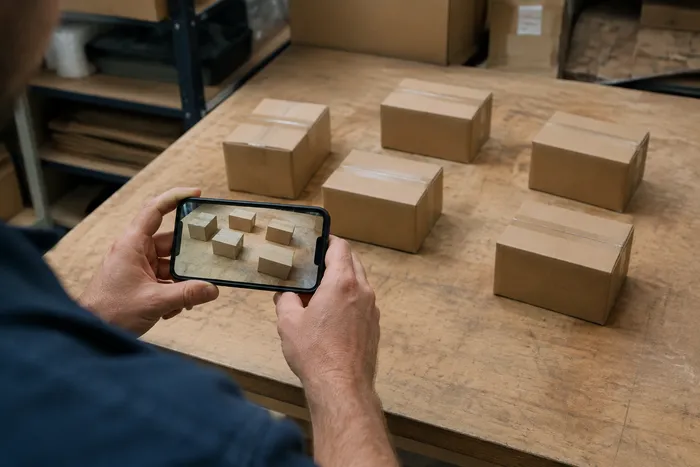
Counting & Inventory
Live Object Counter
Aim your phone at separated, fully visible items and review the detector markers as the count updates in real time.
Try it now
Counting & Inventory
Bottle Counter
Count bottles on shelves, in crates, or in cold rooms from one photo, with counted detections marked for review.
Try it nowHow Log Counter helps you get it done
Real problems it solves every day — for businesses, creators, and everyday tasks. Find the use case that fits you and start.
Timber Truck Delivery Review
Photograph the truck's log ends straight-on for an AI-assisted draft, then review the physical load, correct the tally, and follow the normal delivery procedure before signing. Do not sign from the image alone.
Sawmill Intake Yard Audits
Open Bulk audit to run Distinct objects mode across every stack photo, then review every marked result before weekly reconciliation.
Firewood Supplier Stock Counts
Use Similar items mode for a draft tally of cut and stacked firewood, then review and correct the markers against the physical load before quoting a count in a listing.
Forestry Harvest Tally by Diameter Class
For a per-size breakdown, mark an example log in the Examples setting one diameter class at a time before each count, and log each reviewed pass as its own tally row instead of using one mixed total.
Insurance and Storm-Damage Timber Records
Use the marked image as an AI-assisted draft when documenting downed or salvaged timber, then obtain the qualified manual evidence required by the insurer or contract process. The image and AI tally are not proof of loss or quantity by themselves.
Personal Firewood Stockpile Counting for Winter Prep
Count your own stacked firewood before winter to know how many logs you have on hand and whether you need to order more, using Similar items mode on a home wood stack rather than a commercial timber-yard load.
Watch each transformation land
Every photo crosses the slash untouched and comes out the other side finished.























