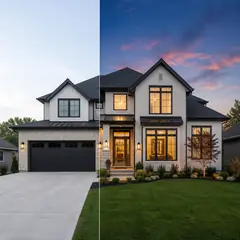
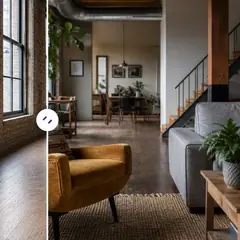
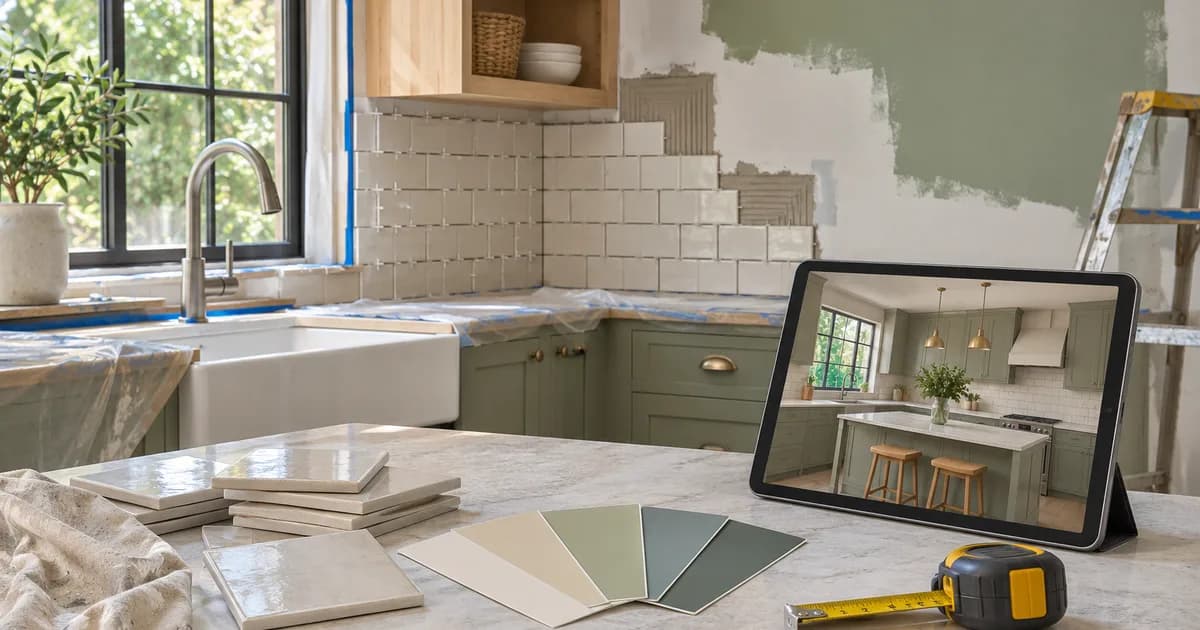
How Contractors and Designers Can Present Renovation Ideas to Clients With AI
Turn a client's own photo into a clear before-and-after concept, label it honestly and move from concept to a measured written quote.
Written by the Pixoate team. We check how each tool behaves before we describe it, and we date any prices or portal rules we quote.
Clients rarely struggle with the work itself. They struggle to picture it. A contractor can describe new cabinets, a repaint and fresh flooring, and the client still hesitates, because they cannot see the result. Decisions slow down, quotes sit unanswered and projects stall.
A clear before-and-after concept on the client's own photo can move that conversation forward. This guide shows how contractors, designers and renovators can present ideas with AI, while being honest about what a concept is.
The workflow in brief
- Ask the client for clear photos, or take them on the first visit.
- Preview one or two options per area, not ten.
- Label every image as a concept, and keep the originals.
- Use concepts to agree on direction, then quote from measurements.
- Record the choice the client approved.
Why concepts help
- Clients understand a picture faster than a list of finishes.
- Options can be compared without arguing about words.
- Disagreements between partners show up early.
- It becomes easier to explain why one choice costs more than another.
- The client feels involved in the decision.
Gather photos that work
- Take photos from a corner of each room, level and in good light.
- Capture whole walls, floors and fixtures that will change.
- Remove clutter, or ask the client to, so the photo shows the space clearly.
- Take close-ups of areas with problems, such as damaged plaster or worn flooring.
- Get permission to use the photos for your proposal.
Create the concepts
Use the tool that fits the job:
- For repair and repaint work, the Contractor Before and After Generator shows the space after professional repair and repainting while keeping the layout, furniture and windows as photographed.
- For kitchens, use the Kitchen Remodel Visualizer.
- For anything else, describe the change in your own words with the real estate photo editor.
- For empty rooms, AI Room Staging creates furnished concepts.
Ask each tool to preserve the camera angle, windows, doors and anything not being changed, and generate one change at a time so clients can see what each decision does.
Present with clear limits
A concept is a design idea, not a specification or a promise of how the finished work will look. State this clearly:
- Label each image "concept, not a measured drawing."
- Explain that colors, textures and proportions can differ in person.
- Confirm materials with physical samples before you order.
- Make clear which parts of the concept need structural, plumbing or electrical work.
- Keep the original photo next to each concept.
What to put in writing
Pictures help, but contracts protect. When a client approves a concept, record what exactly was approved: the room, the main finishes, the main items and the date. Attach the concept image to the quote with a clear note that it illustrates the intended look and does not replace the written specification. List what is included and what is excluded, so no one assumes that a concept item, such as a decorative light, is part of the price when it is not.
If the client later asks for a change, refer back to the approved concept and discuss how the change affects cost and timing. It keeps conversations factual and reduces the risk of misunderstandings, which is where most renovation disputes begin.
Move from concept to quote
Once the client picks a direction:
- Take measurements and confirm what is feasible.
- List the work, materials and exclusions in a written quote.
- Show the approved concept next to the scope of work.
- Agree on changes in writing, so the concept does not become an unwritten promise.
- Keep a record of the choice and the date.
A concept can speed up approval, but the quote and contract should come from measurements, not from the picture.
A worked example: two people, two kitchens
Imagine a couple planning a kitchen renovation. One wants a warm, traditional look with wooden cabinets, and the other prefers a sleek, modern white kitchen. Their discussions with the contractor keep going in circles because each person imagines something different.
The contractor takes a photo of the existing kitchen and creates two concepts: one traditional, one modern. When the couple sees them side by side, the conversation changes. Instead of arguing about words, they talk about what they actually like in each. They realize they both like the brass handles from the traditional version and the light, open feeling of the modern one, and the third concept they agree on is a hybrid that neither had described.
The contractor now has a clear brief, the couple feels heard, and the quote can be based on a direction they both support. That is the practical value of concepts: they replace vague disagreements with specific pictures.
Handle disagreements early
When partners or family members disagree, concepts make the disagreement visible before work begins. Show the same area in two options, ask each person which they prefer and why, and note the decision. If a client changes their mind later, you can refer to the approved concept and agree whether the change affects cost or schedule, instead of arguing from memory.
Using concepts in your own marketing
Contractors and designers can use concepts to explain their process on a website or in a proposal, as long as they are clearly labelled and kept separate from completed work. A page that shows an original photo, a concept and then the finished result tells a clear story: here is where the project started, here is the idea we agreed and here is what we built. Prospective clients love seeing that sequence because it shows you listen, plan and deliver.
Always get permission before sharing a client's photos, and never present a concept as a completed project. Honest labelling builds credibility, and credibility is the best marketing a renovation business can have.
Presenting to different kinds of client
The same concept lands differently depending on who is looking at it. A homeowner cares about how the room will feel and whether it suits their family, so show it alongside simple descriptions of the materials and what daily life will be like. A landlord cares about durability, cost and rental appeal, so highlight practical choices and keep the focus on the return. An investor cares about the result and the numbers, so show the concept with a clear scope and budget.
Tailor how you present, not what you promise. In every case, label the image as a concept, keep the original photo beside it and explain what is and is not included. A short deck with the original photo, the concept, a list of main changes and a rough timeline is enough for most meetings. Clear, honest presentation builds confidence and saves time.
Keep a before-and-after record
At the end of the project, photograph the finished work from the same angles as the originals. A real before-and-after report helps with the handover and can become part of your portfolio, with the client's permission. Keep real photos and concept images separate, so no one mistakes a concept for a finished result.
Following up after the meeting
A proposal does not end when the meeting does. Send a short follow-up message with the images, a summary of what you discussed and the next steps. If the client has questions or wants changes, respond quickly, and keep a note of what was agreed. If they decide to go ahead, turn the approved concept into a written scope and quote, and book a site visit to measure and confirm details.
If they decide not to proceed, thank them and keep the door open. The photos, concepts and conversation may lead to work later, and a professional, respectful follow-up is remembered. Treat each concept as part of a longer relationship rather than a single pitch.
Related guides
For the homeowner's view of the same process, read how to visualize a home renovation before spending money. For kitchens specifically, see how to plan a kitchen makeover on a small budget. For the wider picture, see our guide to visualizing a renovation.
Frequently asked questions
Can I show clients a concept of their own space?
Yes. Use a photo of their space and generate a concept, labelled clearly as a design idea. Keep the original beside it.
Is a concept a contract or a promise?
No. A concept is a visual idea. The scope, materials and price belong in a written quote based on measurements.
How many options should I show?
One or two per area. Too many options slow decisions down.
Do I need the client's permission to use their photos?
Get permission before you use photos in proposals, and especially before you share them in a portfolio.
Clients decide faster when they can see the idea in their own space. The Contractor Before and After Generator produces a labelled concept from a photo of the job.